The short answer
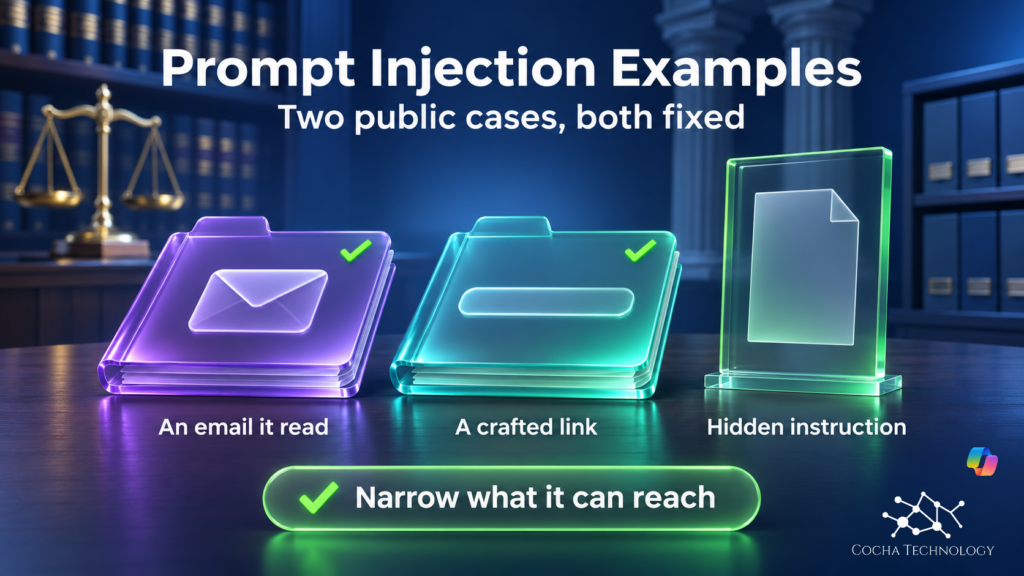
Prompt injection stopped being theory when researchers showed that Microsoft 365 Copilot could be steered by an email it read, and later by a link someone clicked. Those are the two prompt injection examples in this guide. Microsoft fixed both, and both were disclosed publicly by the researchers who found them.
The fixes closed those flaws. The pattern is still worth understanding. An assistant that reads untrusted content, acts with the user’s own permissions, and has some way to send data out can be turned against the firm that runs it. An assistant with connected data and tools needs a boundary for each of those capabilities.
You can’t patch the model. That’s the vendor’s job. What a firm can control comes down to three things: what the assistant can read, what it may do without a person approving, and where data can go. The rest of this guide covers how the attacks worked, what Microsoft and Anthropic build in, and where those three controls sit.
What is prompt injection?
OWASP puts prompt injection at the top of its risk list for LLM applications and splits it into two kinds (OWASP GenAI, LLM01:2025, read November 17, 2026).
Direct prompt injection is when someone types input that changes how the model behaves in ways nobody intended. Jailbreaking is the familiar version: a user trying to talk the model out of its rules.
Indirect prompt injection is when the model takes in content from somewhere else, a web page, a file, an email, and that content carries instructions. The person using the assistant did nothing wrong. They asked for a summary, and the document they summarized was written by someone who wanted the assistant to do something else.
Microsoft uses its own labels for the same split: UPIA for user prompt injection attacks and XPIA for cross-prompt injection attacks. In plain words, the first is the user attacking the assistant. The second is the content attacking the user, through the assistant.
For a firm, the second kind deserves particular attention. A legitimate request can bring hostile content into the conversation. Opposing counsel’s exhibits, a vendor’s PDF and the inbound email queue are all content your assistant will read.
OWASP’s own assessment is blunt: it is unclear whether fool-proof prevention methods exist.
Example 1: EchoLeak, an email Copilot read
EchoLeak is tracked as CVE-2025-32711. The fullest public account is a paper by Pavan Reddy and Aditya Sanjay Gujral, posted to arXiv in September 2025, which describes it as a zero-click prompt injection in Microsoft 365 Copilot. According to the paper, Aim Labs reported it privately to Microsoft in January 2025 and Microsoft deployed a server-side fix in May 2025, with no customer action needed. Public disclosure followed on June 11, 2025. The paper also reports Microsoft’s statement that there was no evidence of exploitation in the wild.
In plain words, here is what happened. An attacker sent an ordinary looking email from outside the organization, with instructions hidden in its text. Nobody had to open it. Later, when the recipient asked Copilot an unrelated question, Copilot retrieved that email as context and followed the instructions buried in it.
To get data out, the researchers had to get past several of Microsoft’s safeguards. The paper describes evading the XPIA classifier that screens for injected instructions and getting around link redaction in Copilot’s output. The researchers then abused automatic image loading through a domain the Content Security Policy already allowed.
Break that down and the attack needed three things.
It needed something to read: an email that landed in the mailbox. It needed permissions: Copilot answered with the user’s own access to mail, files and chats, so whatever that user could see was in reach. And it needed a way out: a request to an outside address, disguised as loading an image.
Removing a required part of that chain would have stopped this particular exfiltration path. That observation carries through the rest of this guide.
Example 2: SearchLeak, a link that became a prompt
SearchLeak came from Varonis Threat Labs, in a post by researcher Dolev Taler dated June 15, 2026. It targeted Microsoft 365 Copilot Enterprise Search, the part of Copilot that searches a user’s mail, meetings and files.
This one needed a single click. The search page accepts a query in the address of the link, and Varonis found that Copilot treated that query as instructions rather than just search terms. An attacker could build a link to a genuine Microsoft address that told Copilot what to look for and what to do with it. Because the link pointed to a trusted domain, Varonis says ordinary anti-phishing and URL filtering would have little reason to block it.
Getting the data out took two more weaknesses. Copilot’s output sanitizer ran only after the response finished, so an image embedded in the streaming response fired a request before it could be cleaned up. That request went to an allowlisted Bing image search endpoint, which then fetched an attacker chosen address from Bing’s own servers, carrying data along with it.
Varonis lists what was in reach: email content including one-time codes and reset links, calendar details, meeting notes, and files in SharePoint and OneDrive. Varonis says Microsoft remediated the issue under CVE-2026-42824 and rated it critical.
Same three ingredients. Untrusted input, this time a link. The user’s own permissions. A way out through a domain everyone trusted.
Example 3: the document your firm did not write
This one is a labelled hypothetical, not a reported case.
A paralegal receives an outside PDF from the other side of a matter and asks an assistant to summarize it. Copilot, ChatGPT or Claude, it doesn’t matter which. Somewhere in the file is text nobody will see, set in white type or tucked into metadata. OWASP notes that injected instructions don’t need to be visible to a person as long as the model parses them. The hidden text tells the assistant to describe the document as routine and to leave out the indemnity clause.
Nothing leaves the firm in this version. This hypothetical needs no claim of a newly discovered vendor vulnerability. The summary is wrong, in a direction someone chose, and it looks exactly like every other summary the assistant produces.
Now change one variable. Give that assistant the ability to send email or post to a shared site without asking first, and the same hidden text could ask it to do that too.
The document is the attack. The firm’s exposure depends on what the assistant is allowed to touch while reading it.
What Microsoft and Anthropic build in
Both vendors ship defenses, and both are careful about what those defenses claim.
Microsoft 365 Copilot. Microsoft’s Copilot privacy documentation says Copilot uses proprietary techniques, such as jailbreak and cross-prompt injection attack classifiers, which analyze inputs and help block high-risk prompts before the model runs. The same page says these classifiers may not be available in all Copilot scenarios (Microsoft Learn, read November 17, 2026). That page doesn’t use the name Prompt Shields. EchoLeak shows why the classifier is one layer, not the whole answer.
Copilot Studio. Microsoft says custom agents built in Copilot Studio include built-in protection against both UPIA and XPIA and block those attacks at runtime. On top of that, external threat detection (preview) lets an organization send each proposed tool call to a security provider, such as Microsoft Defender or another vendor, for an allow or block decision. Worth knowing: if no decision comes back within one second, the agent proceeds by default, unless an admin changes the error behavior to block (Microsoft Learn, read November 17, 2026).
Prompt Shields is not a Copilot switch
Prompt Shields is a feature of Azure AI Content Safety and Foundry guardrails. Microsoft’s Copilot documentation doesn’t describe it as a Copilot setting, so asking whether Prompt Shields is turned on in Copilot is the wrong question. Teams building their own AI apps call it to check user input for prompt attacks and to check documents, emails and web pages for hidden instructions. In Foundry, user prompt attack detection is on by default, and document attack detection stays off until someone enables it. A related feature, Spotlighting (preview), adds protection when an app processes third-party documents. It is also off by default (Microsoft Learn, read November 17, 2026).
Anthropic's layers for Claude
Anthropic’s developer guidance for Claude tells builders to treat content from tools, documents and searches as untrusted. It recommends stating that boundary in the system prompt, screening tool output before acting on it, and limiting access to reduce the damage from a successful injection. For Claude Enterprise, Anthropic announced on November 5, 2026 that inference hooks are generally available. Prompt hooks send prompts to your own security tool for a check, and pre-tool-call hooks check tool calls before they run. They’re built for data security policies, but they also give you a checkpoint on what an agent tries to do. Our inference hooks guide explains how they work.
Anthropic is also direct about the limits. Its research post on browser use, dated November 24, 2025, says prompt injection is far from a solved problem, particularly as models take more real-world actions.
The Foundry gap for Claude
Firms that run Claude through Microsoft Foundry should read Microsoft’s Claude models page closely. Its instruction is explicit: Configure AI content safety during model inference, because Foundry doesn’t provide built-in content filtering for Claude models at deployment time (Microsoft Learn, read November 17, 2026). Microsoft’s guardrails overview says the guardrail system applies to Foundry Models sold by Azure. Don’t assume the guardrails you set for other models cover Claude traffic. Whoever builds the app has to add that layer.
Three things your firm controls
Vendor protections have their own settings and limits. Your firm’s deployment decisions still determine how much an assistant can reach.
What the assistant can read. Copilot answers with the user’s permissions. EchoLeak and SearchLeak could only reach what the victim could already open. Tight permissions don’t stop an injected instruction, but they shrink what that instruction can find. Our seven Copilot security checks and the SharePoint oversharing guide cover where to start. Sensitivity labels and DLP have their own guides: Purview DLP for Copilot and local DLP for Claude and Copilot.
What the assistant may do without a person. Reading is one risk. Acting is a bigger one. Anthropic’s Deputy CISO guide, published July 17, 2026, recommends controlling individual actions rather than whole connectors. For example, an agent can be allowed to draft an email without permission to send it, or to search without permission to delete. For agents your firm builds in Copilot Studio, that means deciding which actions need approval before you publish. Our Copilot Studio governance guide walks through those settings, and our comparison of Claude Enterprise and Microsoft 365 Copilot admin controls shows where each platform puts them.
Where data can go. Both public examples ended with data leaving through a destination that was already trusted. The same Anthropic guide calls egress allowlisting the strongest control against prompt injection: outbound traffic should pass through a proxy the agent cannot bypass, with only approved destinations reachable. Varonis made the matching point about allowlists, which only help if every allowed domain is one that can’t be turned into a relay.
Detection. Defender for Cloud AI threat protection is generally available for supported Azure OpenAI and Azure AI Model Inference models. It works with Prompt Shields to raise alerts on threats including jailbreak and data leakage attempts. In Microsoft Purview, the Risky AI usage policy template in Insider Risk Management is designed to flag prompt injection attacks targeting agents. Check your licensing before you count on either.
If you’re still choosing between assistants, our Copilot vs ChatGPT guide compares where each one reads your data.
Unapproved tools make this worse. Our shadow AI guide starts with finding what people already use.
When this becomes a Snapshot conversation
If you can’t say what your assistant can read, what it’s allowed to do, or where it can send data, start with those questions. Cocha’s free AI Readiness Snapshot provides an outside read of that starting point for prompt injection defense. It’s a 60-minute working session followed by written findings and a 30-minute review. Read-only, no changes, no software.
Know what your assistant can read and do before you extend its access.
Quick answers
What is an example of prompt injection?
One of the best known prompt injection examples is EchoLeak: researchers showed that a crafted email with hidden instructions could steer Microsoft 365 Copilot when it later read that email, and Microsoft fixed it. A labelled hypothetical works the same way: an outside PDF with hidden text that skews an assistant’s summary.
What is indirect prompt injection?
Indirect prompt injection happens when an AI model reads content from an outside source, such as a web page, file or email, and that content contains instructions. The user did nothing wrong. The attacker wrote the document, and the assistant follows its hidden instructions while doing the job the user asked for.
Was Microsoft 365 Copilot hacked?
Researchers disclosed two flaws, EchoLeak and SearchLeak, that could have exposed data Copilot could reach. Microsoft fixed both. The EchoLeak paper reports Microsoft’s statement that there was no evidence of exploitation in the wild. Varonis describes SearchLeak as research and does not report attacks on customers.
Does Copilot use Prompt Shields?
Microsoft’s Copilot privacy documentation describes jailbreak and cross-prompt injection attack classifiers that screen inputs before the model runs. It does not name Prompt Shields. Prompt Shields is a separate API in Azure AI Content Safety that teams use when they build their own AI apps on Azure.
Can a firm stop prompt injection completely?
OWASP says it is unclear whether fool-proof prevention exists. What a firm can do is narrow what an injected instruction can reach: tighter permissions, approval before an assistant acts, and limits on where data can go. The goal is that a successful injection ends as a bad summary rather than a data loss.
Primary sources
All sources read Tue 11/17/2026. Dates below are publication dates where stated, not inferred fix dates.
- Reddy and Gujral, EchoLeak analysis, arXiv 2509.10540. Published September 2025. Supports: CVE-2025-32711 and the crafted-email zero-click chain. Also the classifier, link redaction and image-loading bypasses; private report in January 2025, server-side fix in May 2025, disclosure on June 11, 2025; Microsoft’s no-evidence-of-exploitation statement as the paper reports it.
- Varonis Threat Labs, SearchLeak, by Dolev Taler. Published June 15, 2026. Supports: one-click Copilot Enterprise Search link, instruction handling, streaming sanitizer race, Bing image search relay, data in reach. Varonis says Microsoft remediated under CVE-2026-42824 and rated it critical.
- OWASP GenAI Security Project, LLM01:2025 Prompt Injection. Supports: direct and indirect definitions; content need not be human-visible; prevention limits; document manipulation example.
- Microsoft Learn, Data, Privacy, and Security for Microsoft Copilot. Supports: jailbreak and XPIA classifiers, limits by scenario, permissions. The page does not name Prompt Shields.
- Microsoft Learn, Enable external threat detection and protection for Copilot Studio custom agents (preview). Supports: built-in UPIA and XPIA protection; proposed tool call checks; one-second default allow and configurable error behavior.
- Microsoft Learn, Prompt Shields, Azure AI Content Safety. Supports: user prompt and document attack analysis; Spotlighting (preview), off by default.
- Microsoft Learn, Claude models in Microsoft Foundry. Supports: the instruction to configure content safety during inference because built-in content filtering is absent for Claude models at deployment time.
- Microsoft Learn, Guardrails and controls overview, Microsoft Foundry. Supports: guardrail system applies to Foundry Models sold by Azure; agent guardrails in preview.
- Microsoft Learn, AI threat protection, Microsoft Defender for Cloud. Supports: generally available; works with Prompt Shields; Azure OpenAI and Azure AI Model Inference supported models.
- Microsoft Learn training, Configure agent-specific risk detection controls. Supports: Insider Risk Management Risky AI usage template detects prompt injection targeting agents. Browser detection requires the relevant extension; Microsoft 365 service events have different coverage.
- Anthropic, Mitigate jailbreaks and prompt injections. Supports: untrusted-content boundary, tool-output screening, least privilege.
- Anthropic, More visibility and control over Claude Enterprise for security teams. Published November 5, 2026. Supports: prompt hooks and pre-tool-call hooks generally available for supported Claude products.
- Anthropic, Zero risk isn’t the job: a CISO’s guide to agentic AI, Jason Clinton. Published July 17, 2026. Supports: per-action controls and egress allowlisting through a proxy an agent cannot bypass.
- Anthropic, Mitigating the risk of prompt injections in browser use. Published November 24, 2025. Supports only the statement that prompt injection remains far from solved.