Is ChatGPT safe? The short answer
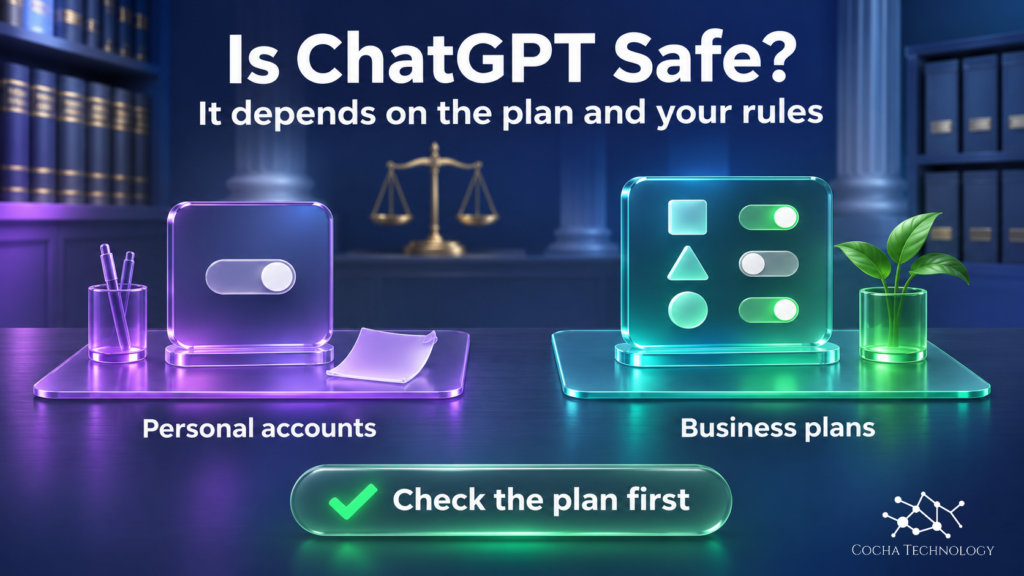
Is ChatGPT safe for business? On a business plan with written rules, it is safe enough for most firm work. On personal accounts holding client data, it is a real risk. That gap has little to do with the model. It mostly comes down to which account the person signed into.
Ask is ChatGPT safe and you are really asking about two different products. Personal ChatGPT accounts and the business plans run under different data terms, and OpenAI says so plainly. So the honest answer comes with a condition attached every time.
The firm decides how safe ChatGPT is, not the tool. You decide which accounts exist, what people may paste or connect, and who can see it. This guide covers what OpenAI says it does with data on each type of plan, the risks that stay on any plan, and six checks you can run this week.
Personal accounts vs business plans: what OpenAI says it does with your data
OpenAI’s help article on model training draws the line clearly. For what it calls services for individuals (Free, Plus and Pro), OpenAI says it may use your content to train its models. Those are the personal plans people sign up for on their own.
There is an opt-out. OpenAI says a person can turn off Improve the model for everyone under Settings, Data controls, or choose Do not train on my content in OpenAI’s Privacy Portal. After opting out, OpenAI says it won’t use that person’s new conversations to improve its models (OpenAI Help Center, read November 17, 2026).
Notice who holds that switch. The individual does. A firm has no way to see or enforce the setting on an account it doesn’t own.
There’s also a feedback exception. On individual plans, OpenAI says that even after opting out, a thumbs up or thumbs down on a response means the entire conversation tied to that feedback may be used to train its models. Temporary chats are separate: OpenAI says they aren’t used to improve its models while they stay temporary, and they don’t appear in chat history.
The business plans work differently. OpenAI’s business data page says that by default it does not use data from ChatGPT Enterprise, ChatGPT Business, ChatGPT Edu or its API platform for training or improving its models. That includes inputs and outputs (OpenAI, read November 17, 2026). The words by default matter, and so do the plan names. A partner’s personal Plus account is not ChatGPT Business, even if the partner pays for it with a firm card.
The feedback rule is different on the business plans too. OpenAI’s help article says that for ChatGPT Business, Enterprise and Edu, a thumbs up or thumbs down does not permit training on the conversation, and workspace admins can turn response feedback on or off.
ChatGPT privacy on a personal account comes down to that one setting. And private never means unseen: OpenAI processes what you send. It handles every prompt to produce a response. Whether that content can also train future models depends on the plan and, on personal accounts, on one person’s settings.
What ChatGPT Business and Enterprise give an admin
This is where a firm gets control back, and where ChatGPT security for a firm starts. As of November 2026, OpenAI’s business data page lists these controls.
For ChatGPT Business: multi-factor authentication, roles (Member, Admin and Owner), GPT controls, SAML single sign-on and basic analytics.
For ChatGPT Enterprise: everything in Business, plus SCIM so IT can provision and remove accounts automatically, and role-based access controls with custom roles by group. Those roles set permissions for connected tools, workspace agents and more. Enterprise also lists centralized spend controls, user analytics, and Microsoft Intune support on iOS and iPadOS.
On encryption, OpenAI says it uses AES-256 at rest and TLS 1.2 or higher in transit. On data residency, the page offers it to eligible ChatGPT Enterprise, ChatGPT Edu, ChatGPT for Healthcare and API platform customers. Business is not on that list.
That’s enough detail for a safety decision. If you need automatic deprovisioning when someone leaves, or group-level limits on which tools people can connect, those sit on the Enterprise list. On Business, name the person responsible for removing a departing user’s seat. A full plan comparison is a different question.
The risks that remain on any plan
A business plan fixes the training question. It doesn’t fix what people do with the tool.
Pasted client data. Anything typed into ChatGPT leaves the firm and goes to OpenAI for processing. On a business plan that’s covered by business terms. It still means client data now sits in another system, with its own retention settings and its own access.
Uploaded files. Same issue, larger volume. A 60 page contract uploaded for a summary carries everything in it, including the parts nobody meant to share.
Connectors. ChatGPT can connect to mail, drives and other apps. OpenAI’s app admin page says Business admins can change workspace-wide app availability; Enterprise adds role-based app access (read November 17, 2026). Someone still has to decide what to allow. A connector to a shared drive is only as safe as the permissions on that drive.
Prompt injection. OWASP lists prompt injection first among its risks for LLM applications. Indirect prompt injection happens when a model reads outside content, such as a web page, file or email, that carries hidden instructions. OWASP says it is unclear whether fool-proof prevention exists (OWASP GenAI, LLM01:2025, read November 17, 2026). EchoLeak (CVE-2025-32711) affected Microsoft 365 Copilot. Microsoft’s advisory calls it AI command injection that allows unauthorized information disclosure over a network, and says it is fully mitigated with no user action required. Any assistant that reads outside documents or connected mail, ChatGPT included, sits in the same risk class, on any plan.
People still on personal accounts. This one is easy to miss. Rolling out ChatGPT Business doesn’t close anyone’s personal account. If staff keep using the account they had before, none of the business controls apply to that work.
Here is a labelled hypothetical. An associate has a draft settlement agreement and wants the wording tightened before it goes to the other side. The firm workspace is open in one tab, but a personal account is open in another, and that’s the one they paste into. The draft now sits in a personal account whose training setting the firm can’t see, and the firm doesn’t know it happened.
Has ChatGPT ever leaked data?
OpenAI has documented one incident in detail. On March 24, 2023, OpenAI explained that it had taken ChatGPT offline days earlier because of a bug in an open-source library, which let some users see titles from another active user’s chat history.
OpenAI said the same bug may have exposed payment-related information for 1.2% of ChatGPT Plus subscribers who were active during a nine-hour window. That meant name, email, payment address, card type, the last four card digits and the expiration date. OpenAI said full card numbers were never exposed and that the bug was patched.
That was over three years ago and it was fixed. The lesson isn’t that ChatGPT is unsafe now. It’s that any cloud service can fail, so the safest data is the data you never put in.
Is ChatGPT safe for lawyers and other confidential work?
Law firms ask this most, and ChatGPT for lawyers raises a question IT can only partly answer.
IT can control the technical side: which accounts exist, whether work happens in a firm workspace under SSO, which connectors are allowed, and whether DLP watches AI sites. IT can’t decide whether a particular use is consistent with a lawyer’s professional duties or with a specific client’s engagement terms. That’s a question for the firm’s counsel and its general counsel function, and some clients answer it in their outside counsel guidelines before the firm does.
What IT can do is make sure the answer is enforceable. A rule that says no client data in personal AI accounts only works if the firm knows which accounts exist. Our guide to personal AI accounts and client confidentiality covers that gap in more detail.
Accountants, consultants and other professional services firms face a version of the same question. Client terms often decide it.
Six checks before staff use ChatGPT at work
- Find out which accounts exist today. Ask, check expense reports, and look for sign-ins with firm email addresses. You’re looking for personal accounts used for firm work as much as any firm workspace. Our page on shadow AI covers what to look for.
- Move work use into a firm workspace with SSO. If people are going to use ChatGPT, give them a business account the firm controls, tied to your identity provider, so access ends when employment does.
- Write down what may and may not be pasted or uploaded. Be specific about client identifying data, privileged material and credentials. Our AI acceptable use policy template gives you a starting structure.
- Decide who may connect mail, drives or other apps. OpenAI’s app admin page says apps are on by default in ChatGPT Business. New Enterprise workspaces start with a selected set of apps on, and new apps are generally off until an admin enables them. Either way, check what’s already switched on in Admin Console before staff connect anything. Start narrow and widen it when there’s a reason.
- Turn on the DLP you already own for AI sites. If your licensing already includes data loss prevention that can watch browser uploads and pastes, point it at AI sites. See our guide to DLP for AI assistants.
- Review it monthly. Features, connectors and staff change. A short monthly look at accounts, connected apps and DLP alerts keeps the rules current.
Where Microsoft Copilot fits
Some readers are really asking a different question: should we use ChatGPT at all, or Copilot, which works inside Microsoft 365? That’s a choice about where each tool reads your data, and it deserves its own answer. Our Copilot vs ChatGPT guide covers that choice. Paid Copilot works on what each user can already open in Microsoft 365, so its first risk is permissions; ChatGPT works on what people paste, upload or connect. The checks above apply whichever one you pick.
When this becomes a Snapshot conversation
If you can’t say today whether staff use personal AI accounts for client work, or what data those accounts could hold, start there. The free AI Readiness Snapshot looks at whether shadow AI is already in use and what your data exposure looks like. It’s a 60-minute working session followed by written findings and a 30-minute review. Read-only, no changes, no software. You’ll have your own answer to is ChatGPT safe for business, for your firm specifically, before you write the rules.
Find out which AI accounts your people already use before you write the rules.
Quick answers
Is ChatGPT safe to use for work?
On a ChatGPT Business or Enterprise plan with written rules, it can be, for most work. OpenAI says it doesn’t train on business plan data by default, and admins get controls. On personal accounts it is riskier, because OpenAI may train on that content unless the individual opts out, and the firm can’t see that setting.
Is ChatGPT private?
Not in the sense that nobody sees it. OpenAI processes every prompt to produce an answer. Whether your content can also train its models depends on the plan. Business plans are not used for training by default. On personal accounts, training depends on the individual’s settings, and feedback can bring a conversation into training.
Does ChatGPT train on my business data?
OpenAI says that by default it does not use inputs or outputs from ChatGPT Business, ChatGPT Enterprise, ChatGPT Edu or its API platform for training or improving its models. That commitment is tied to those plans. Work done in someone’s personal ChatGPT account falls under the individual terms instead.
Is ChatGPT confidential enough for client files?
It depends on the plan, your firm’s rules and the client’s own terms. IT can make sure work happens in a controlled firm workspace. Whether a use fits professional duties is a question for your counsel. Our guide to personal AI accounts and client confidentiality covers the IT side.
What should you never put into ChatGPT?
Never put client identifying data into a personal account, never paste passwords, API keys or other credentials, and never upload anything a client contract bars from third party tools. On a firm workspace, follow the written rule about what may be shared. If nobody has written that rule yet, start there.
Primary sources
All pages read Tue 11/17/2026.
- OpenAI Help Center, How your data is used to improve model performance. Page shows updated 12 hours ago. Supports: individual plans (Free, Plus, Pro) may be used for training; the two opt-out routes; the feedback exception on individual plans; temporary chats. Also: no training by default on Business, Enterprise, Edu or the API; feedback on business plans does not permit training; admins can turn response feedback on or off.
- OpenAI, Business data privacy, security, and compliance. No page date shown. Supports: no training by default on business plans, including inputs and outputs; AES-256 at rest, TLS 1.2 or higher in transit. Also the Business and Enterprise control lists and data residency for eligible Enterprise, Edu, Healthcare and API customers.
- OpenAI, March 20 ChatGPT outage: Here’s what happened. Dated March 24, 2023. Supports: the redis-py bug, other users’ chat titles, possible payment-related exposure for 1.2% of Plus subscribers active in a nine-hour window. Full card numbers not exposed; bug patched.
- OWASP GenAI Security Project, LLM01:2025 Prompt Injection. Supports: prompt injection first in the LLM Top 10; indirect prompt injection; unclear whether fool-proof prevention exists.
- Microsoft Security Response Center, CVE-2025-32711. Released June 11, 2025. Supports: AI command injection in M365 Copilot allowing unauthorized information disclosure over a network; fully mitigated by Microsoft, no user action required. Advisory description and FAQ read through MSRC’s public data endpoint.
- OpenAI Help Center, Admin controls, security, and compliance for plugins and apps. Supports: Business admins control workspace-wide app availability; Enterprise and Edu have role-based app access. Also the defaults in check 4: apps enabled by default in Business; new Enterprise and Edu workspaces start with a selected set of apps enabled; new plugins and apps generally disabled by default.