Copilot Studio governance starts with a plain fact: an agent gets built somewhere, and the somewhere decides most of what happens next. Microsoft documents that Copilot Studio agents are always created and managed inside Power Platform environments, and that those environments define data boundaries, security roles, data policies and lifecycle separation. So the first governance decision for a law firm can get made before anyone in IT hears about the agent.
Copilot Studio is the builder. It is not Microsoft 365 Copilot, and the controls below apply to building, sharing and publishing agents. What follows is six checks for the IT lead, COO or managing partner whose firm has someone experimenting in Studio or asking to publish an agent. It uses Microsoft’s own control names, reflects the Microsoft Learn pages as read on November 15, 2026, and stays out of the question of Studio versus Agent 365.
Check 1. Confirm the environment the agent will live in
Start by asking which environment the agent was built in, because an environment is where the rest of the controls attach. Learn describes it as the thing that determines where an agent’s data lives, who can build or edit it, which connectors and integrations are allowed, and how development, testing and production stay apart. The Power Platform environments overview adds that an environment is also a container for separating apps with different roles, security requirements or audiences.
Microsoft’s own pattern runs from strict to relaxed. Personal development environments get strict data policies and strict Managed Environment rules, so unauthenticated agents are out and most channels and connectors are blocked. Dedicated development environments relax the data policies but keep the Managed Environment rules strict. Test and production environments relax both. Admins can also set up environment routing, which Learn describes as a safe space for makers to build agents, and environment admins can turn off generative AI features that move data outside their region.
Our judgment, not Microsoft’s: if nobody can say which environment holds the first agent, treat that as the finding. The Copilot Studio environments question is also the one everything after it depends on, so it comes first.
Know where your agents live before they multiply
Environments decide who builds agents and which connectors they can call, and that sits on top of the access your users already have. The free AI Readiness Snapshot reviews that access in a 60-minute working session. Request it with your name, work email and firm.
Check 2. Separate personal experiments from shared or production agents
Learn sorts agent creation into three zones, and the sorting is useful because it gives a firm vocabulary for a conversation that otherwise turns on feelings.
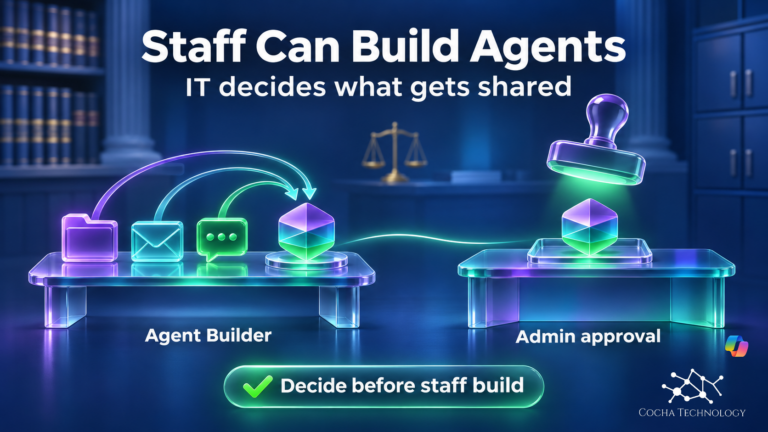
Zone 1 is the Citizen Development Zone. Anyone can make personal and team productivity agents from content they already have access to, agents stay private and read-only, and the builder tools are Agent Builder in Microsoft Copilot and SharePoint agents. Zone 2 is the Partnered Development Zone, where IT-approved makers build agents other teams will use. Those agents follow IT-managed review and live in IT-managed environments, and Copilot Studio is listed as a builder tool here. Zone 3, the Professional Development Zone, is for mission-critical agents built by professional developers with standard ALM practices, using Microsoft Foundry Agent Service and Copilot Studio.
So Studio shows up in Zones 2 and 3. For Zone 1 Learn lists sharing as disabled and scoped to the maker, and for Zone 2 it lists IT-admin approval to publish. The practical point is that a personal experiment becomes a shared agent the moment someone shares it. Decide in writing where that line sits at your firm and who signs off when an agent crosses it.
Check 3. Classify the connectors the agent can call
Connectors are how an agent reaches data and services, and Microsoft’s control for them is a data policy configured in the Power Platform admin center. Each connector sits in one of three groups: Business, Non-business or Blocked. A new policy starts with every connector in Non-business, and Learn advises keeping Non-business as the default group for new connectors and moving connectors deliberately. People often search for this as Copilot Studio DLP, but the current Microsoft name is data policies.
Several Studio behaviors hang off specific connectors. Blocking the HTTP connector stops makers from publishing agents that use the HTTP request node, and endpoint filtering lets you allow or deny particular endpoints instead. Blocking Chat without Microsoft Entra ID authentication in Copilot Studio stops makers from publishing agents that skip authentication. Blocking Power Platform connectors as tools also blocks tools on connected MCP servers, because those tools rely on Power Platform connectors for connectivity. Learn says data policy enforcement has been in effect for all tenants since early 2025 (message center alert MC973179). Agents can’t be exempted from it. A policy change can therefore stop an agent from publishing or break one that already works.
Two cautions. Advanced connector policies are Microsoft’s newer allowlist model, but Learn lists certified and MCP connectors as supported, with MCP blocked at the server level rather than per tool, and HTTP and custom connectors still on classic data policies. Its notes still say certified connectors only, so confirm in your admin center. And Power Platform data policies do not replace Purview DLP. They govern what an agent can connect to. Content-level protection is a separate control, which we cover in our Microsoft Purview DLP and Copilot article. We plan to cover Power Platform data policies in a separate article.
Connectors reach only what your permissions allow
A well sorted data policy still depends on clean access underneath it. The free Snapshot checks permissions and data access across your tenant, then closes with written findings and a 30-minute review.
Check 4. Decide who can make, share and publish an agent
Learn splits maker access control across three levels. At the tenant level it covers who holds a Copilot Studio user license or a Microsoft Copilot user license, whether self-service trials are allowed, and whether the Copilot Studio Teams app is available. At the environment level it covers which security groups get in and which security roles can create, read, update or delete agents. At the agent level it covers who can share an agent for authoring, and users with the System Administrator role can read and update all agents and transcripts in that environment. Tenant admins can also turn off publishing of agents that use generative AI.
Microsoft’s manage checklist asks whether you restricted who can create, edit and publish agents in each environment, and recommends assigning access through Microsoft Entra ID groups rather than individuals. One related setting matters more than it looks. Admins can control whether makers may use their own credentials to authenticate tools, and Learn recommends restricting that in sensitive or production environments where agents are shared, so operations run on the end user’s credentials.
Identity is the other half. For organizations that onboard Agent 365, Learn says Copilot Studio agents can be represented as identities in Microsoft Entra and governed with Conditional Access and access governance workflows. That’s the identity and inventory layer, and it sits alongside the environment, connector and publishing checks here instead of replacing them. Our Microsoft Agent 365 article covers that layer. License tiers also change what a firm can switch on, and our Microsoft 365 license features guide is the place to check that.
Check 5. Watch what the agent did
Learn describes monitoring in several pieces, and which ones a firm needs depends on the zone. Telemetry covers agent invocation events, tool and action calls, policy enforcement decisions and runtime activity signals. It goes through the Microsoft Purview audit logging pipeline. Maker audit logs are available to admins in Purview, and admins can monitor and alert on agent activity through Microsoft Sentinel. A data policy can also allow or block the Azure Monitor Application Insights integration, and the Copilot Hub in the Power Platform admin center shows usage. Makers get an agent runtime protection status on the Agents page.
We’re deliberately not giving you click paths for any of that. Where each log surfaces in the Purview or admin center interface is a question for your admin, and it changes. The check that matters is organizational: someone owns the alerts, someone reads the audit trail, and both were decided before the first agent went live.
Check 6. Test matter-data reach before a practice group publishes
Permissions still live in SharePoint or your document management system. A Studio control can stop an agent from calling a connector, but it can’t tell you that a matter workspace is open to the whole firm, so an oversharing problem stays an oversharing problem.
Learn notes that makers can configure tools to run with the user’s credentials by default. Use that as the basis for a simple test before anything is published. Have one user with narrow access and one with broad access each ask the agent for something outside the narrow user’s matters, and compare what comes back. That test is our suggestion and not a Microsoft procedure. It surfaces the gap between what the agent was built to reach and what the signed-in person is entitled to see.
If the agent will call MCP servers, add a second question about the path. Studio agents can connect to MCP servers and call their tools, and the MCP path has its own control points, including a gateway where a firm runs one. Our MCP gateway article covers what a gateway can and can’t do.
If the open question is still what is MCP, or how MCP vs API changes who picks the call, those checks are in the newer guide.
When this becomes a Snapshot conversation
If a practice group asks to publish an agent and you can’t answer Checks 1 through 6 in a sentence each, the free AI Readiness Snapshot is the place to start. It’s a 60-minute working session followed by written findings and a 30-minute review. It’s read-only, makes no changes to your environment and installs no software. The Snapshot reviews Microsoft 365 permissions, data access and the governance around AI tools, which is where Check 6 and the ownership questions in Checks 1 through 5 land. It is not a Copilot Studio configuration audit.
FAQ
What does Copilot Studio governance cover for a law firm?
It covers the environment an agent lives in, the data policies that classify and block connectors, who can make, share and publish agents, and how activity is monitored. It is a different thing from an Agent 365 license. Learn describes Agent 365 as a control plane that sits alongside these controls.
Is Copilot Studio the same as Microsoft 365 Copilot?
No. Copilot Studio is where agents get built, shared and published, and Microsoft 365 Copilot is a separate product. The controls in this article apply to Studio. If your question is about identity and inventory for agents, our Agent 365 article is the right next read.
Do Power Platform data policies replace Purview DLP?
No. Power Platform data policies, which Microsoft documents on its Copilot Studio data policies and Power Platform data policies pages, govern which connectors and agent features makers can use. Purview DLP is a separate control with its own job, and our Purview DLP article covers it.
Where should a first Studio agent be built?
Follow Microsoft’s zone language. Learn lists Copilot Studio as a builder tool in the Partnered Development Zone, with IT-approved makers, IT-managed review and IT-managed environments. Which specific environment that means at your firm is a decision your admins make and document, because Microsoft doesn’t name one.
When is the free AI Readiness Snapshot the right next step?
When you can’t say where agents are being built, which connectors they can call, or who can publish them. The free AI Readiness Snapshot is a 60-minute working session followed by written findings and a 30-minute review. It’s read-only, changes nothing in your environment and installs no software.
Copilot Studio governance: six answers to have ready
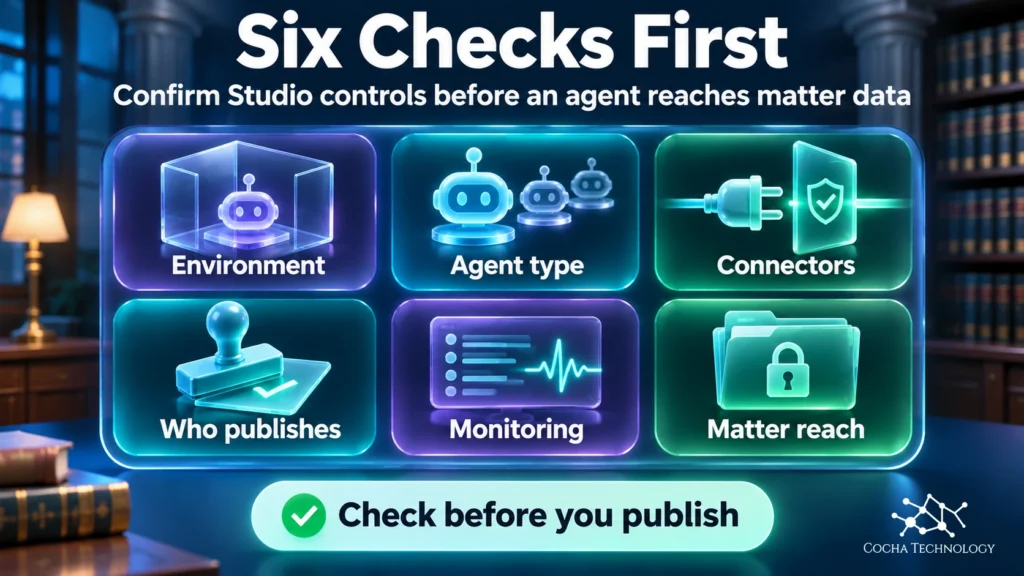
Good governance comes down to six answers you can give on request. Where does the agent live? What kind of agent is it? Which connectors can it call? Who can publish it, who watches it, and what can it reach once a lawyer signs in? If any of those is a guess, the free AI Readiness Snapshot is a reasonable place to start.
Sources
Microsoft Learn pages, each with the date shown in its page metadata (updated_at), checked November 15, 2026.
- Key concepts: Copilot Studio security and governance: Agent 365 as control plane and Entra identities for onboarded firms, environment routing, Purview audit logging, Sentinel, runtime protection status, run tools with user credentials. Last updated November 5, 2026.
- Implement a zoned governance strategy: Agents always live in Power Platform environments, the three zones and their builder tools, tenant, environment and agent maker access controls. Last updated November 4, 2026.
- Governance and security overview for Copilot Studio: Maker and tenant access controls, data policies, sharing rules. Last updated November 12, 2026.
- Configure data policies for agents: Business, Non-business and Blocked groups, HTTP connector and endpoint filtering, unauthenticated chat connector, MCP tools blocked with Power Platform connectors, MC973179. Last updated October 22, 2026.
- Power Platform environments overview: An environment as a container that separates apps and data by role and audience. Last updated October 16, 2026.
- Data policies in Power Platform: Copilot Studio virtual connectors, MCP connectors, advanced connector policies. Last updated October 16, 2026.
- Secure your Copilot Studio projects: Strict to relaxed environment pattern, Entra ID groups, tenant admins can disable publishing of generative AI agents, regional data movement setting. Last updated October 15, 2026.
- Review the manage checklist: Restrict who can create, edit and publish agents, assign access through Entra ID groups. Last updated September 14, 2026.
- Troubleshoot data policy enforcement: Agents can’t be exempted from data policy enforcement since March 2025. Last updated October 7, 2026.
- Connector classification in data policies: New policies start with all connectors in Non-business, keep Non-business as the default group. Last updated August 14, 2026.
- Advanced connector policies: Certified and MCP connectors supported (MCP at server level), HTTP and custom connectors not yet supported. Last updated September 9, 2026.
- Control maker-provided credentials for authentication: Maker credentials versus end-user credentials, restricting maker credentials in sensitive or production environments. Last updated October 7, 2026.
- Extend your agent with Model Context Protocol: Agents connect to MCP servers and call their tools. Last updated October 17, 2026.