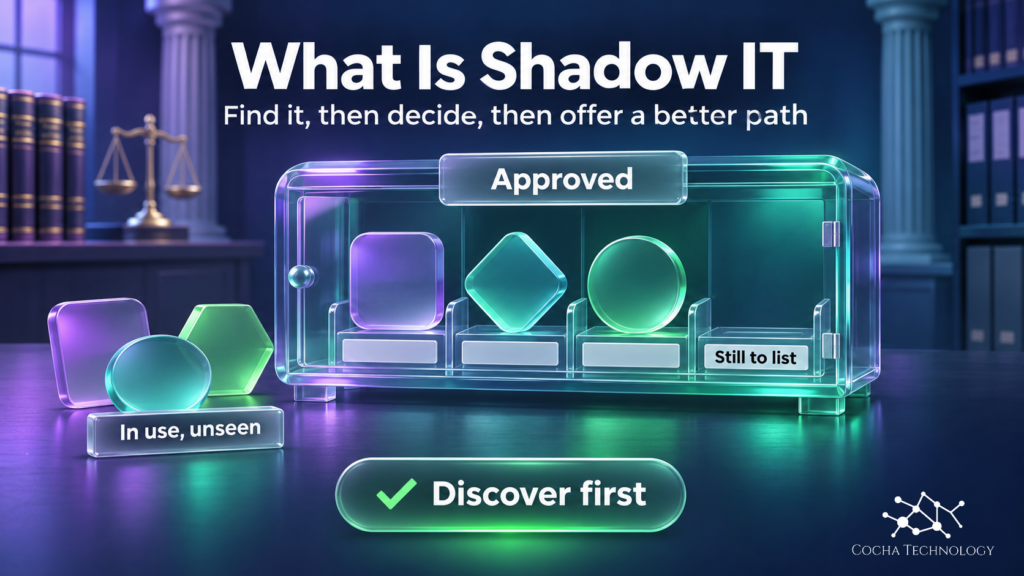
Shadow IT is any app, cloud service or device people use for work without IT knowing about it or approving it. It usually starts with good intentions, like a team signing up for a file sharing tool to hit a deadline, but it leaves company data in places nobody is watching. AI tools have made the pattern more common, which is why shadow IT and shadow AI now come up in the same conversation.
What is shadow IT?
What is shadow IT, in one line? Any app, device or cloud service people use for work without IT knowing about it or approving it. The UK National Cyber Security Centre puts it as unknown assets used within an organisation for business purposes, and the important word is unknown. The tool might be perfectly good. Nobody responsible for security knows it’s there.
That’s the shadow IT definition this guide uses, and it covers more than software. A personal phone that syncs firm email counts. So does a free account someone opened with a work address on a Tuesday afternoon because the approved tool couldn’t do what a client needed.
In a small firm, shadow IT is rarely sinister. The NCSC makes the same point: staff are usually trying to get their work done when the sanctioned tools fall short, and they often don’t realize they’re creating risk. So this isn’t a guide about catching people. It’s about finding where client data has gone and bringing it back under control without making work harder.
Shadow IT examples you will find in a small firm
These are typical patterns, not reported cases. You may recognize a few.
File sharing. A partner sends a large set of documents to a client through a personal Dropbox because the firm’s file share kept rejecting the upload. The link still works two years later.
Messaging. An associate texts a client from a personal phone, or a team keeps a group chat on a consumer messaging app. The NCSC calls out unapproved messaging and video conferencing with no monitoring in place.
Project tools. A practice group runs its deal checklist on a free project board that one person signed up for. When that person leaves, so does the admin login.
Personal devices. Someone reviews documents on a home laptop that has never seen the firm’s antivirus, patching or encryption settings.
Browser extensions. A PDF converter or writing helper may ask for permission to read the pages it runs on, including the firm’s web mail and document system. If nobody reviews that permission, an extension becomes another unapproved route to client data.
AI tools. An AI notetaker joins client calls because one attorney connected it to a work calendar. A paralegal pastes a draft into a free chatbot to tighten the language.
The non-AI examples belong in the inventory too. A firm can spend all its attention on chatbots and miss the personal storage account holding years of matter files. AI tools get their own section below.
Why shadow IT is a risk to client data
Microsoft’s Global Secure Access documentation breaks the shadow IT risks into four areas, and they translate well to a small firm.
The first is data loss. Uploading files to personal cloud storage means sensitive data leaves corporate control. For a firm that holds client confidential material, that’s the core problem. The data isn’t necessarily stolen. It’s just somewhere the firm can’t see, can’t back up and can’t search.
Compliance is the second. Microsoft’s examples are apps that don’t meet regulatory requirements. Professional services firms carry their own version: engagement letters, client security requirements and outside counsel guidelines that say where client data may be stored. A free tool nobody vetted almost certainly wasn’t checked against any of them.
Security comes third. Apps with poor security practices bring credential theft and malware. A reused password on a free service can create an opening for an attacker.
The fourth is wasted spend. Microsoft lists duplicated tools across teams as wasted IT budget. Three practice groups paying separately for three project tools is a small leak, but it adds up.
Two risks deserve a separate check in a firm.
Offboarding is one. When someone leaves, IT disables their firm account. It can’t switch off a personal account it never knew about, and turning off the work login doesn’t take back the client files sitting in that account.
The other is legal holds and discovery. If the firm needs to preserve or produce documents, it can only collect from systems it knows about. Matter files in a tool nobody reported sit outside that search.
AI tools are shadow IT with a faster clock
Shadow AI isn’t a separate problem. The NCSC’s own guidance now notes that shadow IT can include AI used without permission. It’s the newest kind of shadow IT, with the same root cause and the same fix. Our shadow AI guide covers it in depth.
What changes is the speed. A file share drifts out of control over months. A paste into an AI tool takes seconds, and a notetaker connected to a calendar can join every meeting on it the same day.
The AI review also asks what the tool can do next. A chatbot may receive a document; a notetaker may receive meeting audio. If a connected tool can also take actions, review those permissions separately. Keep that review within the wider app inventory so the firm does not create two lists that nobody reconciles. Our prompt injection examples show how a connected tool can be steered by what it reads.
If you want the AI specific patterns, see our shadow AI examples, and for finding them, how to detect shadow AI.
Step 1. Find out what is in use
You can’t decide about apps you haven’t found. Microsoft’s Defender for Cloud Apps tutorial makes the point with its own figure. Microsoft says that when IT admins are asked how many cloud apps their employees use, on average they say 30 or 40, when in reality the average is over 1,000 separate apps.
Microsoft offers two tools for this. Cloud discovery in Defender for Cloud Apps analyzes traffic logs from firewalls, proxies or managed endpoints. Application discovery in Global Secure Access shows which apps users reach and how much data moves. Check your licensing before planning either deployment; our Microsoft 365 license features guide is a starting point.
If you don’t have those tools, start cheaper. If your firewall records outbound traffic, review those logs for services people reach. Your identity provider’s sign-in logs and its list of third-party apps that users have consented to will show where people are signing in with work accounts. Ask people too. A short, blame-free question about which tools they rely on surfaces things logs miss. Treat this first pass at shadow IT discovery as an inventory to improve, not proof that every service has been found.
Step 2. Sort every app: approve, replace or block
Every app on the list gets one of three decisions.
Approve it if it does a job the firm needs and meets your security and client requirements. Then bring it under management: firm accounts, single sign-on where possible, and an owner.
Replace it if the need is real but the tool isn’t acceptable. The partner using a personal Dropbox has a genuine problem with sending large files. Solve that problem with something the firm controls.
Block it if there’s no good reason for it at all. Microsoft’s tutorial describes tagging such apps as unsanctioned so a firewall or proxy can block them.
Don’t skip the conversation with the people using each app. A block without a replacement just pushes the work somewhere else you can’t see.
Step 3. Give people an approved alternative
This step decides whether the rest works. The NCSC advises against unnecessary lockdowns and recommends a simple process for handling requests. People went around IT because the approved tools didn’t meet a need. If you remove the workaround without meeting the need, they’ll find another workaround.
So for each replaced or blocked app, name the approved tool, set it up, and tell people where to find it. Make the approved way the easy way: large file transfer that works, secure client messaging, a sanctioned AI assistant with firm data protections. Then assign someone to answer requests for new tools, so a request does not disappear into a queue with no owner.
Step 4. Write a one page shadow IT policy
Keep the policy short enough that people will read it. One page covers it. Say which tools are approved for client data, how to ask for a new one, what happens to firm data in personal accounts, and who to call with questions. Write it for the people doing the work, not for auditors.
Cover AI tools in the same document, or link to a separate rule. Our AI acceptable use policy template handles that part.
Step 5. Check again every quarter
New tools appear every month. Shadow IT management is a habit, not a project. Once a quarter, rerun discovery, compare the list with last quarter’s, and decide on anything new. Check that departing staff left nothing behind in unapproved services. Set the review effort according to the number of apps and the sensitivity of the data involved.
When this becomes a Snapshot conversation
If you can’t say today where your client data lives, that’s the right place to start. The free AI Readiness Snapshot is a 60-minute working session followed by written findings and a 30-minute review. It’s read-only, with no changes and no software. Bring the question of what is shadow IT into that conversation alongside the AI tools your people use. If you want help beyond that, our services page describes what we do.
Start with the AI tools your people use and the data they receive.
Quick answers
What is shadow IT in simple terms?
Shadow IT is any app, device or cloud service used for work without IT knowing. The UK NCSC describes it as unknown assets used within an organisation for business purposes. The tool itself may be fine. The problem is that nobody responsible for security can see it, manage it or protect the data in it.
What are examples of shadow IT?
Typical examples include sharing client files through a personal Dropbox, texting clients from a personal phone, or running a project on a free online board. Others are an unmanaged home laptop, a browser extension that reads web pages, and an AI notetaker connected to a work calendar without IT approval.
Is shadow IT illegal?
Shadow IT itself isn’t illegal. It’s a control problem. The risk is what it can lead to: client data stored where the firm can’t secure it, back it up, preserve it or retrieve it when someone leaves. For firms with confidentiality duties and client security requirements, that gap can become a serious problem.
What is the difference between shadow IT and shadow AI?
Shadow AI is the newest kind of shadow IT. It means AI tools used for work without IT approval, such as chatbots or notetakers. The cause and the fix are the same. The difference is speed, because client data can reach an AI tool in seconds. Our shadow AI guide goes deeper.
How do you detect shadow IT?
Start with logs you already have: firewall traffic, identity sign-in records and the list of apps users have connected to work accounts. Microsoft’s cloud discovery tools analyze traffic to show which apps are in use and how risky they are. Ask staff directly too, without blame, because people know tools that logs miss.
Primary sources
- UK National Cyber Security Centre, Shadow IT guidance. Published July 27, 2023, reviewed August 14, 2026; read November 17, 2026. Supports: definition (unknown assets used within an organisation for business purposes). Examples of unapproved messaging, external and personal cloud storage, project management services and unmanaged devices. Staff usually trying to get their job done. Avoid unnecessary lockdowns and offer a simple request process. Shadow IT can include AI used without permission.
- Microsoft Learn, Tutorial: Discover and manage shadow IT, Microsoft Defender for Cloud Apps. Read November 17, 2026. Supports: the attributed 30 or 40 versus over 1,000 apps line; cloud discovery from traffic logs; app risk; tagging apps as unsanctioned for blocking.
- Microsoft Learn, Tutorial: Discover applications and shadow IT, Global Secure Access. Read November 17, 2026. Supports: definition of shadow IT; the risk table (data loss, compliance, security, licensing).
- Cocha, Shadow AI. Read November 17, 2026. Linked for the AI section only; not restated.