Entra Agent ID: what law firm IT is deciding
If anyone at your firm builds a new agent in Copilot Studio, Microsoft’s documentation says the agent receives an Entra Agent ID automatically, and its owner is added as a sponsor. That default is sensible. It also means identity decisions get made before IT has made any of them. Agents built before May 2026 still run on app registrations until they are migrated. For a firm of 25 to 200 people, the real question is whether the new identities end up with owners, boundaries and an end date. Otherwise they pile up like the app registrations left behind by the last integration project.
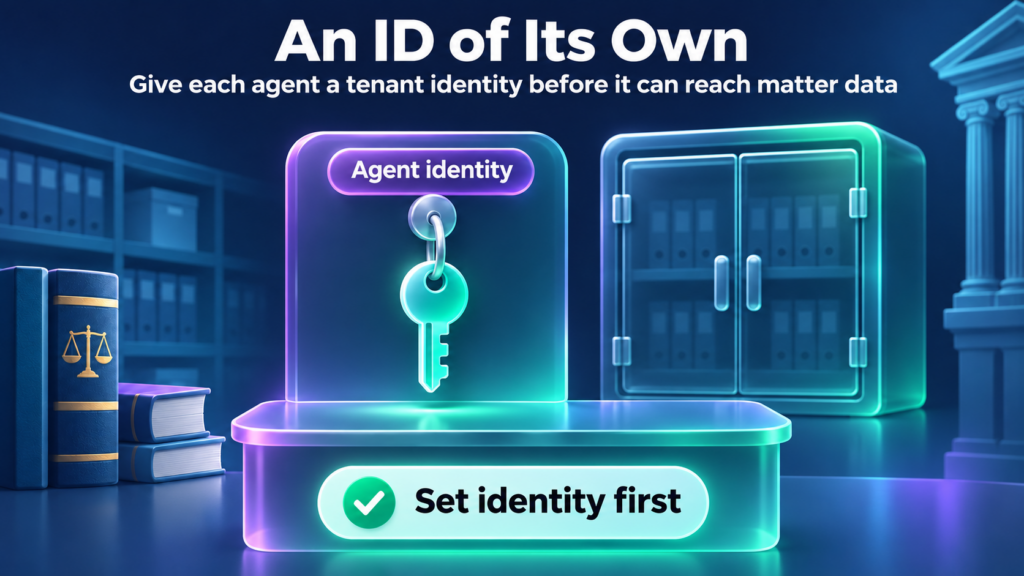
Entra Agent ID is Microsoft’s framework for giving an AI agent a tenant identity of its own. Not a shared user account. Not an undocumented leftover app registration. Microsoft’s own planning guidance tells admins not to register an app for an agent, because an identity created that way has no sponsor, no agent-specific audit entries and no blueprint-managed lifecycle.
Microsoft Learn separates a few constructs, and the vocabulary matters for everything below. An agent identity blueprint is a reusable template that defines a kind of agent and holds its credentials. An agent identity is a special service principal that the agent runs as, created from a blueprint. An agent’s user account is an optional second account, created only when an agent has to work with a system that requires a user object, such as a mailbox.
Status needs care. Microsoft’s Entra release notes list the Agent ID platform as generally available in April 2026. Individual features move at different speeds. On the pages checked November 13, 2026, the admin center wizard for creating a blueprint or agent identity, agent risk conditions in Conditional Access, and the agent lifecycle policies were each labeled Preview. Treat every control below as carrying its own status.
How Entra Agent ID relates to Agent 365
Microsoft treats the two as layers. Its March 2026 Entra release notes describe Agent 365 as the unified registry and control plane for agents, with Entra continuing to supply the identity foundation through Agent ID. The Learn overview adds that Agent ID is available to all Entra customers, while extending Entra security features to agents requires Agent 365.
Which license unlocks which control is a separate conversation, and we keep it off this page on purpose. Our Microsoft Agent 365 guide covers plans, inventory and licensing, and the Microsoft 365 license features pillar shows how the underlying licenses fit together. Here the subject is the identity itself.
Control 1. Give the agent its own Entra Agent ID
Create a blueprint, then create the agent identity from it. Credentials live on the blueprint. According to Learn, an agent identity has no credentials of its own and doesn’t sign in with passwords, SMS or authenticator apps the way people do. The blueprint authenticates with credentials such as federated identity credentials, certificates or client secrets, and acquires tokens on the identity’s behalf.
That design has a consequence law firm IT should take seriously. Microsoft’s planning guide warns that a blueprint compromise can affect every agent identity under it, so the number of blueprints is a security boundary decision. Agents that can’t safely share credentials shouldn’t share a blueprint. Copilot Studio is the exception. Its agent identities all sit under one Microsoft Copilot Studio agent identity blueprint that Microsoft manages, so the blueprint decision applies to agents your own developers build.
The optional agent’s user account is a different object with a different object ID. Microsoft says to create one only when a system truly needs a user object, such as a mailbox or Teams presence. If you do create one, it’s a second account to sponsor and monitor, and it may need a license.
Before building anything new, find what already exists. Microsoft’s migration guidance for agents built on ordinary app registrations runs through discovery, classification, creating a blueprint and agent identity, then decommissioning the old identity. Migration replaces the app registration with a new identity, and the old one gets retired.
Control 2. Name an owner and a sponsor
Microsoft documents these as different jobs. Owners are technical administrators who handle setup, configuration and credentials. Sponsors are business representatives accountable for the agent’s purpose and lifecycle decisions, including access reviews and whether the agent stays. Learn says at least one sponsor is required for each agent identity and each blueprint. An owner is recommended but optional.
At a law firm that will often mean IT or a developer as owner and a practice leader or department head as sponsor. That mapping is our suggestion, not a Microsoft rule. A sponsor can be a user or a group, with limits: dynamic membership groups (security or Microsoft 365) and assigned Microsoft 365 groups are allowed, while role-assignable groups and assigned security groups aren’t.
Sponsors are deliberately constrained. They can disable an agent identity, change its sponsors or soft-delete it. They can’t re-enable or restore one. Owners can. An agent disabled by mistake needs an owner or admin to bring it back, and that person should be named before the mistake happens.
Don’t mistake the default for a decision. When someone creates a new agent in Copilot Studio, they’re added as its sponsor automatically, and nobody has asked whether they should be.
Control 3. Decide whether the agent acts for a user or on its own
Microsoft’s planning guide describes two operation patterns. An interactive agent acts on behalf of a signed-in user (on-behalf-of, or OBO), uses delegated permissions, and issues tokens where the user is the subject and the agent is the actor. An autonomous agent runs with no user present, uses application permissions that need admin consent, and the agent identity is the token subject. Microsoft’s comparison table lists the autonomous access scope as broad and tenant-wide, and the interactive scope as limited to the signed-in user’s data.
Those differences decide which policies apply. The Conditional Access guidance says an agent can use more than one pattern and needs a separate policy for each token subject it uses. Microsoft’s planning guide ties the choice to what the agent does: autonomous for background and scheduled work, interactive when the agent acts on a signed-in user’s data. We don’t prescribe one pattern for every firm. Make the choice on purpose for each agent and write it down, because the answer determines whose permissions limit the agent and which policy can stop it.
Control 4. Limit what the agent can be granted before it can read SharePoint or a DMS
New agent identities start with limited permissions, such as delegated scopes inherited from the blueprint. Anything beyond that should arrive through a path you can see. Microsoft’s answer is an entitlement management access package, which can bundle security group memberships, OAuth API permissions (including Microsoft Graph application permissions) and Entra roles, and which makes agent access intentional, auditable and time-bound.
Learn lists three ways an agent can get an access package: the agent requests it, its sponsor requests it on the agent’s behalf, or an administrator assigns it directly. As an assignment nears its end date, the sponsor is notified and can request an extension, which can start a new approval, or let it lapse. The alternative has no such loop. Microsoft’s Zero Trust guidance points out that permissions granted directly through app role assignments, OAuth grants, group membership or directory roles carry no built-in expiration, approvers or review schedule. Adding OAuth permissions or directory roles to an access package takes a Global Administrator, according to Learn.
Now the boundary that matters most to a law firm. An Entra Agent ID is an identity. It isn’t a substitute for document permissions. What an agent can read in SharePoint or a document management system is still decided in SharePoint or the DMS. An overshared matter workspace stays overshared no matter how well the agent is identified. Microsoft’s access package guidance draws the same line: agent identities can’t be assigned SharePoint Online site roles through an access package. Our guide to AI agent permission management for law firms covers the permission steps. If the agent will call MCP servers, the identity question extends to each connector, and our MCP gateway security guide covers that side.
Control 5. Apply Conditional Access to the agent identity or its blueprint
A Conditional Access policy that targets a blueprint applies to every agent identity created from it, including ones created later. That’s convenient for a fleet, and it also means a blueprint-wide policy reaches every agent under it, so check who is under a blueprint before you apply one. Microsoft’s planning guide adds that you don’t need extra blueprints just to block or target a single agent, because you can target one agent identity directly. Two limits are worth knowing. A policy aimed at an agent identity or its blueprint doesn’t cover the agent’s user account, which needs its own policy targeting agent users. And when an agent acts on behalf of a user, the user is the token subject, so policies assigned to the user apply and selecting the agent identity doesn’t cover those requests.
Conditional Access also protects only resources secured by Entra token issuance. Learn notes that an agent using an API key bypasses token issuance entirely, and policies won’t apply to it. Microsoft’s best practices add that agents can’t satisfy interactive controls such as MFA, so agent policies rely on identity filters, risk signals and named locations. Start in report-only mode. Microsoft’s template for autonomous agents blocks all agent identities except the ones you’ve approved, selected individually or by custom security attributes.
On licensing, Learn’s Conditional Access for agents page currently lists Microsoft 365 E7, which includes Agent 365 and Microsoft Entra Suite, or an Agent 365 license paired with at least Microsoft Entra ID P1 or Microsoft 365 E3. Agent risk conditions need Microsoft Entra ID P2 or Microsoft 365 E5 on top, and agent risk is still in Preview. Confirm all of that on the page before you budget anything. The wider license story belongs in our Agent 365 guide.
Control 6. Plan disable, deletion and sponsor changes, then test matter-data reach
Decide in advance how you stop an agent and what happens to its identity afterward. Disabling is the quick option. Microsoft says disabling a blueprint principal or its agent identities prevents them from authenticating and leaves every object in place, and you can disable a single agent identity without touching the rest. Deleting is slower and less obvious. Deleting a blueprint or blueprint principal starts an asynchronous cascade that soft-deletes the child agent identities and agent user accounts. Objects can be restored for 30 days, and restoring a blueprint principal after the cascade has run doesn’t bring the children back. Each one must be restored individually. Learn also says deleting and restoring agent identity objects isn’t supported in the admin center, so it’s a Graph or PowerShell job. Put it in a runbook with a name next to it.
Sponsor changes are where orphaned agents come from. Microsoft says sponsorship can be transferred automatically to the departing sponsor’s manager. That runs through Lifecycle Workflows, which has tasks to notify managers and cosponsors and to transfer agent identity sponsorships, and someone has to add those tasks to a leaver workflow. The sponsor templates are available to tenants with an Agent 365 license. The Entra release notes list sponsorship lifecycle management as generally available as of May 2026. The newer agent lifecycle policies can disable or delete identities that lack sponsors, miss reconfirmation or sit inactive. Microsoft’s default inactivity policy notifies sponsors and owners at 60 days, disables at 90 and deletes at 455. Learn’s setup steps have an admin enable it, and it needs no license. Those policies carried Preview labels on the pages checked November 13, 2026.
Then test. Pick an account or agent that should not see a particular matter. Ask it for that matter. Write down exactly what comes back. If anything does, the problem sits in the permissions underneath, and no identity control fixes that. For ownership and lifecycle practice beyond the Entra settings, see our AI agent governance guide.
When this becomes a Snapshot conversation
Most of what’s above you can do without us. Create the blueprint, name the sponsor, write the Conditional Access policy in report-only mode, run the matter test. If every answer comes back clean, you have a sound starting position.
The conversation starts when it doesn’t. Maybe you can’t list the agents that already exist in the tenant, or nobody can say who sponsors them. Or the Control 6 test returned a matter that agent should never have seen, which points at the permissions underneath rather than the identity.
That’s where our free AI Readiness Snapshot fits. It’s a 60-minute working session followed by written findings and a 30-minute review. It’s read-only, makes no changes to your environment and installs no software.
Next step
Entra Agent ID gives each agent an identity you can own, limit and disable. It doesn’t tell you what that agent can already reach in your matter workspaces. If you want help sorting out where to start, the free AI Readiness Snapshot is a 60-minute working session followed by written findings and a 30-minute review.
Entra Agent ID FAQ
What is Entra Agent ID?
Entra Agent ID is Microsoft’s identity framework for AI agents. It gives an agent its own tenant identity, called an agent identity, created from a reusable agent identity blueprint that holds the credentials. Sponsors and owners are attached to it, and Conditional Access and governance controls can target it, rather than a shared user account.
How does it relate to Agent 365?
Microsoft describes Agent 365 as the place to discover and manage agents, with Entra continuing to supply the identity foundation through Agent ID. Learn says Agent ID is available to all Entra customers, while extending Entra security features to agents requires Agent 365. Confirm current license requirements with Microsoft before you budget. Our Agent 365 guide covers plans, inventory and licensing.
What should be set before an agent can read SharePoint or a DMS?
Give the agent its own identity and name a sponsor and an owner. Decide whether it acts for a signed-in user or on its own, and limit what it can be granted through a time-bound access package. Then check document permissions in SharePoint or the DMS, because an Entra Agent ID does not control what a matter workspace exposes.
How do permission boundaries differ from user accounts?
A user account belongs to a person and can sign in interactively. An agent identity starts with limited permissions, has no password of its own, and gets more only through grants. When it acts for a user, the user’s data limits it. When it acts alone, it uses application permissions that need admin consent.
When is the Snapshot the right next step?
When you can’t yet say which agents exist, who sponsors them, or what they could reach in matter workspaces, or when the Control 6 test returned something it shouldn’t have. The free AI Readiness Snapshot is a 60-minute working session followed by written findings and a 30-minute review. It’s read-only, changes nothing and installs no software.
Sources
Microsoft Learn pages, each with the date Learn shows as last updated.
- What is Microsoft Entra Agent ID?: what Entra Agent ID is. Last updated August 13, 2026.
- What’s new in Microsoft Entra Agent ID: platform status and feature-level Preview labels, including the admin center wizard. Last updated August 13, 2026.
- Overview of agent identities in Microsoft Entra: agent identity, credentials, token subject and actor. Last updated June 15, 2026.
- Agent identity blueprints in Microsoft Entra Agent ID: blueprint, blueprint principal, credentials on the blueprint. Last updated May 1, 2026.
- Administrative relationships in Microsoft Entra Agent ID (Owners, sponsors, and managers): owner, sponsor and manager roles, sponsor requirement. Last updated September 3, 2026.
- Access packages for agent identities in Microsoft Entra: time-bound access, who can request or assign. Last updated October 6, 2026.
- Governing Agent Identities: lifecycle and sponsor transfer. Last updated November 11, 2026.
- Conditional Access for Agents in Microsoft Entra: Conditional Access for agents, token subject, API key limit. Last updated October 7, 2026.
- Target agents in Microsoft Entra Conditional Access policies: license line (Microsoft 365 E7, or Agent 365 with at least Entra ID P1 or Microsoft 365 E3). Last updated September 30, 2026.
- What is the Microsoft agent identity platform: Agent ID and Agent 365 relationship, licensing by feature. Last updated August 14, 2026.
- Microsoft Entra releases and announcements: Entra release notes, sponsorship lifecycle status. Last updated October 8, 2026.