Contents
- DSPM vs DLP: the short answer
- What DSPM does
- What DLP does
- Where they overlap
- DSPM vs DLP side by side
- Why AI makes the pairing matter
- What it looks like in your industry
- Where to start
- Where this leaves your firm
- Quick answers
1. DSPM vs DLP: the short answer
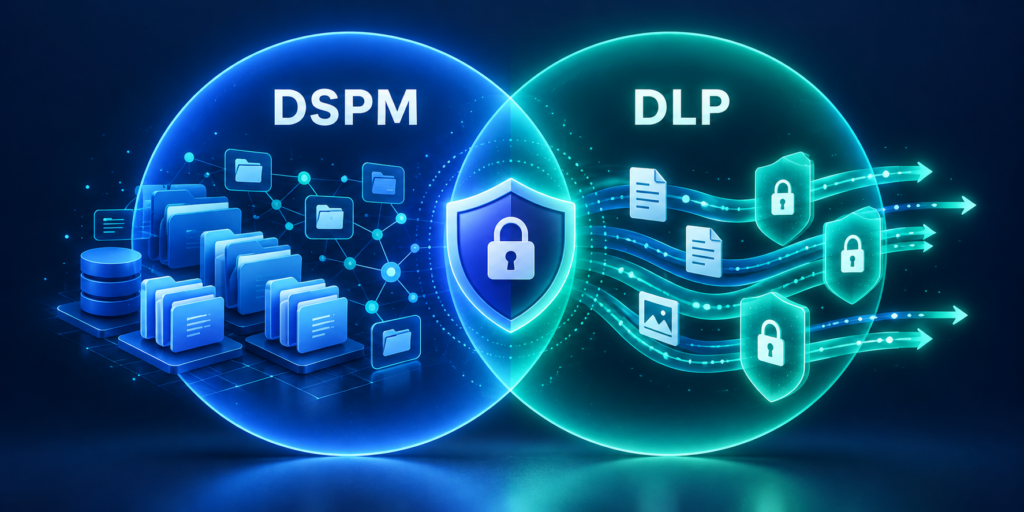
DSPM tells you where sensitive data sits and who can reach it. DLP enforces rules when that data is used, shared or sent somewhere. One looks at your exposure. The other acts on activity. Most firms with Microsoft 365 and an AI assistant need both, because fixing exposure without enforcement leaves gaps, and enforcement without clean-up leaves a mess to enforce on.
If you want the full picture of the first half, start with our guide to DSPM. This post is about DSPM vs DLP and how the two fit together.
One note on framing. You’ll often see DSPM described as data at rest and DLP as data in motion. It’s a handy shortcut, but it’s too neat. Microsoft’s own documentation says DLP covers data at rest, in use and in motion, so I’d treat that line as a rough guide and not a rule.
2. What DSPM does
Posture management is about the state of your data before anything goes wrong. It answers questions like these. Where is sensitive information stored? Who can open it? Which sites, groups or sharing links are wider than they should be?
In Microsoft Purview, Data Security Posture Management is where this work lives. It includes data risk assessments that look for oversharing. Microsoft says the default assessment runs weekly for the top 100 SharePoint sites by usage, and the first results show up after a four day delay. You can also run custom assessments for sites you care about most.
What you get back is a worklist: sites with sensitive content shared too broadly, labels missing where they should exist, access that nobody remembers granting. That’s a clean-up job, and it happens mostly before an incident.
3. What DLP does
Data loss prevention is rule enforcement. You define what counts as sensitive, using sensitive information types, sensitivity labels or other conditions, and what should happen when someone tries to use it in a way you don’t allow. Microsoft Purview DLP can warn, block, or record the attempt, and policies can cover email, files, Teams and endpoints, among other locations.
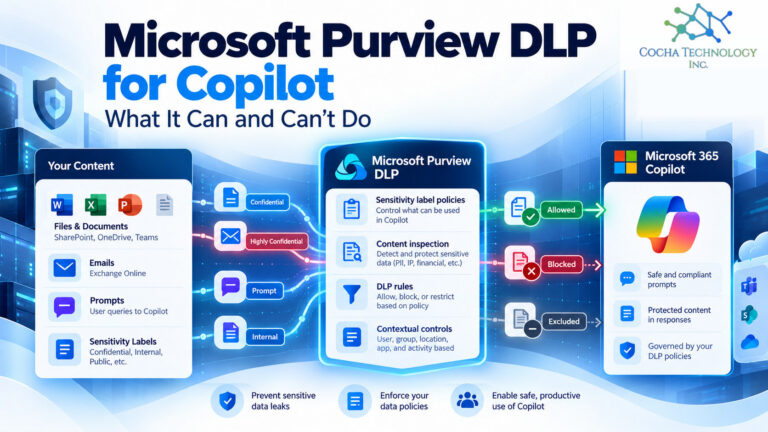
For AI specifically, Microsoft has a DLP option for Microsoft 365 Copilot. As of Microsoft’s documentation updated October 5, 2026, it can block Copilot from processing prompts that contain sensitive content, block those prompts from triggering web searches, and keep labeled files and emails out of Copilot’s responses. A few pieces, including detection of sensitive information types in prompts and exclusion of external email, are listed as preview. Microsoft also says uploaded files aren’t scanned, and the email exclusion covers messages sent on or after January 1, 2025. Policies need a custom template, and changes can take up to four hours to apply. Simulation mode lets you test before you enforce, which I’d always do.
For how DSPM for AI fits a Copilot rollout, see DSPM for AI with Copilot Premium.
Our own guide to data loss prevention goes deeper on policy design.
4. Where they overlap
DSPM vs DLP isn’t a choice between two separate worlds. DSPM findings feed DLP. If an assessment shows that a folder of client files is shared with the whole company, you can fix the sharing and also build a DLP rule around the label that should have been on those files. In the other direction, DLP alerts show where people keep running into rules, which points back to places where data lives in the wrong spot.
Both rely on the same foundations: knowing what’s sensitive, labeling it, and having people who will look at the results. A tool that finds problems nobody triages is just a longer to do list.
5. DSPM vs DLP side by side
| Question | DSPM | DLP |
|---|---|---|
| Main job | Find exposure and risky access | Enforce rules on data use and sharing |
| Typical question | Who can reach this folder? | Should this person send this? |
| Timing | Mostly before an incident | At the moment of the action |
| Output | A worklist of fixes | Warnings, blocks, audit records |
| Where it helps with AI | Shrinks what Copilot can surface by cleaning up oversharing | Limits what flows into prompts and what Copilot can use |
| Needs a person to | Triage and fix findings | Tune policies and review alerts |
For the licensing considerations behind Microsoft Purview and Copilot governance, see our Microsoft 365 licensing guide.
6. Why AI makes the pairing matter
An AI assistant works with whatever the signed-in user can already reach. If permissions are loose, the assistant surfaces things people technically could open but never did. That’s an exposure problem, and it’s a DSPM problem first. Cleaning it up before a Copilot rollout is the cheapest part of the project.
Then there’s what goes in. People paste material into prompts, and some of it shouldn’t leave the building. That’s where DLP rules earn their keep.
Neither one covers everything. DLP policies don’t reach every route an AI agent can take, which we cover in why DLP won’t protect agents. For tools that run on a user’s own machine, local DLP for AI assistants fills part of that gap. I’d say plainly that no layer is complete, and that’s a reason to run two of them.
Licensing matters too. Microsoft’s service description says restricting Copilot from processing files and emails is included in E5 and not in E3 or the Business plans, while safeguards for prompts are available to all Copilot users. Check your own tenant before you plan around either one, because licensing changes.
7. What it looks like in your industry
Law firms. DSPM finds client matter workspaces shared more widely than the ethical wall allows. DLP keeps privileged material out of prompts. Both map to the confidentiality duty.
Oil and gas. DSPM locates engineering drawings and inspection records sitting in broadly shared sites. DLP rules can stop that material from leaving through email or an AI prompt.
PE backed companies. DSPM shows what’s in deal rooms and who can see it across entities. DLP helps keep it from walking out during diligence.
Medical device. DSPM surfaces complaint files and design records in loose locations. DLP guards the same material in motion. Neither replaces your quality system, but both support it.
8. Where to start
- Run the default DSPM oversharing assessment and read the results before you buy anything else.
- Fix the worst exposures first: anything shared with everyone, any site holding client or deal material without a label.
- Build a small label set people can understand. Four or five is plenty.
- Write a first DLP policy in simulation mode, aimed at the label you trust most.
- Review the simulation results with the people whose work it affects, then enforce.
- If Copilot is coming, add the Copilot DLP location last, once labels are working.
The NIST AI Risk Management Framework is voluntary, but it’s a useful reference when you need to explain to a board or a client why these controls exist.
9. Where this leaves your firm
If I had to pick one side of DSPM vs DLP, I’d start with DSPM, because it’s the cheaper way to shrink the problem. But I wouldn’t stop there. Posture work without enforcement relies on people never making a bad call, and that’s a poor plan. Our overview of DSPM is the right next read if you’re starting from zero.
If you’d like a structured look at your Microsoft 365 environment before you commit to either, the AI Readiness Snapshot is a good first step. It’s a starting point, not a remediation.
For practical discovery checks, see our shadow AI detection checklist.
10. Quick answers
What is the difference between DSPM and DLP? DSPM finds where sensitive data is and who can reach it, so you can fix exposure. DLP enforces rules when data is used or shared. DSPM produces a worklist, DLP produces warnings and blocks.
Is DSPM the same as DLP? No. They share inputs like labels and sensitive information types, but they do different jobs.
Do I need both DSPM and DLP? For most firms using Microsoft 365 and AI tools, yes. Each covers gaps the other leaves.
Does DLP protect Microsoft 365 Copilot? Purview offers a DLP location for Copilot that can block sensitive prompts and keep labeled files and emails out of responses, with limits Microsoft documents, including that uploaded files aren’t scanned.
Which comes first? I’d start with DSPM, since cleaning up oversharing makes every later control easier. Run DLP in simulation mode alongside it.
Does DSPM stop AI from seeing sensitive files? It doesn’t block anything by itself. It helps you find and fix the permissions that let an assistant reach those files.