

Microsoft 365 plans for law firms: Copilot licensing in 2026
March 25, 2026
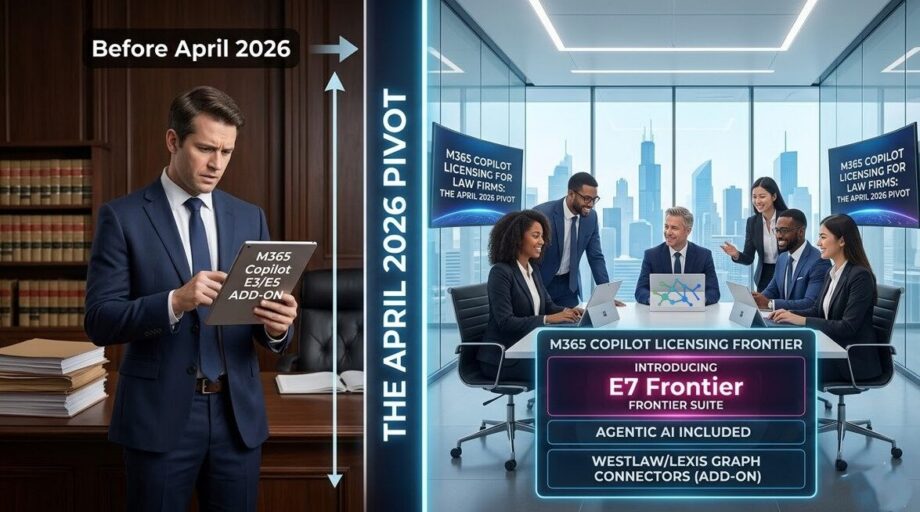
Which Microsoft 365 plan fits a law firm?
Short answer: most mid-size firms under 300 users can run well on Microsoft 365 Business Premium, then add E5 Compliance for the people who handle the most sensitive matters. Past 300 users you’re choosing between E3 and E5, because Business plans cap at 300 seats.
Copilot sits on top of whichever plan you choose. It’s a separate license, and it inherits every permission problem the tenant already has. That’s why I tell firms to settle the base plan and clean up SharePoint access before buying Premium seats in bulk.
The pattern that goes wrong is familiar. A firm buys E5 for everyone to “be compliant,” never turns on auto-labeling or insider risk, and still has client folders shared with the whole firm. Expensive seats, same exposure.
Below is how the plans compare from a law firm IT seat, what changed with Copilot in April, and how many Premium seats most firms need to start. If you want the feature-by-feature view, see our Business Premium vs E5 feature breakdown.
This briefing covers the full picture: what the new tiers are called, what they can and cannot do, where the Microsoft 365 E7 Frontier Suite fits in, how to think about law firm AI governance after the change, and the one licensing number that most vendors are getting wrong.
Microsoft 365 plans compared for law firms
| Plan | Seat limit | What a law firm gets | Where it fits |
|---|---|---|---|
| Business Premium | Up to 300 users | Intune, Defender for Business, Entra ID P1 (Conditional Access), sensitivity labels, baseline DLP | Most firms under 300 users |
| E3 | No cap | Enterprise apps and baseline security, Entra ID P1 | Firms over 300 that add security tools selectively |
| E5 | No cap | Adds Defender XDR depth, Entra ID P2, Purview auto-labeling, Insider Risk, eDiscovery (Premium), Information Barriers | Litigation-heavy or conflict-heavy firms with staff to run it |
| E5 Compliance (add-on) | Per user | Purview depth (auto-labeling, Information Barriers, eDiscovery Premium) without full E5 | Partners, finance, high-sensitivity practice groups |
| Microsoft 365 Copilot | Per user | Graph-grounded Copilot in Word, Excel, Outlook, Teams | Daily drafters first, not the whole firm |
| E7 Frontier Suite | Per user | E5 + Copilot + Entra Suite + Agent 365 | Firms already paying for E5 and Copilot that plan to run agents |
One thing the table hides: you don’t have to pick one row for everybody. Plenty of firms run Business Premium for most staff and put E5 Compliance on a few dozen seats. Pricing moves, so check Microsoft’s current list before you budget. The per-user figures quoted further down this post are the ones we cited when it was published.
What changed on April 15, 2026
On April 15, 2026, Microsoft removed Copilot from the Word, Excel, PowerPoint and OneNote sidebars for users without a paid license (message center notice MC1253858). Outlook kept inbox and calendar grounding. Everyone else was pointed to the standalone Microsoft 365 Copilot app.
If your firm didn’t plan for that, the aftermath tends to look the same. Attorneys who lost the Word sidebar either asked for a Premium seat or drifted to whatever AI tool was easiest, sometimes a personal one. Neither shows up on a license report.
If you haven’t pulled Copilot interaction logs since spring, that’s where I’d start. The Purview audit log shows who’s using Copilot and in which apps. It’s also the most defensible way to decide who earns a Premium license and who’s fine on Basic.
Action required before April 15:
Run a usage audit now. If your attorneys have been relying on the Word or Excel sidebar for daily work, they will lose it with no warning on April 15 unless you act. The admin audit log in the Copilot Control System will show you exactly who is using which apps today.
Outlook was the important exception. Microsoft confirmed that inbox and calendar grounding remained available for Copilot Chat Basic users after April 15, so email summarization and drafting assistance kept working without a paid license. That made Outlook the primary in-app AI touchpoint for users without a paid seat.
To reduce confusion for admins and users, Microsoft introduced new in-product labels across the tenant:
- Copilot Chat (Basic), for users on standard enterprise plans with no paid add-on
- M365 Copilot (Premium), for users with a full Microsoft 365 Copilot license
Copilot Chat Basic vs. M365 Copilot Premium: what each tier can do
The table below reflects the post-April 15 state of Microsoft 365 Copilot licensing for commercial tenants. Use it to brief practice group leaders on what will and will not work after the cutover.
| Feature | Copilot Chat Basic | M365 Copilot Premium |
|---|---|---|
| Additional cost | None (included with qualifying M365 subscription) | $30/user/month (enterprise) or $21/user/month for orgs under 300 users |
| In-app sidebar: Word, Excel, PPT, OneNote | ✗ Removed April 15, 2026 | ✓ Full integration |
| In-app sidebar: Outlook | ✓ Inbox & calendar grounding retained | ✓ Full integration |
| Standalone Copilot app | ✓ Web, desktop & mobile | ✓ Web, desktop & mobile |
| Data grounding | Web (Bing) + manually uploaded files | Full Microsoft Graph (emails, files, Teams chats, calendar) |
| Enterprise Data Protection | ✓ Prompts never train public models | ✓ Prompts never train public models |
| Model access | GPT-4o / GPT-5 (web-grounded) | GPT-5 + model choice incl. Claude (via Frontier program) |
| Agentic / multi-step workflows | Basic Q&A only | Multi-step agents + Copilot Cowork (research preview) |
| Custom agents (Copilot Studio) | Pay-per-use via Copilot Credits ($0.01/credit) | Included for employee-facing agent usage |
| Teams App Setup Policies | ✓ Manageable by admin | ✓ Manageable by admin |
Note on model version numbers:
Microsoft does not publicly document specific model sub-version numbers (e.g., “GPT-5.3 Instant”) by Copilot tier. Any blog or vendor briefing that cites those specific version strings is extrapolating. Model availability evolves continuously. What matters is the tier, not a version number that may change next month.
Clearing up the “2,000-user” consumption model question
Several vendor briefings circulating right now reference a “2,000-user limit” for the consumption-based Copilot model. This number does not exist in Microsoft’s published documentation. Here is what the thresholds actually are, so you can brief your CFO correctly.
The only user-count threshold worth knowing for Microsoft 365 Copilot licensing decisions is 300 users: that is the ceiling for the Copilot Business SKU at $21/user/month. Organizations above 300 users pay the standard $30/user/month enterprise rate.
The consumption or pay-per-use model ($0.01 per Copilot Credit, or $200 for a prepaid pack of 25,000 credits) applies specifically to Copilot Studio agents: custom agents that tap into tenant data or SharePoint via the Microsoft Graph. It does not apply to basic Copilot Chat access. For a law firm evaluating whether to deploy agents for matter intake, document Q&A, or billing review, the credit-based model is worth a separate conversation.
The Microsoft 365 E7 Frontier Suite: what it is and when it matters
While Microsoft is drawing back the free-tier experience, it is simultaneously making a much larger bet at the enterprise end of the stack. On March 9, 2026, Microsoft announced the Microsoft 365 E7 Frontier Suite, which became generally available on May 1, 2026.
The Frontier Suite is not a rebranded E5. It unifies four previously separate products into a single SKU, and the component arithmetic is the clearest way to explain it to a firm’s executive committee:
| Microsoft 365 E7 (WHAT YOU ARE BUYING AT $99/USER/MONTH) | |
| $60 | |
| $30 | |
| $12 | |
| $15 | |
À la carte total | $117 |
Microsoft 365 E7 (Frontier Suite) | $99 |
| ✓ Approximately 15% saving vs. purchasing components separately (generally available since May 1, 2026) | |
The component that makes E7 strategically interesting for law firms is Agent 365, the governance and security control plane for AI agents. As firms begin building internal agents for tasks like matter intake, billing review, or document Q&A, Agent 365 gives IT and security teams a single place to observe, govern, and audit every agent running in the tenant.
Also notable within E7 is access to Copilot Cowork, currently in research preview, which was built in collaboration with Anthropic and enables long-running, multi-step tasks that unfold in the background. Think of it as a digital legal clerk that can draft a multi-document filing while an attorney is in a deposition. It is not production-ready today, but it is the clearest preview of where Microsoft’s AI stack is heading for legal workflows.
Model diversity: Claude is now in Copilot
As of the March 9, 2026 Frontier announcement, Anthropic’s Claude is available in Copilot Chat via the Frontier program, alongside OpenAI’s latest models. For firms that want model flexibility without managing a separate vendor relationship, this matters. Anthropic officially became a Microsoft subprocessor on January 6, 2026, meaning Claude interactions within Copilot are covered by the same Enterprise Data Protection boundary as all other Microsoft 365 data.
Law firm AI governance after the April 15 change
The April 15 change was not just a licensing adjustment. It was a governance moment. Law firm AI governance strategies built around the assumption that “the free version is limited enough to ignore” no longer hold. Users who lost the Word sidebar find workarounds: the standalone Copilot app, browser-based AI tools, or consumer alternatives. Shadow AI is the more likely outcome than voluntary compliance.
The three governance levers that matter most right now
Copilot Control System and Integrated Apps. The Copilot Control System in the Microsoft 365 Admin Center (Settings → Search & intelligence) is where access is scoped to Azure AD groups. If you want to gate the standalone Copilot app to specific practice groups or a Technology Committee pilot, this is the lever. Users outside the group will not see the Copilot icon in the web portal or app sidebars.
Purview Sensitivity Labels. The most underused law firm AI governance control is Microsoft Purview sensitivity labels. Documents labeled “Highly Confidential” can be blocked from being used as AI context entirely, in both the free and paid tiers. If your DLP policies do not yet cover AI inputs, they need to.
Copilot Interaction logs. The standard Audit log search in the Microsoft Purview Compliance portal exposes who is using Copilot, which apps they are using it in, and whether they are uploading files. This data is the foundation for a fact-based conversation with practice group leaders about real AI usage, not assumptions.
Cloud Policy vs. Intune Policy for app-level suppression. If you want the standalone Copilot app available but need to prevent Copilot from appearing inside specific Office desktop apps (for a practice group handling particularly sensitive matters), Microsoft Intune or the Microsoft 365 Apps Cloud Policy service can disable Connected Experiences per app. Note: since April 15, this control is primarily relevant for licensed Premium users. Basic users no longer have in-app access to suppress anyway.
Five checks before you add Copilot seats
- Audit current sidebar usage. Pull Copilot Interaction logs from the Compliance portal. Identify which users were actively using the Word, Excel, or PowerPoint sidebar. This is the population that was disrupted on April 15, and the first group to review before you expand.
- Decide the licensing split. For power users (those doing substantive document drafting with the sidebar), evaluate whether a paid M365 Copilot Premium license ($30/user or $21/user under 300 seats) is justified. For occasional users, redirect them to the standalone app with a short training note.
- Tighten DLP before the standalone app gets more traffic. File upload to the standalone Copilot app is still stored in the user’s OneDrive for Business. If your DLP policies do not yet scan for client matter numbers or privileged document markers, configure them now, before the standalone app becomes the default AI surface for your firm.
- Communicate the change proactively. A one-paragraph firm-wide notice explaining that the Word and Excel AI sidebar changed, and where to go instead, will prevent a help desk spike. Silence creates confusion and shadow AI.
- Evaluate E7 for your next planning cycle. If your firm is on E5 and already paying for Copilot, the Microsoft 365 E7 Frontier Suite at $99/user may represent a net saving once Agent 365 and the Entra Suite are factored in. Model this against your current contract.
How many attorneys need a Copilot Premium seat?
Fewer than you’d expect, at least at first.
Premium earns its cost for people who draft and review long documents all day and need Copilot grounded in their own email, Teams chats and matter files. Think senior associates on transactional work, knowledge management staff, and a handful of partners who’ll use it daily.
For everyone else, Copilot Chat Basic and the standalone app cover research and quick drafting, and Outlook still handles email summaries without a paid seat.
A pattern that works: pilot 10 to 20 Premium seats in one practice group, pull usage from the Purview audit log after 30 days, then expand. Under 300 users, the Copilot Business price changes the math, so model both.
Before any of that, check what those seats will be able to reach. Our guide to Copilot Premium access controls covers the SharePoint and Purview side. A free AI Readiness Snapshot gives you the short version in about an hour.
The bottom line for law firm CIOs
The era of free integrated AI in Office documents was a useful pilot phase. Microsoft is now asking every firm to pick a lane: the standalone Copilot Chat Basic app for general research, or the full M365 Copilot Premium integration for legal production work. After the 2024 and 2025 turn-on, the work is re-deploy and harden, not a greenfield launch speech.
The larger strategic question, whether to invest in deeper suites and supervised agents for legal workflows, belongs on the planning agenda. Firms that harden permissions and DLP before expanding seats will operate with a clearer privilege boundary than those who only buy more licenses.
FAQ
Is Microsoft 365 Business Premium enough for a law firm?
For many firms under 300 users, yes. You get Intune, Defender for Business, Conditional Access and sensitivity labels. The gaps show up with auto-labeling at scale, insider risk and ethical walls, which is where E5 Compliance on selected seats comes in.
Do law firms need Microsoft 365 E5?
Some do. Litigation-heavy firms that run eDiscovery in-house, or firms that need information barriers between matter teams, get real value from it. If no one will configure the advanced Purview and Defender tools, E5 tends to become shelfware.
Does every attorney need a Microsoft 365 Copilot license?
No. Start with the people who draft all day, measure usage for a month, then expand. Copilot Chat Basic still covers web-grounded research, and Outlook summaries keep working without a paid seat.
What's the 300-user limit in Microsoft 365 licensing?
Business plans, including Business Premium, cap at 300 users. Microsoft’s lower Copilot Business price applies under the same threshold. Above 300 you’re on enterprise plans and the standard Copilot price.
Don’t let the next phase of AI integration arrive unannounced. License the right seats, then re-deploy and harden before you expand usage across practice groups.
Get an AI Readiness Snapshot. Licenses don’t fix oversharing. A free AI Readiness Snapshot shows what agents can already reach.
If you need the full stack under one retainer, see our managed IT services for law firms.
Also see Copilot readiness for law firms, the Copilot data ring-fence guide, the Business Premium vs E5 feature breakdown, and Talk to us about M365 licensing for your firm.
Recent Posts
Have Any Question?
Call or email Cocha. We can help with your cybersecurity needs!
- (281) 607-0616
- info@cochatechnology.com