
What Each AI Lab Actually Lets You Do About the Web-Fetch Gap
October 9, 2026
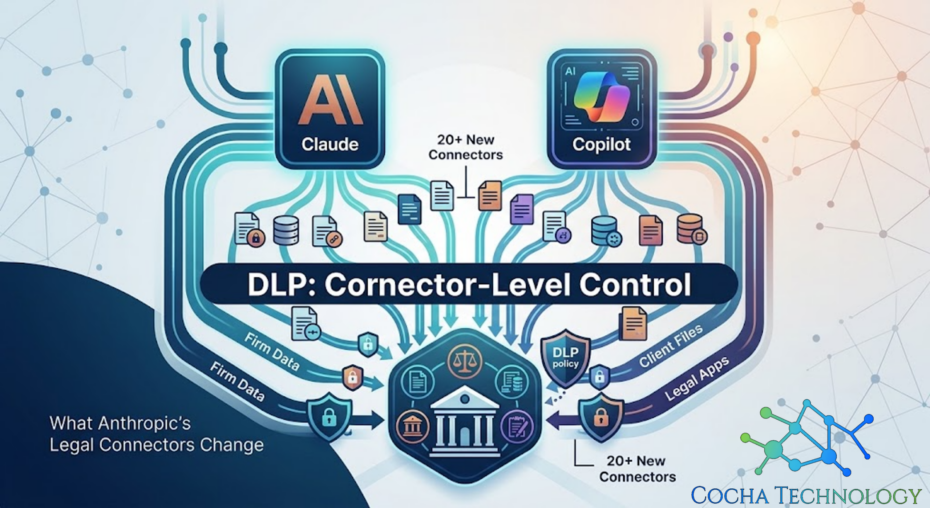
Anthropic has spent this year building out Claude’s legal footprint fast. Over twenty connectors, twelve practice area plugins, reported first back in May and still reshaping how Big Law thinks about AI adoption months later. Document management systems, practice management platforms, research tools. Claude can now reach into a lot more of a firm’s world than it could a year ago.
I keep waiting for the governance conversation to catch up to the connector count. It has not, not really, and I do not think that is anyone being careless. It is just how adoption curves work. The exciting part ships first. The boring part, the part where someone maps exactly what each connector can see, tends to show up after something goes wrong rather than before.
When Claude connects to Microsoft 365, it rides Microsoft Graph. That connector isn’t a one-off file upload. It’s a standing path into the same mailboxes, SharePoint libraries, OneDrive folders, and Teams content your users already touch every day.
Depending on how you scope the grant, it can pull messages, calendar items, documents, and site content into a chat session. The useful part is speed. The uncomfortable part is breadth. You’re not watching a person copy a file. You’re watching an AI system query a graph of firm data on demand.
Anthropic’s defaults and Microsoft’s consent screens aren’t a substitute for matter isolation. Your firm still has to decide which folders and clients that path can reach. If nobody mapped that against your real folder structure, you don’t know what the connector can see. You’re guessing.
Fortune ran a piece with a headline I have not been able to stop thinking about. Even as hallucinations show up in legal filings, Big Law goes all in on AI. Read that twice. It is not describing hesitation; it is describing acceleration, happening at the same time as the exact failure mode everyone in this industry can already name.
That tension is not really a contradiction once you sit with it. Firms are not wrong that Claude and tools like it produce genuine value in legal work. They are also not wrong to keep adopting despite the hallucination headlines, because the alternative, falling behind competitors who are adopting faster, carries its own real cost. What gets lost in that tradeoff is the third option nobody is talking about loudly enough: adopt the tool and build the access controls at the same time, instead of treating them as sequential.
Most DLP conversations I have with firms are still framed around the old model. Data loss prevention as a perimeter, a filter watching what leaves the network, catching a document before it gets emailed somewhere it should not go. That model made sense when the risk was a person copying a file.
It does not map cleanly onto an AI connector. A connector is not a person copying a file. It is a standing relationship between an AI system and a data source, and once it is enabled, the AI can pull from that source into a chat session in ways that a perimeter based DLP tool was never built to see, let alone stop. The query data backs this up too. Firms are actively searching for local DLP for ChatGPT, Claude, Copilot, and other AI assistants right now, which tells me this is not a theoretical worry. People are already looking for an answer and not finding one that fits.
A connector is not a person copying a file. It is a standing relationship between an AI system and a data source.
This is the part I want firms to sit with before enabling the next plugin. Anthropic’s connector level permissions are a real control. They are also Anthropic’s control, configured against Anthropic’s understanding of what the connector should be able to reach, not the firm’s understanding of which specific matters, which specific clients, and which specific document types should be off limits regardless of what the connector technically supports.
Here is a version of the audit I would run through with a client considering one of these new practice area plugins, and honestly, it is a shorter list than most firms expect.
For each connector currently enabled or under consideration: which folders, matters, or document categories can it reach, and did anyone verify that against the folder structure rather than trusting the plugin description. Who approved that access, and was it approved at the connector level or did it inherit from a broader existing integration nobody re reviewed. Is there a log of what the connector has pulled into sessions and does anyone look at it. And maybe the most uncomfortable question of all: if a client asked which of their privileged documents a given connector could technically access right now, could the firm answer that in an afternoon, or would it take a week of digging through admin consoles to find out.
Most firms I talk to cannot answer that last one quickly. That is the gap. Not the model, not the connector count, the gap between what got enabled and what got mapped.
Most of the conversation around Claude’s legal connectors has focused on litigation, probably because that is where the hallucination headlines live. I think that focus is a little misplaced, or at least incomplete.
Transactional practice groups are adopting these same connectors, often with less scrutiny than litigation gets, because the risk feels less visible. A due diligence document review connector reaching into a data room does not produce a dramatic sanctions story the way a hallucinated case citation does. It just quietly has access to material that, in a deal context, might be some of the most commercially sensitive information the firm handles all year.
The same logic applies to trusts and estates work, to regulatory practice groups handling client filings, to anywhere a firm has connected Claude to a document store without a practice group specific review. The connector level question I raised earlier, which matters and which document types can this reach, does not become less important because the practice area is quieter about AI adoption. If anything, it becomes more important, because nobody is watching that closely.
I would encourage firms to treat this as a firm wide access mapping exercise rather than a litigation specific one, even though litigation is where the public conversation currently sits.
I do not think the answer here is slowing down adoption. Firms that wait too long lose ground they will not easily get back, and Claude’s legal tooling is genuinely useful when it is pointed at the right data with the right boundaries around it. The answer is treating connector level access review as part of the rollout, not as cleanup after the fact.
I have written before about why DLP alone will not protect agents like Claude and Copilot, and about what an actual local DLP approach for Claude, Copilot, and other AI assistants looks like in practice. Both are the deeper version of the argument I am making here, just applied specifically to this wave of new connectors.
LawNext covered the scope of Anthropic’s legal push in detail when it first shipped: Anthropic goes all in on legal.
If your firm has enabled Claude connectors, Copilot plugins, or both, and nobody has mapped what they can reach across your document environment, that mapping is exactly what a Microsoft 365 Data Exposure Snapshot is designed to produce.
Call or email Cocha. We can help with your cybersecurity needs!
About the Author:

Co-Founder & Managing Director, Cocha Technology
Steven is a fractional CIO/CISO with 30+ years of enterprise IT and security leadership. He has built AI governance frameworks for organizations with 1,700+ users, led enterprise Microsoft Copilot deployments, and conducted security assessments across law firms, energy companies, financial institutions, and PE-backed manufacturers.