Microsoft 365 Default Settings: 5 Critical Security Changes to Implement Right Now
July 10, 2026
When navigating cloud business tools, there is a massive difference between an environment that is merely “functional” and one that is genuinely “defensible.” As we have unraveled throughout this series, relying on factory-default parameters is an active operational liability. Leaving your system unconfigured creates massive forensic blind spots, drains your technology budget through licensing inefficiencies, and introduces unnecessary regulatory risks that can derail high-value commercial and municipal proposals.
Fortunately, transitioning from an unhardened, generic system posture to an elite, highly secure environment does not require months of consulting, overwhelming software investments, or complex deployments that frustrate your workforce.
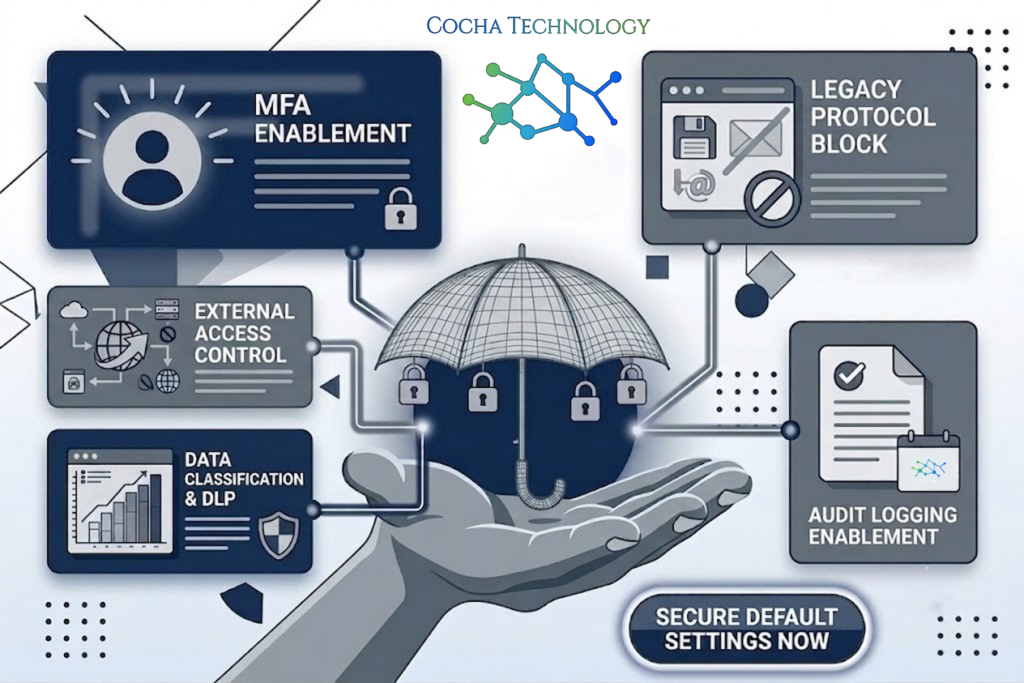
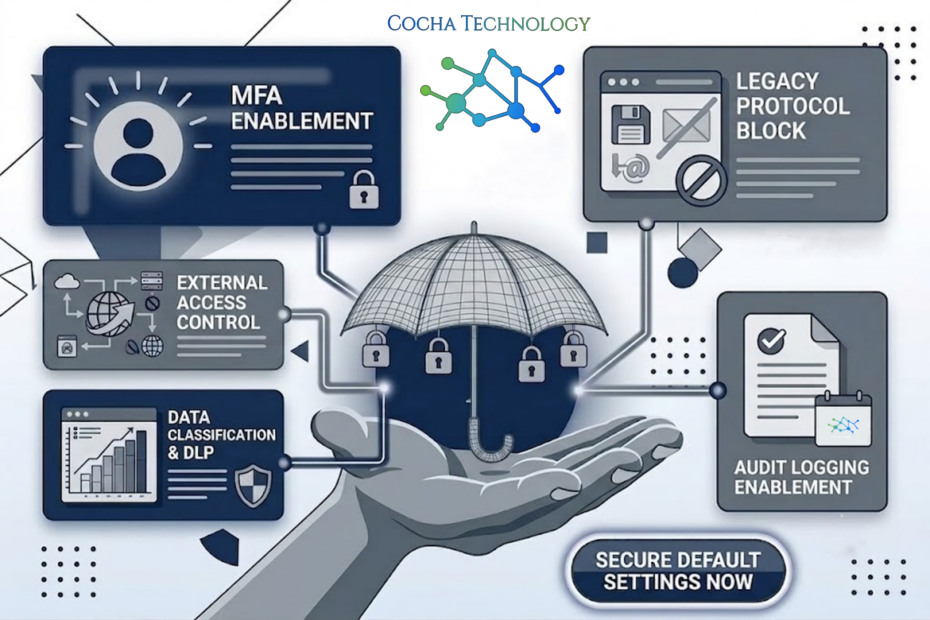
True structural safety is achieved through precise, intentional configuration. By making a few critical, targeted adjustments to your Microsoft 365 default settings, you can eliminate the most common entry points used by modern hackers, satisfy rigorous cyber liability underwriting standards, and achieve absolute operational visibility. Here are the five most impactful security changes you can execute to harden your workspace environment.
1. Enforce Phishing-Resistant Conditional Access and Eliminate Legacy Protocols
The single most significant point of failure in cloud infrastructure is standard, password-only authentication. Traditional security approaches assume that a complex text string is enough to verify a user’s identity. In the modern threat landscape, where automated phishing kits can bypass basic multi-factor text messages in seconds, static credentials are functionally obsolete.
Your first configuration directive is to navigate to your administration console and create strict conditional authentication rules. You must explicitly block what the industry calls “legacy authentication protocols”—older communication languages like IMAP, POP3, and SMTP that cannot support modern validation prompts.
[Incoming Connection Request] ---> [Check Authentication Protocol]
                           |
+--------------------------+--------------------------+
↓                                                     ↓
↓ (Legacy Protocol: IMAP/POP3)                        ↓ (Modern Protocol)
[AUTOMATIC BLOCK]                           [Evaluate Conditional Access]
(Bypasses traditional MFA blocks)     (Checks Location, Device, Identity)
Once those outdated pathways are completely sealed, establish a policy requiring all team members to use modern, behavioral verification methods, such as the Microsoft Authenticator application or hardware keys. This ensures that even if an employee accidentally enters their credentials into a highly realistic spoofed login page, an unauthorized actor halfway across the globe cannot access the account because they lack the physical, proximity-validated device required to clear the smart gateway.
2. Terminate the Hazard of External Email Auto-Forwarding
One of the most common, silent tactics executed by cybercriminals during a Business Email Compromise (BEC) campaign is the creation of hidden inbox forwarding rules. When an attacker gains unauthorized access to a user’s account, they don’t always change the password or trigger immediate warning signs. Instead, they quietly configure a background command that redirects every incoming message containing financial terms, invoice details, or legal filings to an external, unmonitored mailbox.
An industry research report by the Cybersecurity and Infrastructure Security Agency (CISA) emphasizes that unmonitored email forwarding rules represent one of the primary exfiltration vectors utilized during supply chain attacks, allowing malicious actors to intercept corporate data without ever downloading large, suspicious volumes of files that would trigger a traditional network alert.
By default, many cloud subscriptions permit users to configure external forwarding rules arbitrarily. To eliminate this invisible vulnerability, you must access your Exchange security parameters and establish an absolute, system-wide block on outbound auto-forwarding. This simple, high-impact adjustment ensures that even if an account experiences a localized compromise, your proprietary data, client records, and financial communications remain trapped inside your secure tenant walls rather than leaking silently to an external collector.
3. Elevate Your Diagnostic Visibility and Extend Audit Log Preservation
As explored in the opening chapter of this series, running blind without a verifiable historical trail is an extreme operational hazard. If a technical anomaly or a data breach occurs, you must possess the exact diagnostic records required to establish exactly what happened, when it occurred, and what files were accessed.
Standard licensing tiers frequently limit unified audit logging history to a narrow window—often just 90 days out-of-the-box. If a sophisticated threat actor remains dormant in your system past that timeline before executing a malicious action, your investigation team is left entirely in the dark.
You must manually verify that unified audit logging is turned fully “On” across your entire subscription fleet. If your current operational requirements involve municipal bidding or strict data sovereignty guidelines, evaluate configuring advanced log preservation frameworks. Extending your event storage window ensures that your business maintains an absolute, tamper-proof audit trail that can easily satisfy forensic teams, regulatory investigators, and insurance compliance underwriters.
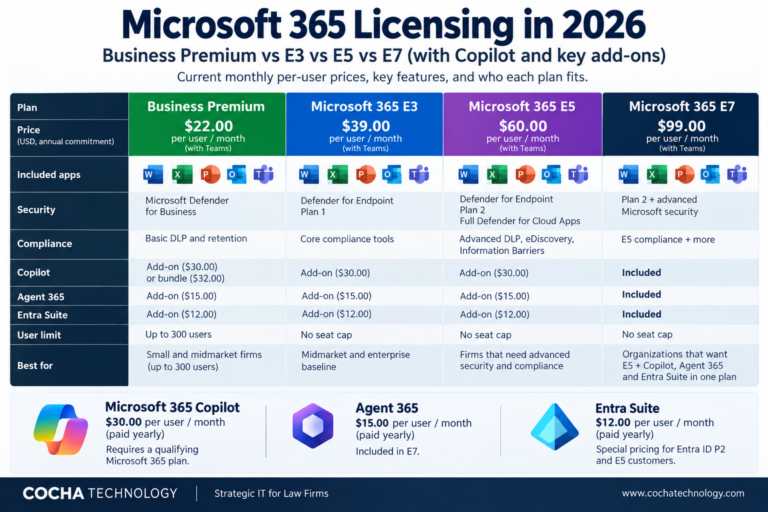
Before extending audit coverage or enabling advanced controls, check which security features each Microsoft 365 license includes.
4. Strip Away Global Administrator Overhead and Implement Least-Privilege Guardrails
In a lean, fast-moving business, it is incredibly common for multiple team members to hold full, unrestricted administrative permissions. When a system setting needs adjustment or a new tool requires integration, it seems easier to grant “Global Administrator” rights to whoever is handling the task, rather than navigating complex permission menus.
This habit creates an immense, unnecessary exposure point. If a user with full administrative authority falls victim to a targeted social engineering campaign, the attacker instantly inherits the keys to your entire corporate empire. They can delete cloud backups, create hidden administrator accounts, disable data protection shields, and lock you out of your own infrastructure within minutes.
To protect your business operations, you must strictly enforce the rule of least-privilege access:
Audit All Admin Accounts: Review your administration dashboard weekly and remove any excessive, unneeded executive privileges.
Utilize Specialized Roles: Instead of granting full Global Admin status, assign targeted roles like Exchange Administrator or Helpdesk Administrator to handle specific, isolated tasks.
Separate Daily Work: Ensure that your technical staff uses standard, non-privileged accounts for their daily tasks like reading email and browsing the web, logging into administrative profiles only when a specific configuration change is required.
5. Implement Smart Data Loss Prevention to Defend Sensitive Files
The final baseline adjustment involves establishing automatic guardrails around your most sensitive internal assets. Without explicit configuration, your staff can easily share internal documents, legal agreements, or proprietary formulas via public links that anyone on the web can access.
By activating built-in Data Loss Prevention (DLP) features, you create an intelligent, automated safety net for your shared files. You can configure simple rules that automatically scan documents across OneDrive and Teams for protected patterns—such as credit card strings, tax identification numbers, or specific client project codes.
If an employee accidentally clicks “Share with Anyone” on a folder containing this restricted information, the system instantly flags the action, blocks the external link, and alerts your security team. This keeps your team working quickly and collaborating seamlessly, while completely protecting your business from accidental file leaks.
Let Cocha Technology Engineer Your Resilient Digital Posture
While these five configuration adjustments are incredibly effective, diving into backend admin panels, managing complex authentication rules, and balancing compliance checkboxes can be a daunting process for busy executives. Without expert guidance, it is very easy to inadvertently disrupt an employee’s daily workflow or leave an critical security gap completely wide open.
At Cocha Technology, we take the complexity entirely off your shoulders. Our core mission is to help Houston businesses move away from fragile, unconfigured IT frameworks and step into lean, mean, self-healing systems. We handle the heavy lifting of cloud hardening, license alignment, and advanced threat configuration behind the scenes, ensuring your technology acts as a powerful business driver rather than an invisible security risk.
Secure Your "Moment of Clarity" This Weekend
Do not leave the protection of your intellectual property, financial data, and client trust to generic, out-of-the-box settings. It is time to replace assumptions with definitive, expert-driven data.
We invite you to activate our signature 60-Minute Exposure Snapshot. This completely agentless, non-invasive risk assessment maps your entire cloud workspace, uncovering hidden permission leaks, unmonitored access trails, and unconfigured system settings without placing a single minute of downtime or operational drag on your team.
Take control of your infrastructure and give your business the elite, bulletproof foundation it deserves. Reach out to the engineering team at Cocha Technology today to get started.
Recent Posts
Have Any Question?
Call or email Cocha. We can help with your cybersecurity needs!
- (281) 607-0616
- info@cochatechnology.com
About the Author:

Steve Combs
Co-Founder & Managing Director, Cocha Technology
Steven is a fractional CIO/CISO with 30+ years of enterprise IT and security leadership. He has built AI governance frameworks for organizations with 1,700+ users, led enterprise Microsoft Copilot deployments, and conducted security assessments across law firms, energy companies, financial institutions, and PE-backed manufacturers.