
8 Governance Controls to Turn on Before a Grok Bot Touches Your Portfolio Company’s Deal Data
September 18, 2026
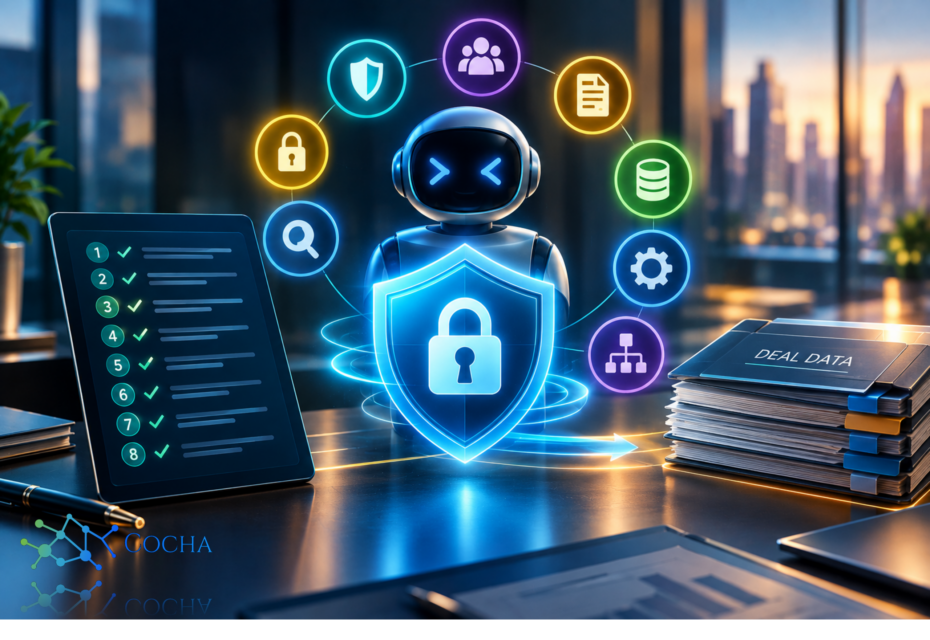
xAI opened Grok Bot to enterprises on September 3, with a two-week free trial thrown in for good measure. If you operate portfolio companies, somebody at one of them has already started that trial, or will by the time you finish reading this. That’s not a guess, it’s just how fast-moving companies behave with a free, always-on AI agent that plugs into tools they already use.
Why This Is an Operating Partner Problem, Not Just an IT Problem
Here’s the thing about a persistent AI agent versus the chatbot most people picture. A Grok Bot doesn’t wait for you to open a tab and ask it something. It sits inside a dedicated cloud computer, connected to whatever accounts a team member signs it into, running research, drafting, browsing, and automations on its own schedule. For a sales team, that’s a feature. For a deal team with cap table data, LP reporting exports, and diligence materials sitting in the same tools that Bot can reach, it’s a different conversation entirely.
Most of that conversation, at a portfolio company moving fast, happens after the tool is already live, not before. Which is exactly backwards for anything that touches deal data. A security and safety M&A advisory checklist for this kind of rollout has to run before onboarding, not as a postmortem after something leaks into the wrong place.
What a Grok Bot Is, and Isn't
Worth being precise here, because the marketing framing and the actual architecture aren’t quite the same thing.
Grok Bot runs on Cursor’s infrastructure (Anysphere, the company behind Cursor, operates it), not on some separate xAI-run system. Each user gets a dedicated Firecracker microVM, a hardware-isolated computer, and every Bot that user creates shares that one computer. A Bot has no identity or credentials of its own. It can never hold more access than the person it’s signed in under, and connector tokens stay on Cursor’s backend rather than living inside the Bot’s session. That’s a meaningfully different risk model than “an autonomous agent with its own root access,” which is closer to how this launch got described in some of the coverage. The real risk isn’t the Bot exceeding a person’s access, it’s a Bot quietly using the full breadth of whatever that person can already reach, with nobody watching closely enough to notice.
That distinction matters for a diligence conversation. You’re not evaluating whether Grok Bot can break out of a sandbox. You’re evaluating whether your portfolio company has configured the boundaries around what a signed-in team member, and therefore their Bot, can touch.
1. Confirm Which Plan You're Really On
Start here, because it changes everything below it. Grok Bot ships on three tiers: Individuals, Teams, and Enterprise. The free trial and the self-serve Teams plan do not include most of the controls that matter for deal data. Network Controls, the organization-wide enable switch, Team Setup, Action Recording, computer management, audit logs, OpenTelemetry Export, SCIM provisioning, and the MCP allowlist are all Enterprise only. A self-serve team literally cannot set a destination allowlist. Teams without a network policy default to allow-all, full stop.
So, the first item on this checklist isn’t a setting, it’s a question: is this portfolio company on Enterprise, or did someone spin up a Teams account with a company credit card during the free trial window? If it’s the latter, none of the controls in steps two through six below exist yet, and the honest move is pausing the rollout until it’s properly licensed, not layering governance language onto a plan that can’t enforce it.
2. Set the Network Policy Before Anyone Signs In
Once you’re confirmed on Enterprise, Network Controls gives you four modes: no policy (allow-all by default), allow all explicitly, defaults plus your own allowlist, or allowlist only. For anything touching deal data, allowlist only is the right starting position, expanded deliberately rather than opened broadly and narrowed later.
A few details worth knowing going in. The policy applies when a computer is created or recreated, so an existing rollout needs its computers recreated to pick up a new policy, it doesn’t retrofit live. Egress runs through shared static IP addresses across every Grok Bot customer, not a dedicated range for your portfolio company, which matters if a data room, banking portal, or counterparty system restricts access by source IP. And restricting egress limits where data can go, but there’s no dedicated data loss prevention hook sitting behind it, so the network policy is a perimeter control, not a content inspection one.
3. Turn On Audit Logs and Action Recording, Separately
This is the one most rollouts get wrong, and it’s an easy one to miss because the two settings sound like they’d cover the same ground.
Audit logs cover admin, security, and authentication events, viewable in the dashboard or streamed to your SIEM. Action Recording is a completely separate pipeline that captures what a Bot did, including scrubbed shell commands, and it’s off by default even on Enterprise. Turning on audit logs tells you who signed in and when. It tells you nothing about what a Bot did with a signed-in session. If you want that, you need Action Recording switched on deliberately, and if you want those events in your own collector rather than Cursor’s internal 90-day store, you need OpenTelemetry Export configured on top of it, also a separate step.
For a portfolio company handling diligence materials, the practical instruction is: enable both, don’t assume one implies the other, and confirm someone can produce an Action Recording export on request, not just describe the setting as “on.”
4. Keep Auto Review Enforcement on and Write Block Rules That Mean Something
Auto Review is the independent model that evaluates risky Bot actions, shell commands, plugin calls, computer use, automation writes, and delegation to other agents, before they run. It’s enabled by Cursor by default, but each member has their own off switch, and there’s no organization-level lock to stop someone flipping it off. Ask, don’t assume.
Layer team-wide block instructions on top for the things that should never happen regardless of what an individual member configures: no sending cap table or LP reporting data to external email, no production changes, no accepting terms or completing payment steps through the Bot. Cursor’s own recommended baseline suggests exactly this pattern, block instructions for what’s never acceptable, allow instructions for routine safe work, and it holds up well for deal teams specifically.
5. Give Deal Work Its Own Cursor User
Here’s a detail that’s easy to skim past: every Bot one person creates shares that person’s single computer. A login, a browser session, a file sitting in that environment is available to every Bot that person runs, not just the one that opened it. If a deal associate runs a general research Bot and a diligence-focused Bot from the same account, both effectively share the same environment.
For work that needs its own credential boundary, a separate deal, a separate data room, a separate set of connected accounts, the clean answer is a dedicated Cursor user rather than a second Bot under the same person. It costs a seat. It’s worth it compared to discovering after the fact that a routine research task had standing access to a live diligence workspace because they happened to share a computer.
6. Know Whose Certification You're Relying On
If a due diligence questionnaire asks about Grok Bot’s compliance posture, get the attribution right. The ISO/IEC 27001 and ISO/IEC 42001 certifications covering Grok Bot belong to Anysphere, Cursor’s parent company, issued by Schellman, with Grok Bot included in the current scope. They are not xAI certifications. That’s not a red flag by itself, plenty of legitimate platforms are built on a partner’s infrastructure, but a PE due diligence file that lists “xAI is ISO 42001 certified” is citing the wrong entity, and an LP or acquirer’s counsel will eventually notice.
Pull the actual certificates from Cursor’s trust portal rather than repeating a vendor’s marketing language into your own diligence memo.
7. Check Data Residency Against LP and Portfolio Company Obligations
Grok Bot computers run in the United States today, full stop, with on-premises deployment, deployment inside your own perimeter, and bring-your-own-image deployment all unsupported. If a portfolio company has European operations, foreign LPs with their own data residency expectations, or a customer contract with its own data location terms, that US-only hosting model needs to go into the same review as the network and audit questions, not get treated as a separate legal matter that never reconnects with the security checklist.
8. Put Computer Termination in Someone's Job Description
When a deal team member leaves, or a deal closes and access should end, an organization admin can terminate that person’s computer from the dashboard, which is an Enterprise-only control. The durable disk persists and a fresh computer starts on the next session, so this isn’t a data wipe, it’s a session cutoff, and it needs pairing with revoking the person in your identity provider separately. Neither step alone finishes the job.
Name who owns this in the offboarding checklist before the first Bot goes live, not after the first departure raises the question.
What This Checklist Doesn't Cover
Worth saying plainly: none of this stops a well-crafted prompt injection from steering a Bot through content it reads on the open web, and Auto Review doesn’t catch every side effect, memory writes and most settings changes fall outside it. Model selection sits with Cursor too; there’s a team model allowlist, but enforcement isn’t guaranteed, and onboarding includes an explicit acknowledgment that Grok Bot may not follow it. Layered controls reduce risk here. They don’t eliminate it, and a diligence memo that implies otherwise is overselling what’s genuinely configurable.
Where This Fits in a Broader Review
Eight settings, most of them Enterprise-only toggles, are a start, not a finish line. They’re also exactly the kind of thing that gets configured once at rollout and never revisited as a portfolio company grows, adds deal teams, or takes on new LPs with their own requirements.
This is the same lens we bring to a security and safety M&A advisory review for AI agent due diligence: what an agent can genuinely reach today, not what a settings page implies it can reach. It pairs directly with the containment principles in our CISO’s guide to agentic AI, and with the identity question underneath all of it, covered in our piece on permission creep and cloud permissions management, since a Bot’s access is only ever as tight as the human account it rides on.
If your firm is about to onboard a new portfolio company, or an existing one just started that two-week Grok Bot trial without asking first, an AI Readiness Assessment is the right next step before a Bot gets anywhere near deal data, cap tables, or LP reporting systems.
For the full technical detail straight from the source, Grok Bot’s own security documentation and the teams and enterprises rollout guide are both worth reading end to end before a portfolio company’s next AI tool decision, not after.
Recent Posts
Have Any Question?
Call or email Cocha. We can help with your cybersecurity needs!
- (281) 607-0616
- info@cochatechnology.com
About the Author:

Steve Combs
Co-Founder & Managing Director, Cocha Technology
Steven is a fractional CIO/CISO with 30+ years of enterprise IT and security leadership. He has built AI governance frameworks for organizations with 1,700+ users, led enterprise Microsoft Copilot deployments, and conducted security assessments across law firms, energy companies, financial institutions, and PE-backed manufacturers.