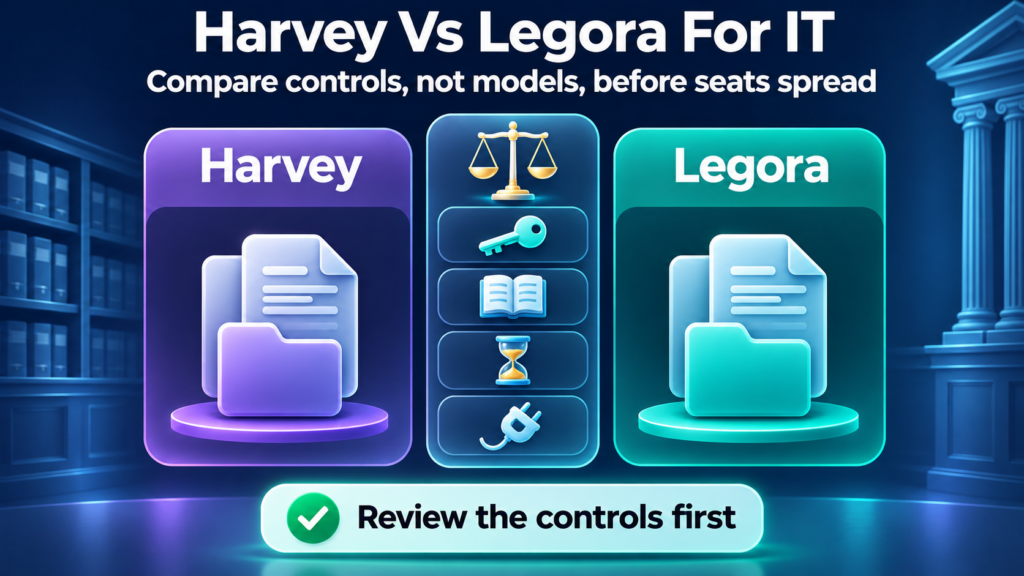
A legal AI pilot often starts with a few partners and a few matters. The admin settings get decided by whoever was on the kickoff call. Months later there are more seats, a few connectors, and no clear record of who approved what. Harvey vs Legora is the comparison many firms of 25 to 200 people run first. IT rarely chooses the product the lawyers prefer. What IT can own is the list of questions both vendors answer before seats spread.
This article does not pick a winner. It also does not publish prices. It covers what each vendor documents about identity, data handling, connectors, and the levers that control spend. The pages below were read on November 10, 2026. Where a vendor page did not settle a point, we say so and tell you what to ask.
A Legora vs Harvey review is useful when it stays on those controls. Model quality belongs to the lawyers who will test the tools on their own work.
Harvey vs Legora: what IT is really comparing
IT is comparing four things. Who can sign in, and how fast access ends. What gets stored, and for how long. Which systems the tool can read, and under whose permissions. What the contract lets you do when usage grows.
Those questions decide whether the firm can answer a client’s outside counsel guidelines questionnaire later. They also get expensive to change after seats are assigned and matters are loaded.
We count seven control areas in the sections that follow. They are SSO and provisioning, audit logs, workspace and matter separation, retention, training and residency, connectors, and cost levers. Neither vendor published a price list on the pages we reviewed. Cost here means cost levers.
What each product is, from each vendor's own pages
Harvey describes itself as AI software for legal and professional services. Its FAQ, last updated November 6, 2026, documents Word and Outlook add-ins. The admin guides cover Command Center controls for users, roles, sharing, analytics, workspace history, and audit logs. Harvey’s login guide lists regional apps for the US, the EU, and Australia.
Legora describes the product as Legora aOS on its integrations page. The public site lists a Word add-in, an Outlook add-in, and Tabular Review. Its Slack Marketplace listing says customer data is stored on Microsoft Azure in the customer’s assigned region. The regions listed there are the EU, the US, Asia-Pacific, or Australia.
Both are hosted services. Neither is something your team installs and patches. Most of the governance work sits in vendor settings and contract terms. That is why the rest of this article is about questions rather than configuration screens.
Admin and identity controls on day one
Identity is where the two documented stories differ most on the pages we could open.
SSO, provisioning, and roles
Harvey documents SCIM for automated provisioning, deprovisioning, and group-based access through the firm’s identity provider. Release notes on the same help site describe SCIM role and group sync, later user-attribute sync, and guest provisioning from Okta or Microsoft Entra ID groups. Harvey’s Slack listing says it supports SAML 2.0 single sign-on, including Microsoft Entra ID and Okta. The detailed SCIM limits article sat behind a login this session. Read that article in your tenant before you treat any limit as current.
Legora documents Entra ID single sign-on on its global authentication, plus a separate SAML 2.0 guide. Entra controls who can authenticate. Legora controls who becomes a member. Admins can turn on auto-provision so a person is added on first sign-in if their email domain is listed. They can also leave auto-provision off and invite people by hand.
The same live Entra article now refers to Directory Sync. It warns that a gallery enterprise app reports that it does not support SCIM, which leaves Directory Sync unavailable. Legora’s sign-in index lists a Directory Sync article for provisioning members and groups from Microsoft Entra ID or Okta. The Slack listing also states SCIM provisioning for Entra ID, Okta, and generic SAML or OIDC links. That updates older help text that said SCIM was not supported yet. Confirm the live Directory Sync article and your tenant setup before you write the control into a policy.
If a user is removed from the Entra enterprise app, they can no longer sign in that way. Their Legora profile remains. If Directory Sync is on, deactivating or removing the user in Entra revokes access to the organization. It still does not delete the Legora profile. That is a workable offboarding path. It is also different from a deleted record. The difference shows up in access reviews once the user list grows.
Ask both vendors who can assign roles and who can enable optional features. Ask whether those assignments stay in the identity provider or inside the product.
Audit logs
Harvey’s admin guides include an article on viewing, filtering, searching, and exporting workspace audit logs in Command Center. Harvey’s Slack Marketplace listing says audit logs are retained for at least one year and up to ten years. The same help index mentions exportable workspace history.
Legora’s public integrations page says every read and write through an integration is logged against the user and the matter. Its Slack listing says critical security logs are retained for at least 12 months. A deeper managed-audit-log help article sat behind a login this session. We did not treat indexed excerpts about an Auditor role or a SIEM API as confirmed. Ask where the logs go, who can read them, how you export them, and how long they last.
Workspace and matter separation
This is the control law firms usually care about most.
On October 29, 2026, Harvey published that it enforces ethical walls using client matters and policies synced from iManage Security Policy Manager. After an early access period, Harvey says the capability is generally available for customers using iManage. When enforcement is on, Harvey says those policies govern Threads, Vaults, Review Tables, and Spaces. iManage SPM stays the system of record. Harvey also says its audit logs record wall membership syncs, space access attempts, and changes to enforcement. The admin guides include a setup article for iManage SPM ethical walls. Confirm availability for your iManage deployment. Do not assume the same enforcement exists for NetDocuments or SharePoint without asking.
Legora’s integrations page says access mirrors the source system. If a user cannot open a document in iManage, they cannot open it through Legora either. It also says ethical walls carry over through Intapp Walls for AI and iManage Security Policy Manager. Access rights, it says, are read from the source system on each request. That is a vendor statement on a public product page. Ask how it is tested in your tenant, and what happens if your walls live in another system.
Data handling: retention, training, residency, and attestations
Retention
Harvey’s admin guides describe settings for how long Harvey keeps workspace, vault, and client matter data. Admins can review the impact of a change before they save it. Separate articles cover vault retention and client matter overrides. Those detailed pages sat behind a login this session, so we are not publishing a numeric range. Harvey’s Slack listing says customers can set retention policies and delete data at any time. It also says remaining customer data or content is securely deleted within 30 days after termination unless the customer instructs otherwise. Confirm the current ranges and any feature-specific exceptions in the service terms.
Legora’s security page says customers can set and manage retention periods. The Slack listing says subscriber content is retained for the term of the agreement, following the customer’s instructions. After termination or expiry, Legora says it helps with retrieval for 30 days and then deletes remaining subscriber content, unless law requires retention. The security FAQ says data is permanently deleted once the contract ends, after you have a chance to request a full export. Ask whether retention is set per workspace, per matter, or only at the tenant level. Put the answer in the order form.
Training, residency, and attestations
Harvey’s Privacy Center, last updated July 13, 2026, states that Harvey does not use customer data or content to train AI models. It also says it does not use that material to improve its products and services. AI provider subprocessors are contractually prohibited from using it to train, develop, or improve their models or services. Harvey says those providers may not retain or log customer data or content for human review, except for certain features. Those features are disabled by default and can be enabled only by account administrators. The Slack listing matches that point for the core service. It also says optional admin-enabled Extended AI Features may carry different retention terms in the service terms.
Legora’s security page states that it will not use customer data to train or fine-tune any AI models. The Slack listing says model providers are contracted under zero-data-retention terms. It also says Legora does not use a customer’s confidential information, including subscriber content, to train or fine-tune models, and does not allow subcontractors to do so.
These are statements of policy. Ask for the contract language that backs them.
Harvey’s subprocessor list, last updated September 21, 2026, names AI model providers and infrastructure vendors. Locations include the US, the EU, Switzerland, and Australia. Some providers are marked as more limited. Harvey noted an update scheduled for November 15, 2026, so re-read the list at contracting and at renewal. The FAQ says customers can keep data in-region in the EU or Switzerland, the US, or Australia.
Legora’s pre-approved subprocessors page, last updated July 6, 2026, lists hosting and model providers by region. The Slack listing says model processing takes place with the subprocessors and in the locations listed for the customer’s region. Read the current list for your region rather than copying anyone else’s summary.
On attestations, Harvey’s FAQ says it is certified to ISO 27001, ISO 27701, and ISO 42001. It says the 2026 SOC 2 Type II audit was conducted by Schellman. Reports can be requested through the Harvey Trust Center. An older May 29, 2025 security blog mentioned SOC 2 Type II and ISO 27001 with Schellman, renewed annually. The live Connector Library page also lists IRAP and AIUC-1. Ask for the current report, the audit period, the scope, and any exceptions.
Legora’s security page lists ISO 42001, ISO 27001, and SOC 2 Type II. It points readers to a trust center for copies. The page also says Legora has both EU-based and US-based technical staff. Ask which team can reach customer data in which region, and under what approval.
A logo on a web page is a claim, not evidence.
Connectors and scopes
This is the section where assuming parity costs the most.
On October 21, 2026, Harvey wrote that its Connector Library is now generally available. That updates an earlier June 2026 early-access note. The product page lists connectors that include iManage, NetDocuments, SharePoint, Box, Google Drive, Teams, and Outlook, among others. Harvey says workspace admins decide which users or groups can use a connector, which tools are available, and which tools need human confirmation before they run. The help index has separate setup articles for those systems. Several of those articles sat behind a login this session. Read the current article for your system before you describe how users authenticate or what they can see.
Legora’s integrations page is clear about two limits that apply to everyone. Integrations do not all work the same way. Not all of them are generally available. Confirm availability for your organization with your Legora team. The same page says supported functionality varies by integration, including what can be accessed, what actions can be performed, and how information flows.
A Legora SharePoint help article and a NetDocuments article labeled beta sat behind a login this session. We are not publishing a permission-scope list we could not re-read. Your security team should open the current SharePoint article and review every Microsoft Graph or SharePoint permission before anyone grants tenant-wide consent. Delegated permissions still act as the signed-in user. The consent grant can still be broader than one person’s access. For NetDocuments, ask whether the connector is generally available and how matter-level permissions are enforced. Do not assume it matches another vendor’s flow.
When content syncs into a knowledge base or a shared workspace, ask which permission model governs who can read the copy.
Cost controls without a price list
You can govern spend without publishing a number. The levers are the same ones you would use for any per-seat platform. They are easiest to set before the first expansion.
Start with seat assignment. Harvey’s FAQ says Harvey is licensed per seat, and that the firm’s admin adds people and sets what they can see. Ask both vendors how seats are counted, whether unused seats can be reassigned, and who in the firm may request one. If provisioning is manual, seat sprawl and access sprawl tend to grow together.
Set the pilot size in writing. A named pilot group with a start date, an end date, and an exit review is a cost control and a governance control at once. Lawyers outside that group will still try AI tools, so give them a written rule on which ones they may use. Our AI acceptable use policy template covers that step.
Ask about usage reporting. Harvey’s admin guides describe analytics charts, recommended actions, and exported usage analytics in Command Center. Ask Legora what usage reporting administrators can see and export. We did not find a public usage-reporting article for Legora in the pages we reviewed. Usage data is how you find the seats nobody opened.
Then the contract. Ask about the renewal notice period and how seat counts true up. Ask what happens to workspace or vault content at termination, and how long deletion takes. Both vendors describe a 30-day window after termination in their public Slack disclosures. Confirm it in the order form. Ask what is metered, optional, or billed separately, including add-on research sources or extra model features.
A side-by-side question table for IT
This table lists questions and where to look. It scores nothing.
| Question for IT | Harvey: where to look | Legora: where to look |
|---|---|---|
| Is SCIM or directory sync supported, and with what limits? | Admin guides on SCIM, plus the live SCIM article in your tenant | Entra ID SSO article, Directory Sync article, and Slack listing |
| Can audit logs be exported, and how long are they kept? | Command Center audit log article; Slack listing retention figures | Integrations page logging statement; Slack listing; ask about export and SIEM |
| Who can see usage, and what does it report? | Command Center analytics articles | Ask the vendor |
| What retention can we set, and where? | Admin guides on workspace, vault, and client matter retention | Security page, Slack listing, and order form |
| Where is data stored and processed? | Login guide, FAQ, and subprocessor list | Slack listing regions and pre-approved subprocessors page |
| Which attestations, and for what period? | FAQ, Trust Center, and security blog | Security page and trust center |
| What does each connector request, and as whom? | Current integration articles for iManage, NetDocuments, and SharePoint | Current SharePoint, iManage, and NetDocuments articles |
| How are ethical walls enforced in our DMS? | iManage SPM blog, October 29, 2026, and the SPM setup article | Integrations page on Intapp Walls for AI and iManage SPM |
| What happens at termination? | Slack listing and service terms | Security FAQ, Slack listing, and DPA |
When this becomes a vendor risk review
A pilot with a few lawyers and no connectors is a software trial. It stops being one when any of these happen. The user count passes a small named group. A connector reads from the document management system. Client confidential material is loaded under outside counsel guidelines. Or the tool starts writing back to firm systems. At that point the questions in this article belong in a formal review with owners and dates. Our guide to AI vendor risk assessment for law firms lays out how to structure that work.
Two companion reads help. Retention here connects to how long AI tools keep context about matters. We cover that in AI memory governance for law firms. If Claude is also on your shortlist, our Claude for Legal security checklist applies the same lens to a different product.
FAQ
What should IT compare besides model quality?
Compare identity controls, retention settings, connector permissions, audit logging, and contract exit terms. Those items decide whether the firm can answer client security questionnaires and control access as seats grow. Model quality is a lawyer decision, tested on real work. IT’s job is making sure the controls exist before anyone depends on them.
Which admin and retention controls matter on day one?
Single sign-on, a clear deprovisioning path, role-based access, exportable audit logs, and a retention period you set on purpose. Harvey documents SCIM and configurable workspace, vault, and client matter retention. Legora documents Entra or SAML sign-on, Directory Sync, and configurable retention at a higher level. Ask each vendor for the exact ranges and who can change them.
How do Harvey and Legora connector scopes differ?
They differ by system, and the public pages do not support a single side-by-side scope list. Harvey’s Connector Library is described as generally available as of October 21, 2026, with admin controls over who can use each connector. Legora says integrations vary in function and availability. Read each vendor’s current article for your exact system. Do not assume parity.
How should a firm set cost controls without a public price list?
Set a named pilot group with an end date. Control seat requests through an owner. Ask each vendor what usage reports administrators can export. Put renewal notice, seat true-up, and termination terms in writing. Review actual usage before every expansion so seats follow real adoption.
When does a Harvey or Legora pilot need a vendor risk review?
When it grows past a small named group, connects to your document management system, handles client confidential matters, or can write back to firm systems. Any one of those changes the risk. A formal review with owners, evidence requests, and dates replaces informal answers from sales calls.
The comparison worth making first
Harvey vs Legora will get settled by the lawyers who use the tools, and that is how it should work. What should not be left to chance is the set of controls underneath: identity, retention, connector scopes, audit trails, and exit terms.
If you want an outside read before seats spread, start with the AI Readiness Snapshot. It is free and takes about 60 minutes. It makes no changes to your environment, installs no software, and ends with a findings report.