
Microsoft 365 E3 vs E5 vs E7: Which License Does Your Firm Need for Copilot?
July 1, 2026
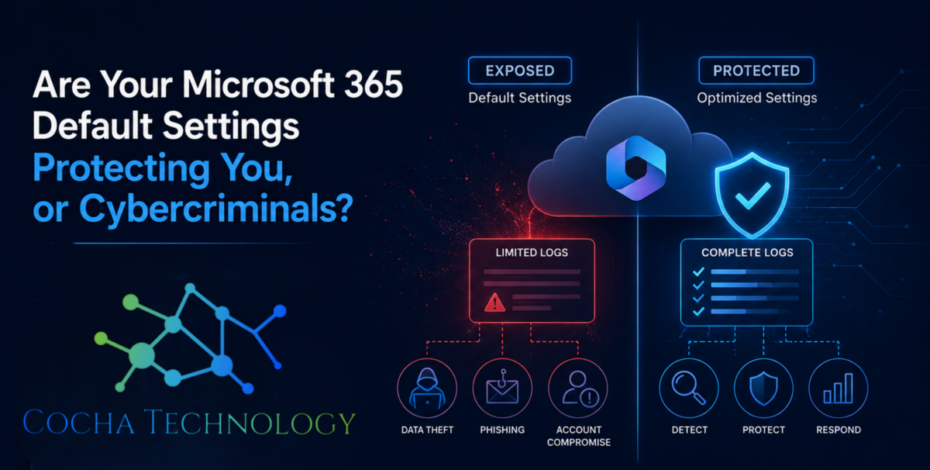
There is a distinct moment in our line of work that never gets easier to watch. It is the moment an entrepreneur looks at a screen, realizes their operations have ground to a halt, and asks, “But wait… aren’t we saving backups to the cloud? Doesn’t our subscription protect us from this?”
It’s a fair question. When you invest in a premier enterprise-grade ecosystem, you naturally assume that the security shields are raised by default. You expect that if an unauthorized actor logs into an inbox from an unusual IP address halfway across the globe, a silent digital sentry somewhere is keeping score.
The unsettling reality of Microsoft 365 default settings is that they are optimized for instant usability, not ironclad security. In the technology sector, we call this the out-of-the-box convenience trap. To ensure that your team can collaborate seamlessly from day one without hitting constant permission roadblocks, the default environment is left intentionally permissive.
Unfortunately, this design choice leaves behind one massive, silent blind spot that actively shields cybercriminals from detection while leaving your intellectual property exposed.
When a business configures its cloud environment, the primary goal is usually speed. You want your employees to access email, share spreadsheets via OneDrive, and hop on Teams calls without friction. Microsoft understands this, which is why the platform ships with a standardized architecture.
However, relying on unconfigured settings creates an incredibly dangerous operational paradox. You have purchased an elite, multi-million-dollar security infrastructure, but the keys are effectively left in the ignition.
According to data from the Identity Defined Security Alliance (IDSA), over 80% of organizations suffered an identity-related breach within a single calendar year, with a significant portion stemming from cloud configurations left entirely at their factory defaults.
Think of it like moving your business into a state-of-the-art office building downtown. The structure features reinforced glass, biometric scanners at the main entrance, and perimeter cameras. But if your internal suite doors are unkeyed, and the master logging system in the basement is powered down to save hard drive space, the security infrastructure becomes a hollow shell.
When a malicious actor slips through an unmonitored opening, they aren’t forced to break your digital locks. They simply navigate your environment using the permissions you inadvertently left wide open.
If you haven’t explicitly hardened your tenant, you are likely missing your most critical defensive asset: comprehensive, long-term unified audit logs.
In older or unmonitored subscriptions, unified audit logging is often turned off by default, or the retention windows are set to an incredibly narrow timeline—frequently just 90 days for basic licenses. This is exactly where the math breaks down for the average small business.
[Attacker Enters Network] ---> (Average Detection Time: 200+ Days)
                              ↓
[Audit Logs Automatically Purged After 90 Days] ---> [Zero Footprints Left for Forensic Audit]
Consider the standard timeline of a modern corporate network breach. According to IBM’s landmark Cost of a Data Breach Report, the average time required for an organization to identify and contain a data breach hovers right around 200 to 250 days.
If a hacker gains access to an executive’s mailbox through a targeted social engineering campaign, they don’t immediately trigger a loud ransomware prompt. They sit quietly. They observe. They read historical threads, study ongoing vendor relationships, and patiently learn how your finance team routes invoices.
If that bad actor waits four months before executing a fraudulent wire transfer or exfiltrating client records, and your platform is running standard Microsoft 365 default settings that purge event history after 90 days, your forensic footprint is gone. When you bring in a team to find out exactly what happened, the logs that could have identified the point of entry, tracked the stolen files, and verified your data sovereignty have already vanished into thin air.
You are left in total darkness, unable to prove to regulators, clients, or insurers what data was compromised and what remained safe.
At Cocha Technology we often talk about the necessity of achieving a true “Moment of Clarity” regarding your digital environment. Without it, you are managing risk by assumptions.
A few years ago, we encountered an organization that was convinced their cloud collaboration tools were perfectly secure because they had purchased upgraded software licenses for their staff. They believed that paying a higher monthly premium automatically applied the corresponding security protocols.
A specialized vendor they worked with was compromised, allowing a threat actor to scrape legitimate user credentials and log directly into the company’s document repositories. Because their authentication architecture was left at standard defaults, the system didn’t flag the login as suspicious. Worse, because no one had configured advanced monitoring or extended retention policies, the actor spent nearly five months systematically downloading sensitive business strategies and personnel records.
When the anomalies were finally noticed, the internal IT team discovered that the critical trail of activity logs had already been overwritten. They couldn’t tell which folders had been viewed, which links had been shared externally, or if the intruder was still lurking in the system.
It was a stark, painful lesson: buying advanced technology only solves half the problem. If you don’t configure the underlying settings to match your specific risk profile, you are simply paying for an illusion of protection.
Leaving your cloud environment unconfigured doesn’t just put your email conversations at risk; it creates an entry point for lateral movement across your entire business ecosystem.
Many small businesses use single sign-on features that link their cloud identity directly to internal file shares, client customer relationship management (CRM) tools, and accounting platforms. If a hacker exploits an unhardened cloud user profile, they don’t just gain access to that specific inbox. They inherit that user’s trusted identity across every connected platform.
This is a massive threat for specialized sectors across the Greater Houston area, including legal practices handling confidential case histories and energy sector subcontractors operating within tight supply chains. If your network perimeter is flat and unsegmented, an intruder who compromises a single remote endpoint can easily move horizontally across the environment until they find your most sensitive financial ledgers or proprietary project designs.
Our core philosophy at Cocha Technology revolves around building lean, mean, self-healing systems that completely eliminate this vulnerability. By moving away from flat environments and implementing strict micro-segmentation, we ensure that even if an individual user account is compromised, the threat is instantly isolated, preventing lateral movement and keeping the rest of your organization completely bulletproof.
Fixing these vulnerabilities doesn’t require massive capital investments, heavy software agents, or complex tools that disrupt your employees’ daily productivity. It simply requires replacing generic, unconfigured profiles with purposeful, expert-driven technical blueprints.
Our process is designed to be entirely frictionless for your operations. Through our specialized Cocha Technology frameworks, we systematically audit your tenant to turn on advanced logging, adjust retention windows, and activate intelligent behavioral alerts. This means your platform begins actively watching for strange login patterns, unauthorized mailbox forwarding rules, and unexpected bulk file downloads before they escalate into an operational emergency.
We don’t expect business owners to become certified information security auditors overnight. Your focus should remain entirely on growing your business, serving your clients, and securing high-value municipal or commercial contracts. Our job is to handle the complex configurations behind the scenes, ensuring your technology functions as a resilient asset rather than an unmonitored liability.
If you have never explicitly audited your system’s out-of-the-box configuration, your organization is likely operating with a critical defensive blind spot. It is time to replace speculation with definitive, actionable data.
We invite you to schedule our signature 60-Minute Exposure Snapshot. This completely agentless, non-invasive internal risk assessment provides a comprehensive look at your digital ecosystem, revealing hidden permissions, unmonitored access paths, and unconfigured settings without placing any drag on your current operations.
Don’t wait for a data anomaly or an unexpected system disruption to reveal the gaps in your network defenses. Reach out to our team at Cocha Technology today and let us help you achieve the permanent technical clarity and security your business needs to scale safely.
Call or email Cocha. We can help with your cybersecurity needs!
About the Author:

Co-Founder & Managing Director, Cocha Technology
Steven is a fractional CIO/CISO with 30+ years of enterprise IT and security leadership. He has built AI governance frameworks for organizations with 1,700+ users, led enterprise Microsoft Copilot deployments, and conducted security assessments across law firms, energy companies, financial institutions, and PE-backed manufacturers.