Claude Team vs Enterprise for Law Firms: Price, Retention, and Admin Controls


Claude Team vs Enterprise for Law Firms: Price, Retention, and Admin Controls
October 6, 2026
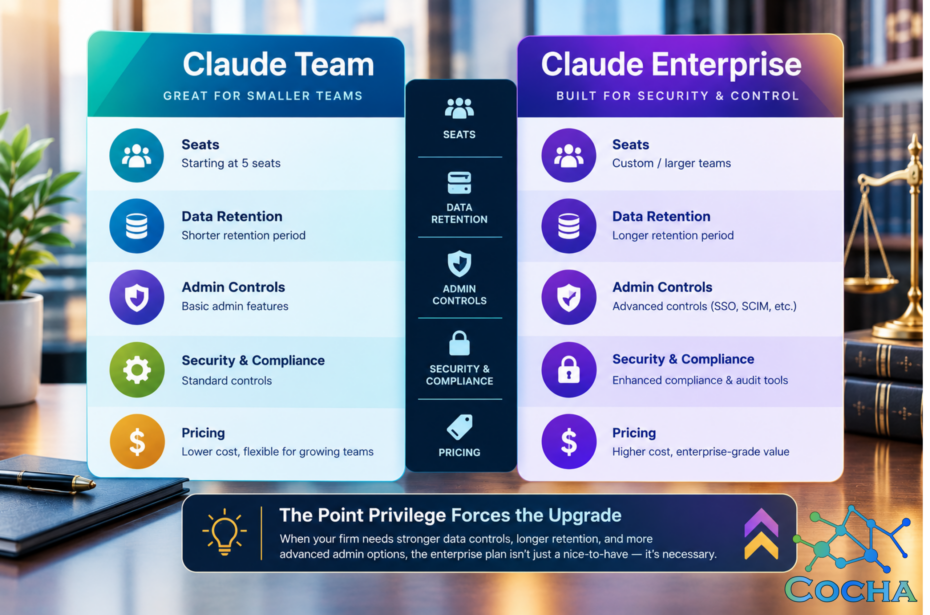
Short answer first, since it’s the one people came here for. The Claude Team plan is enough for most mid-size firms right up until privilege or your admin requirements force the question, and then you need the Claude Enterprise plan. That’s the whole post in two sentences. Everything below is the reasoning, the rough numbers behind Claude team pricing versus Enterprise, and a checklist so you’re not guessing at which moment the switch happens.
Both plans run the same models. Nobody upgrades to Enterprise to get a smarter Claude. Firms upgrade because Team stops short of a few controls that eventually matter: SCIM-based user provisioning, audit logs, and a retention window you negotiate instead of accepting Anthropic’s standard terms as given.
If your firm is under roughly 150 attorneys, runs a mixed caseload, and hasn’t had a client’s outside counsel guidelines address AI data handling yet, Team will likely carry you further than you’d expect. If a client’s OCG or your cyber insurer is already asking about SSO, audit trails, or custom retention, you’re past Team. Claude for lawyers mostly comes down to these two decisions: which plan, and which matters need the stronger controls.
Claude Business Pricing: Team vs Enterprise at a Glance
| Claude Team | Claude Enterprise | |
|---|---|---|
| Seats | Roughly 2 to 150, self-serve | No fixed ceiling; sales-assisted, built for larger rollouts |
| SSO | Yes, standard SSO | SSO/SAML with domain capture, plus IP allowlisting and network access controls |
| Admin console | Central billing, seat management, connector and app-level controls | Everything Team has, plus usage analytics, per-user spend limits, and monitoring |
| Data retention & training posture | Commercial terms: no training on your content by default | Same baseline, plus negotiated custom retention windows and zero data retention for qualifying matters |
| Audit logs | None | Yes, with exportable records |
| Connectors | Available, admin can enable or disable | Same connectors, plus domain-wide governance and usage visibility |
| Approximate price shape | ~$20–30/seat/mo, annual. Pricier tier with Claude Code bundled in. | Per-seat base plus API-rate usage, under a custom annual contract. |
| Best fit | Governed seats and connector control, no compliance review forcing the question yet | SOC 2/ISO reviews in play, OCG language on AI data handling, or SCIM-driven offboarding at scale |
Treat the pricing row as a shape, not a quote. Anthropic’s own page was down the day I wrote this, so every number above came from third-party trackers, including layer3labs.io’s Claude Team vs Enterprise comparison, that don’t always agree with each other down to the dollar. Confirm the live figures before you budget anything.
What The Claude Team Plan Gives a Firm, and Where It Stops
Team gets you more than people expect. Central billing instead of a stack of personal credit cards. Standard SSO through your identity provider instead of forty separate passwords. An admin console where someone can see which connectors are turned on and turn the risky ones off. And the commercial training posture: your firm’s content isn’t used to train Anthropic’s models by default, the single biggest gap between this plan and an individual using Claude on their own.
Here’s where it stops. No SCIM provisioning, so when an associate leaves, removing their access is a manual step somebody has to remember. No audit logs, so if a client or court ever asks what was asked of Claude and when, there’s no clean record to hand over. And no negotiated retention, just Anthropic’s standard commercial window.
For a lot of firms, none of that bites for a long while. Know the gap exists before a client’s security questionnaire finds it for you.
Nobody upgrades to Enterprise to get a smarter Claude. They upgrade for the controls Team doesn't have yet.
What The Claude Enterprise Plan Adds That Law Firms Usually Need
SCIM provisioning is the one I’d flag first. It ties Claude access to your HR and identity system, so when someone leaves or changes roles, access changes with them instead of sitting on a to-do list. For a firm with a few hundred attorneys and real turnover, that closes a genuine gap.
Audit logs matter more than most firms expect until they need one. If a malpractice claim, a bar complaint, or a privilege dispute ever requires reconstructing what an attorney asked an AI tool and when, Team gives you nothing. Enterprise gives you a record.
Then there’s retention. Enterprise lets a firm negotiate a specific window, and for matters that genuinely require it, zero data retention. A handful of our clients run anything touching a regulated industry client through zero retention, everything else through standard terms.
The larger context window matters too, mostly for discovery-heavy litigation or deal due diligence. Real difference, just rarely the reason firms upgrade first.
When Claude Pro is Enough
Pro is fine for a solo practitioner or small group doing legal research, drafting, or general writing that never touches client-identifying data. No firm data flowing through it, no connectors into your document management system, no reason to involve IT.
Here’s the part worth knowing before anyone reaches for a personal account anyway. Since a 2025 policy change, Claude’s consumer plans, Free, Pro, and Max, train on conversation content by default unless the individual opts out, as strac.io’s breakdown of Claude’s data policy lays out.
Opted in, retention runs up to five years. Opted out, thirty days. That’s a different posture from the commercial terms Team and Enterprise carry, and it sits inside an individual’s personal settings, not anything your firm controls.
So, the real risk with Pro isn’t the plan. It’s a partner pasting a draft complaint into a personal account because it’s faster than an IT ticket.
Governance Checklist Before Client Data Touches Any Claude Plan
- Confirm which agreement governs your firm’s usage, Team’s default terms or a negotiated Enterprise agreement, before a single attorney logs in. Don’t assume. Read it.
- Decide who can enable new connectors, and audit what’s connected today. Team’s console can disable a connector. It can’t stop someone enabling a new one next Friday if nobody’s watching.
- Build a leaver process specifically for Team, since there’s no SCIM behind it. Deprovisioning is a manual step, and manual steps get forgotten during a busy departure.
- Flag which matters need custom or zero data retention before Claude touches them, not after. A client’s OCG with AI data terms your firm hasn’t negotiated means that matter needs Enterprise.
- Set an explicit policy on personal accounts. Nothing stops an attorney from using Claude Pro on their own card for firm work, unless someone checks.
The real risk with Pro isn't the plan. It's a partner pasting a draft complaint into a personal account on terms the firm never reviewed.
Where This Leaves Your Firm
This question doesn’t live apart from the Microsoft side of your stack. I’ve written before about what Copilot Premium changes for data protection at law firms, about why DLP alone won’t protect agents like Claude and Copilot, and about the M365 Copilot licensing shape for 2026. The access and retention questions underneath all these tools rhyme more than vendors like to admit.
On the Claude side specifically, layer3labs.io’s Team vs Enterprise comparison is a useful second opinion on where the feature line sits, and strac.io’s write-up on Claude’s data training policy is worth reading if any attorney has considered a personal Claude account for firm work.
Quick Answers
- Is Claude Team OK for privileged work?
- For most matters, yes. Team runs on commercial terms, meaning no training on your content by default, which covers the core confidentiality concern. The gap is process, not exposure: no audit trail to reconstruct what was asked, and no custom retention if a matter calls for it. Firms with regulated clients or specific OCG retention language move those matters to Enterprise.
- What’s the real difference in claude business pricing between Team and Enterprise?
- Less about the seat price, which lands in a similar range, and more about usage billing and contract structure. Enterprise ties cost to API-rate usage under a negotiated term.
- Do we need SSO and SCIM at our size?
- In the hundreds of attorneys with regular turnover, SCIM saves real IT hours and closes a real gap. Under fifty people, manual provisioning is probably fine for a while yet.
- Does upgrading to Enterprise change what Claude can do?
- No. Same models, same core capability. The upgrade changes governance, retention, and audit, not output quality.
If you’re not sure which plan your firm needs, or whether your current setup already has gaps like these, that’s exactly what our AI Readiness Snapshot is built to find: a quick, no-cost look at your admin controls, retention posture, and connector exposure. Grab one here: AI Readiness Snapshot.
Recent Posts
Have Any Question?
Call or email Cocha. We can help with your cybersecurity needs!
- (281) 607-0616
- info@cochatechnology.com
About the Author:

Steve Combs
Co-Founder & Managing Director, Cocha Technology
Steven is a fractional CIO/CISO with 30+ years of enterprise IT and security leadership. He has built AI governance frameworks for organizations with 1,700+ users, led enterprise Microsoft Copilot deployments, and conducted security assessments across law firms, energy companies, financial institutions, and PE-backed manufacturers.
Lorem ipsum dolor sit amet, consectetur adipiscing elit. Ut elit tellus, luctus nec ullamcorper mattis, pulvinar dapibus leo.