In this post
- The short answer
- DSPM for AI vs the new DSPM: what changed in Purview
- What it shows you
- What it needs before it shows anything
- The one-click policies and what each one does
- Where Claude Enterprise and other AI apps show up
- What DSPM for AI will not do for a law firm
- A first 30 days order for a firm with Copilot
- Quick answers
- Where this leaves your firm
1. The short answer
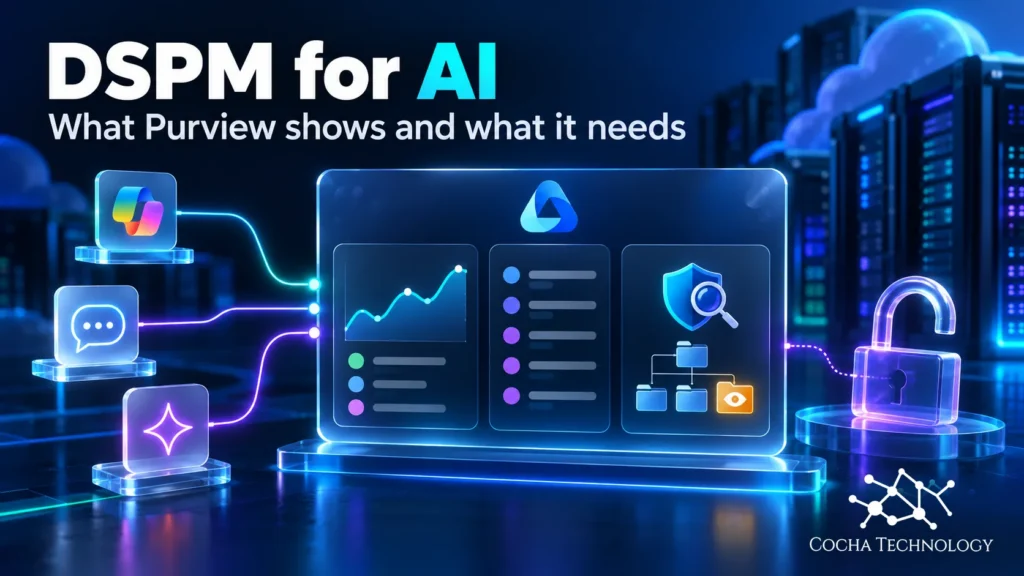
DSPM for AI is the part of Microsoft Purview that shows where sensitive data meets Copilot and other AI apps, then suggests policies to deal with what it finds. It reports. It does not block anything on its own.
The name has also changed under you. Microsoft’s documentation now describes the original tool as DSPM for AI (classic) and says it is being replaced by the current Data Security Posture Management experience. If you search the portal and the docs, you will see both names.
If you need the basics of the discipline first, start with what DSPM is and how it works. This post covers the AI part and what it takes to get useful data out of it.
2. DSPM for AI vs the new DSPM: what changed in Purview
Microsoft’s classic article opens with a notice that the classic version has been replaced by a new version. The new one adds support for AI apps and agents, guided workflows and broader reach. Microsoft also says those improvements will not be added to the classic version.
In practice, admins meet both. Microsoft’s own pages for specific apps, including the Claude connector page, still tell you to use either the current DSPM or DSPM for AI (classic) as your front door. The one-click policies that came from the classic tool keep the DSPM for AI prefix in their names, so you will see that label for a long time.
My advice is simple. Open the current DSPM first, because that is where Microsoft is putting new work. Keep the classic pages bookmarked for the policy names and reports your team already knows. This reflects Microsoft’s documentation as checked on October 31, 2026, and Microsoft renames things often enough that you should check before you write it into a runbook.
3. What it shows you
The reporting is the real value. Reports show interactions over time and trends by AI app. Activity explorer, including its AI activities view, lets you drill into the individual events. Apps are grouped into Copilot experiences and agents, Enterprise AI apps, and Other AI apps, which is how you tell Microsoft 365 Copilot from a connected enterprise tool from a third party site.
The classic version also runs a data risk assessment without any activation. Microsoft says it automatically runs a weekly assessment of the top 100 SharePoint sites by usage in your organization. For a law firm, that is a useful first look at which busy sites are overshared before Copilot starts surfacing their contents.
The current DSPM adds AI observability, which inventories the apps and agents in use, and security objectives with guided workflows.
| What you look at | What you see | What it needs |
|---|---|---|
| Reports | Interactions over time, trends by AI app | Audit on, collection policies for prompts |
| Activity explorer | Individual AI events, sensitive info types | Permissions to view prompts and responses |
| Data risk assessments | Oversharing on SharePoint sites | A day or more after setup |
| AI observability | Inventory of AI apps and agents | The current DSPM |
4. What it needs before it shows anything
An empty dashboard usually means a missing prerequisite. Microsoft lists these for the classic version, and most carry into the current one:
- The right role. An account in the Entra Compliance Administrator group role is Microsoft’s example. Restricted administrators working inside administrative units cannot create the one-click policies that apply to all users. You need an unrestricted administrator for those.
- Auditing on. Auditing is on by default for new tenants, but confirm it.
- A collection policy for prompts and responses. Without one, Copilot in Fabric and Security Copilot events show up in the audit log without the prompts and responses.
- Device onboarding and the Purview browser extension. These are prerequisites for monitoring third party AI sites.
- Pay-as-you-go billing. Microsoft requires it for managing interactions with connected enterprise AI apps such as the Claude connector.
- Time. Microsoft says to wait at least a day for reports to populate after setup.
5. The one-click policies and what each one does
DSPM creates policies in other Purview solutions for you. That is where the enforcement lives, so it helps to know which solution owns which policy.
| Policy name | Solution that runs it | Purpose |
|---|---|---|
| DSPM for AI: Detect sensitive info added to AI sites | Data loss prevention | Spot sensitive data going to AI websites |
| DSPM for AI – Detect risky AI usage | Insider Risk Management | Score risky prompts and responses |
| DSPM for AI – Unethical behavior in AI apps | Communication Compliance | Review flagged interactions |
| DSPM for AI – Capture interactions for Copilot experiences | Collection policy | Capture prompts and responses |
| DSPM for AI – Block sensitive info from AI sites | Data loss prevention | Block sensitive data going to AI websites |
| DSPM for AI – Detect sensitive info shared with AI via network | Collection policy | Needs a SASE or SSE integration you add manually |
Microsoft also offers a recommendation to protect items with sensitivity labels from Microsoft 365 Copilot and agent processing. You pick the labels, and Copilot is then prevented from summarizing data carrying them. That is the closest thing to a Copilot control in the list, and it runs on your label design. For the enforcement side, see Purview DLP for Copilot.
After the default policies exist, you edit them in their own solutions, not in DSPM. Sensitivity labels and their policies are managed under Information Protection.
6. Where Claude Enterprise and other AI apps show up
Microsoft’s Enterprise AI apps category includes a preview connector for Anthropic Claude Enterprise. Microsoft’s page says the connector is in preview and that managing these interactions requires pay-as-you-go billing.
Its capability table, last updated August 4, 2026, marks DSPM, auditing, data classification, Insider Risk Management, Communication Compliance, eDiscovery, Data Lifecycle Management and Compliance Manager as supported. It marks sensitivity labels, encryption without labels, and data loss prevention as not supported. That makes the connector useful for visibility and investigation, and it means Purview will not block a prompt or apply a label for Claude.
Microsoft also says there are no recommendations or one-click policies for Claude yet. You view activity through Reports, the AI activities tab in activity explorer, and the Apps and agents dashboard. Claude agents are not supported, so they do not appear in AI observability. After you set up the connector, wait at least a day for data.
For the Claude side of the same setup, the Claude Enterprise deployment runbook covers audit logs and the Compliance API that feed this connector.
Third party consumer AI sites are a different path. Those need onboarded devices and the browser extension, and any blocking comes from endpoint DLP.
7. What DSPM for AI will not do for a law firm
It does not fix SharePoint permissions. The data risk assessment tells you which sites look overshared, and someone still has to change the access. The SharePoint oversharing guide covers that work.
It does not label your matter files on its own. The default labels it can create are a starting point. They know nothing about client and matter obligations.
It does not see prompts in tools it is not connected to. A lawyer using an AI app that Purview does not cover, on a device that is not onboarded, is invisible to the dashboard. That invisibility is the case a dashboard gives people false comfort about.
Sort what it finds by client and matter sensitivity, and give every finding an owner. A dashboard row that nobody owns does not reduce exposure.
The difference between seeing a problem and enforcing a rule is the same one explained in DSPM vs DLP.
8. A first 30 days order for a firm with Copilot
This is a suggested order, not a Microsoft schedule. Microsoft states only that data takes about a day to appear.
- Confirm auditing is on and your admin has the right role.
- Onboard devices and deploy the browser extension where third party AI use is a concern.
- Review Reports and Activity explorer to see which AI apps people really use.
- Run or review the data risk assessment and list the sites to fix.
- Accept the one-click policies in a monitoring posture first.
- Tighten the policies only after you have seen the real traffic.
- Record what you decided and who reads the reports.
9. Quick answers
What is DSPM for AI in Microsoft Purview?
It is the Purview experience that shows how Copilot and other AI apps interact with sensitive data, with reports, activity detail, risk assessments and suggested policies.
What is data security posture management for AI?
It is the practice of finding where AI tools meet sensitive data, assessing the exposure, and fixing it. DSPM for AI is how Microsoft Purview approaches it.
Is DSPM for AI being replaced?
Microsoft’s documentation says the original is now classic and has been replaced by the current Data Security Posture Management. Improvements will not be added to the classic version.
Does DSPM for AI block Copilot from reading sensitive files?
Not by itself. It can create policies in other solutions, and Microsoft offers a recommendation that prevents Copilot from summarizing items with the labels you choose.
What license or billing does DSPM for AI need?
Microsoft’s DSPM for AI prerequisites page states two license and billing conditions. To monitor Microsoft 365 Copilot and agents, users need a Microsoft 365 Copilot license. For AI apps other than Copilot, the organization needs pay-as-you-go billing. The Microsoft Purview service description covers the Purview plan licensing.
Can DSPM for AI see Claude or ChatGPT use?
Microsoft has a preview connector for Claude Enterprise and lists ChatGPT Enterprise under Enterprise AI apps. Consumer AI sites need device onboarding and the browser extension.
How long before DSPM for AI shows data?
Microsoft says to wait at least a day after setup.
10. Where this leaves your firm
Treat DSPM for AI as the instrument panel. It tells you where AI touches sensitive data, and it generates policies for other Purview tools to enforce. Your results depend on the prerequisites, the quality of your labels and the SharePoint permissions underneath.
If you want to know what your own tenant would show, start with the AI Readiness Snapshot. For the underlying discipline, go back to what DSPM is and how it works.
This isn’t legal advice. Retention and records decisions belong with your firm’s counsel.
Primary sources
- Microsoft Learn, Learn about Data Security Posture Management for AI (classic)
- Microsoft Learn, Considerations for deploying DSPM for AI (classic)
- Microsoft Learn, Learn about Microsoft Purview Data Security Posture Management
- Microsoft Learn, Considerations for deploying Microsoft Purview Data Security Posture Management
- Microsoft Learn, Use Microsoft Purview to manage data security and compliance for Anthropic Claude
- Microsoft Learn, Learn about Microsoft Purview billing models
- Microsoft Learn, Microsoft Purview service description