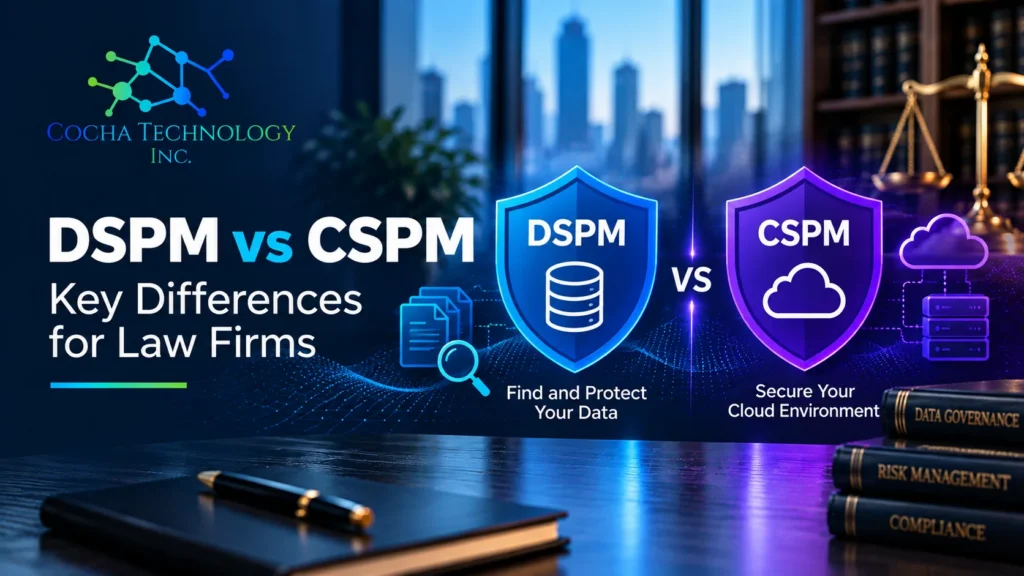
CSPM tells you whether your cloud is configured safely. DSPM tells you where your sensitive data is and who can reach it. They sound like rival products in the same aisle, and the DSPM vs CSPM question gets framed as a choice. For a midmarket organization it’s closer to a sequencing decision, and the answer depends on one thing: where your sensitive data lives.
If most of it sits in Microsoft 365, and Copilot is either live or close, data security posture management is the better place to start. If you run production workloads holding sensitive data in Azure, AWS or Google Cloud, cloud configuration gaps can’t wait. You may need both. The order is the part worth arguing about.
What CSPM does
Cloud security posture management watches your cloud infrastructure. In Microsoft’s version, Defender for Cloud’s CSPM continuously assesses Azure subscriptions, AWS accounts and Google Cloud projects against security standards and issues recommendations to reduce misconfigurations. The Microsoft Cloud Security Benchmark drives a secure score, so you can track whether you’re getting better or worse.
Typical CSPM findings are configuration problems: a storage account reachable from the internet, a virtual machine with a management port open, logging turned off, a resource that drifted from your baseline. CSPM is looking at the container and checking whether the bucket is locked. What’s in the bucket is DSPM’s job.
Microsoft offers two tiers. Foundational CSPM is available at no cost and covers asset inventory, secure score and security recommendations. Defender CSPM is the paid plan and adds attack path analysis, risk prioritization, internet exposure analysis, AI security posture management and sensitive data scanning, among other features.
What DSPM does
Data security posture management starts from the other end. Microsoft describes Purview DSPM as centering on the data itself: where it resides, who can access it, how it’s used, and whether it’s protected. In practice that means four questions.
- What sensitive data do we have?
- Where is it stored?
- Who can access it?
- How is it protected?
Microsoft Purview Data Security Posture Management pulls signals from data loss prevention, Insider Risk Management, sensitivity labels and Data Security Investigations into one view of data risk, policy coverage and posture trends. The current version covers Microsoft 365, Azure and Fabric, and extends to third-party platforms such as Google Cloud, Snowflake and Databricks. It also has dashboards for AI apps and agents, tracking activity like oversharing and unusual access.
DSPM findings look different. Think of sensitive files with no label, or a folder of client data open to the whole organization. Others are DLP policies that miss a location where regulated data turned up, or an AI app touching content it shouldn’t.
DSPM vs CSPM side by side
| CSPM | DSPM | |
|---|---|---|
| Core question | Is the cloud infrastructure configured safely? | Where is the sensitive data, who can reach it, and is it protected? |
| What it inspects | Subscriptions, accounts, compute, storage, networks, identities attached to resources | Files, records and data stores, plus their labels, access and usage |
| Typical findings | Public storage, open ports, weak configuration, drift from a benchmark | Unlabeled sensitive data, overshared sites, gaps in DLP coverage, risky AI interactions |
| Microsoft tool | Microsoft Defender for Cloud (Foundational CSPM, Defender CSPM) | Microsoft Purview Data Security Posture Management |
| Usual owner | Cloud or infrastructure team | Security, compliance or data governance team |
Where they overlap
The lines blur more than the category names suggest. Defender CSPM, the paid tier, includes sensitive data scanning for cloud storage, so a CSPM tool can tell you that a misconfigured storage account also holds sensitive data. That’s useful, because a public bucket full of test logs and a public bucket full of client records aren’t the same emergency.
Purview DSPM, meanwhile, reaches into Azure and some third-party clouds. The current version also integrates with partner tools such as Varonis, Cyera, BigID and OneTrust, though Microsoft’s Purview release notes say partner solutions for non-Microsoft data sources remain in preview.
So both tools can end up looking at data in the cloud. The practical difference is which question each one starts from, and which team acts on the answer. For the related comparison with data loss prevention, our DSPM vs DLP post covers how DSPM and DLP split the work.
Which one to start with: a midmarket order of operations
This is the order I’d use for a firm with somewhere between a few dozen and a few hundred users.
- Map where the sensitive data lives. Before you compare tools, write down where client, patient, financial and employee data sits. At a law firm or professional services firm, the honest answer may well be Microsoft 365 plus a document management system, with very little running in IaaS.
- If you have any Azure subscription, turn on Foundational CSPM. Microsoft makes it available at no cost, and the recommendations and secure score give your infrastructure team a baseline. There’s little reason to skip it.
- If the data is mostly in Microsoft 365, put DSPM effort first. Start with oversharing in SharePoint and OneDrive, label coverage and DLP coverage. This is the work that decides what Copilot and other AI tools can reach.
- If sensitive data runs in production cloud workloads, prioritize CSPM gaps. Internet-facing storage and exposed management ports on systems that hold regulated data are the kind of finding you fix this week. The paid CSPM tier earns its place when you need attack path analysis and risk prioritization across a real cloud estate.
- Plan for both once the first one is running. You’ll likely want both views eventually, because data moves between SaaS and cloud workloads and attackers don’t respect the org chart.
The logic underneath: fix exposure where your sensitive data is concentrated, then expand. A firm with no production cloud workloads that buys an advanced CSPM plan first has bought a very good lock for a mostly empty building.
An outside view helps here too. Our free AI Readiness Snapshot can map where your data exposure sits today.
A hypothetical example
Consider a hypothetical 120-person engineering services firm. Its project files, contracts and HR records live in SharePoint and OneDrive. It also runs a customer portal in Azure that stores uploaded drawings in a storage account.
For this firm, both sides matter, and they carry different weight. Foundational CSPM on the Azure subscription is an easy first move, and the storage account behind the portal is worth checking right away. The larger body of sensitive data is in Microsoft 365, though, so the bigger project is DSPM. That means finding overshared project sites and labeling contracts and HR files. It also means confirming DLP covers the places that data travels before Copilot goes broad.
Quick answers
What’s the difference between DSPM and CSPM?
CSPM secures cloud infrastructure configuration: storage, compute, networks and the settings around them, checked against a security benchmark. DSPM secures the data itself: it finds sensitive data, maps who can access it, and checks whether it’s protected. CSPM asks whether the cloud is set up safely. DSPM asks whether the data is exposed.
Do I need both DSPM and CSPM?
You may, eventually, because sensitive data can live in both SaaS apps and cloud workloads. The question is order. If your sensitive data is mostly in Microsoft 365, start with DSPM. If production workloads holding sensitive data run in Azure, AWS or Google Cloud, close CSPM gaps first. Microsoft makes Foundational CSPM in Defender for Cloud available at no cost.
Does Microsoft offer both?
Yes. Microsoft Defender for Cloud provides CSPM in two tiers: Foundational CSPM at no cost, and the paid Defender CSPM plan, which includes sensitive data scanning. Microsoft Purview Data Security Posture Management provides DSPM across Microsoft 365, Azure, Fabric and some third-party platforms. Licensing requirements differ, so check them against your current agreement.
Which should a law firm start with?
If your firm keeps its sensitive data mainly in Microsoft 365 and a document management system, with little in custom cloud workloads, start with DSPM. Begin with SharePoint oversharing, sensitivity labels and DLP coverage, especially before a Copilot rollout. Firms that host client-facing applications in the cloud should also review those configurations early.
The short version
CSPM and DSPM answer different questions. Start with the one that covers where your sensitive data is concentrated, turn on the no-cost Foundational CSPM baseline if you have Azure, and plan for both. Our guide to data security posture management goes deeper on how DSPM works in Microsoft 365.
Before you commit budget, start with the free AI Readiness Snapshot. If it turns up gaps worth a closer look, our paid AI Readiness Assessment goes further.
Cocha Technology Inc. is a Houston-based AI governance and security advisory firm, serving organizations across the US, Canada and the EU.