8 Governance Controls to Turn on Before a Grok Bot Touches Your Portfolio Company’s Deal Data


Microsoft Copilot Governance: 5 Changes for Law Firms
July 13, 2026
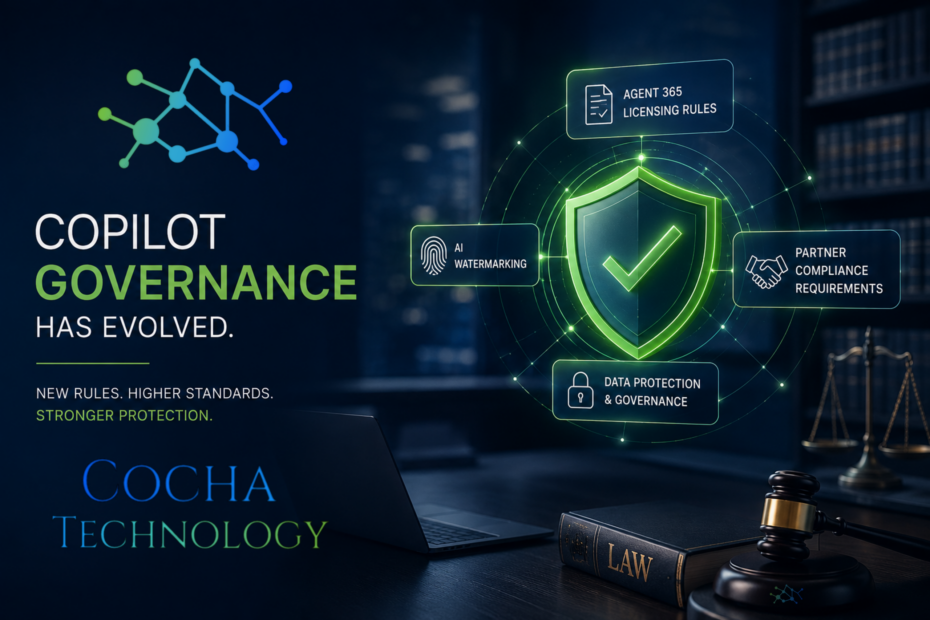
If your firm rolled out Microsoft 365 Copilot sometime in the last year and hasn’t touched the governance settings since, July was the month that decision came back around. Microsoft pushed through three separate changes this month, new licensing prerequisites for Agent 365, an updated Partner Code of Conduct, and a watermarking policy for AI generated content, and taken together they add up to a real shift in Microsoft Copilot governance. None of these made major headlines. All three matter for how a law firm configures, licenses, and defends its use of Copilot going forward.
I’ll be honest, when these announcements first crossed my desk they looked like routine partner center housekeeping. Licensing tiers, code of conduct language, a watermark toggle. But sit with them for a minute and a pattern shows up: Microsoft is quietly tightening the floor under Copilot deployments right as regulators and clients start asking harder questions about AI oversight. For a law firm, that pattern is worth understanding in more detail than a one line release note gives you, and it’s worth treating as a genuine Copilot governance update rather than routine housekeeping to skim past.
What Actually Changed in Microsoft Copilot Governance This Month
Three changes landed close together, and each one touches a different part of Copilot governance.
First, Microsoft introduced new licensing prerequisites for Agent 365, its identity and security layer for AI agents, effective June 1, 2026. Enterprise customers now need Microsoft 365 E5 before they can fully deploy Agent 365. Frontline worker accounts need Defender and Purview at the F5 level. Small and midsize firms need Microsoft 365 Business Premium. Without the right base license, certain Agent 365 capabilities simply won’t activate.
Second, Microsoft updated its Partner Code of Conduct, effective August 1, 2026, adding language that lets it require partners to complete anti-corruption and remediation programs tied to the code or to other partner offers.
Third, Microsoft rolled out a watermarking policy for AI generated video and audio content across Microsoft 365, plus a separate, always on metadata tag that gets attached to AI altered content whether the visible watermark is turned on or not.
Individually, each item is a footnote. Together, they read like Microsoft building an audit trail into Copilot governance from three different directions at once: licensing, partner accountability, and content provenance. All three are laid out in Microsoft’s own Partner Center announcements for July, if you want to read the source language directly rather than take our summary of it.
Agent 365 Licensing Prerequisites: The Quiet Rule That Changes Everything
Here’s the part I think most law firm IT teams are going to miss until it’s already a problem. Agent 365 became generally available on May 1, 2026, priced around fifteen dollars per user per month on top of existing Microsoft 365 licensing. According to Microsoft’s Agent 365 overview documentation, it’s the layer that gives each AI agent an actual identity in Entra, extends Purview data loss prevention and Defender threat protection to agent activity, and adds runtime monitoring for what agents are doing with firm data.
The new prerequisite rule, effective June 1, 2026, means a firm can’t just buy Agent 365 and turn it on. Enterprise tier firms need Microsoft 365 E5 already in place. That’s a meaningfully more expensive license tier than what a lot of small and midsize firms currently run, and it’s not a small ask to go tell a managing partner the firm needs an E5 upgrade to get proper Copilot governance.
Why would Microsoft do this? Because Agent 365’s entire value proposition, giving every AI agent a governed identity instead of a black box, only works if the underlying security and compliance plumbing is already there. You can’t extend Purview policies to an agent if Purview isn’t fully licensed in the first place. Microsoft is essentially saying: we will not sell you agent governance on top of a foundation that can’t support it. Which, I’ll admit, is a more responsible move than I expected from a vendor with every incentive to sell licenses regardless of fit.
For a law firm, this changes the Copilot governance conversation from “should we turn on more Copilot features” to “do we have the licensing foundation to govern the features we already have.” Those are different budget conversations, and the second one is the one general counsel and risk committees actually care about.
The Partner Code of Conduct Update Nobody's Talking About
This one is easy to skip past because it reads like legal boilerplate. Effective August 1, 2026, Microsoft’s updated Partner Code of Conduct gives it explicit authority to require partners, meaning the resellers, consultants, and managed service providers who sell and configure Copilot for client firms, to complete anti-corruption and remediation programs.
If your firm works with a Microsoft partner for its Copilot deployment (and most firms do, few configure this directly with Microsoft), it’s worth asking that partner where they stand on these requirements. A partner facing a remediation obligation isn’t necessarily a red flag on its own. But a firm that can’t answer a straightforward question about its own Microsoft compliance standing is a firm you’re trusting with governance decisions on your data. Worth five minutes of due diligence, especially heading into a renewal conversation.
The programs named in the update, Remediation Standard, Remediation Extended, and MCAPS Finance Partner Compliance, aren’t public in granular detail, but the pattern is familiar from how Microsoft has handled partner oversight before. Extended remediation generally means a partner triggered a more serious finding and now has ongoing monitoring obligations, not a one-time fix. For a firm evaluating who touches its Copilot configuration, that’s a real signal, not paperwork. I’d put this on the same due diligence list as checking a vendor’s SOC 2 report. It rarely blocks a relationship, but it should be a question you actually ask instead of assuming someone else already asked it.
AI Watermarking and Why It Matters More Than It Looks
The watermarking policy is the one I keep coming back to, because it sits closest to a live legal risk. Here’s how it actually works: Microsoft 365 admins can enable a policy called “Include a watermark when content from Microsoft 365 is generated or altered by AI.” When it’s on, AI generated video gets a small Copilot icon watermark, and AI generated audio gets a spoken disclosure, literally a voice saying the audio was AI generated, at the start or end of the clip.
Turn the visible watermark off, and here’s the part that matters for a law firm: the metadata tag documenting AI involvement gets attached regardless. That metadata doesn’t go away just because a partner didn’t want a visible mark on the final work product.
Think about what that means for litigation support, for client deliverables, for anything built with Copilot assistance that later ends up in front of a judge, a regulator, or opposing counsel doing discovery. The provenance trail exists whether your firm actively manages it or not. Firms that get ahead of this, deciding deliberately when AI assisted content gets flagged and how that’s disclosed to clients, are in a much better spot than firms that discover the metadata during a dispute they didn’t see coming.
Copilot Governance Is a Law Firm Problem, Not Just an IT Problem
Here’s where I want to push back a little on how most firms think about Copilot governance. It gets treated as an IT configuration question, something for the help desk to sort out during rollout. The data says otherwise. Recent research on Microsoft 365 Copilot security found that 73 percent of enterprises discover critical data exposure risks only after deploying Copilot, not before. That’s not a testing gap. That’s a structural feature of how Copilot works.
Copilot inherits whatever permission structure already exists across a firm’s SharePoint, Teams, and Exchange data. If your permissions are looser than they should be, and after twenty years in this business I can tell you most firms’ permissions are looser than they think, Copilot will surface documents across matters, across practice groups, sometimes across client walls that were supposed to be airtight. A single over-permissioned document library can turn into an inadvertent disclosure the moment an attorney asks Copilot a broad question and gets an answer pulled from a file they were never supposed to see.
That’s not a hypothetical. It’s the single most common Copilot governance failure mode firms are running into right now, and it existed before any of the July changes. What the new Agent 365 licensing requirements do is make the fix less optional: if you want the governance layer, you need the underlying permission hygiene to support it. The two problems, licensing and permissions, are more connected than they look at first glance.
How This Fits the Bigger 2026 AI Governance Picture
None of this is happening in a vacuum, and I think that context matters. This is the same year the EU AI Act’s high risk compliance timeline got pushed and renegotiated, the same year states passed more than a hundred new AI laws, and the same year Pillsbury named its first Chief AI Officer specifically to own AI governance and enablement decisions at the firm level. Microsoft tightening Copilot governance through licensing, partner conduct, and content provenance fits that same pattern: the industry is moving from “let’s adopt AI” to “who owns this, and how do we prove it’s under control.”
For law firms specifically, that shift shows up as client pressure before it shows up as a regulatory letter. Sophisticated clients, particularly in regulated industries like PE portfolio companies or medical device manufacturers, are already asking outside counsel pointed questions about how AI tools handle their matter data. A firm that can answer with a specific, documented Copilot governance posture is in a materially better spot in that conversation than one that answers with “we turned Copilot on last year and haven’t touched it since.”
A Practical Copilot Governance Checklist for Firms
If you’re trying to figure out where your firm stands on Copilot governance, here’s a working checklist worth going through this quarter.
- License Audit: Confirm what tier of Microsoft 365 your firm runs today against what Agent 365 requires. If you’re on E3 and want full Agent 365 functionality, that’s an E5 conversation with finance, and it’s better to have that conversation on your own timeline than during an incident.
- Permission Review: Before expanding Copilot access to more users or more data sources, get a real picture of who can see what. Over-permissioned SharePoint sites and shared drives are the number one source of Copilot related exposure, and this is fixable work, not a redesign.
- Partner Due Diligence: If a reseller or consultant manages your Copilot deployment, ask directly about their standing under the updated Partner Code of Conduct. It’s a fair question and a well-run partner will have a ready answer.
- Watermark Policy Decision: Decide, deliberately, whether your firm wants visible AI watermarks on generated audio and video, and document that decision. Remember the metadata persists either way, so this is a disclosure policy decision, not a technical one.
- Governance Ownership: Someone at the firm, whether that’s a CIO, a risk partner, or a dedicated AI governance lead along the lines of what Pillsbury just did with its new Chief AI Officer role, needs to own these decisions as a standing responsibility. Not a project. A responsibility.
None of these are expensive fixes on their own. What’s expensive is discovering the gap after a client asks a pointed question about how their matter data was protected.
Timeline Reality Check: A lot of firms will read this list and want to tackle everything in one sprint. I'd push back on that. License audits and permission reviews can run in parallel over 30 to 45 days without disrupting day-to-day work. Partner due diligence is a single conversation you can have this week. The watermark policy decision needs input from risk management and probably outside counsel on disclosure obligations, so give that one real time rather than rushing it to check a box. Sequencing this over a quarter, with clear
Where Copilot Readiness Fits Into All of This
Everything above assumes a firm actually knows its starting point, and that’s the part most firms genuinely don’t have a clear answer to. Governance policy is only as good as the environment it’s applied to. If you haven’t mapped where Copilot already touches sensitive data, or you’re not sure whether your current license tier can even support proper Agent 365 governance, a Copilot readiness assessment is the practical starting point, not another policy document to file away.
We built our permissions management service specifically because permission sprawl is the root cause behind most of the Copilot exposure incidents we’ve walked into. It’s rarely a single dramatic misconfiguration. It’s years of ad hoc access grants nobody cleaned up, and Copilot is just the first tool that surfaces all of them at once.
The Bottom Line
Microsoft didn’t announce a single dramatic Copilot governance overhaul this month. It announced three separate, fairly quiet changes that add up to the same conclusion: the era of turning Copilot on and figuring out governance later is closing. Licensing now enforces a security baseline. Partner accountability is more explicit. Content provenance is tracked whether you opt into the visible watermark or not.
For a law firm, the practical move isn’t panic, it’s a straightforward audit. Know your license tier against what Agent 365 actually requires. Know who can see what across your document environment. Know where your Copilot deployment stands today, not where you assumed it stood when it first rolled out. Good Copilot governance, in the end, is less about any single setting and more about someone at the firm actually owning the whole picture.
If you want a clear picture of where your firm’s Microsoft 365 environment stands against these new governance requirements, our Microsoft 365 Data Exposure is built exactly for this, a focused look at where Copilot can already see more than it should, before that turns into a client conversation you didn’t plan for.
Copilot Governance: Frequently Asked Questions
- What is Microsoft Copilot governance, exactly?
- It’s the combined set of licensing controls, identity management, data loss prevention policies, and monitoring that determines what Copilot and Copilot backed AI agents can see, do, and disclose inside a Microsoft 365 environment. It is not a single setting. It’s a stack of decisions across licensing, permissions, and policy.
- Does Copilot governance require Microsoft 365 E5?
- Not for basic Copilot use, but as of June 1, 2026, full Agent 365 functionality does require Microsoft 365 E5 for enterprise accounts, F5 level Defender and Purview for frontline workers, and Business Premium for small and midsize organizations. Firms on lower license tiers can still use Copilot, they just won’t get the full agent identity and governance layer Agent 365 provides.
- Is AI content watermarking mandatory in Microsoft 365?
- The visible watermark is a policy admins choose to enable or disable. The metadata tag documenting AI involvement in generated or altered audio and video is not optional. It gets attached regardless of the visible watermark setting.
- What is Microsoft Agent 365, and is it different from Copilot?
- Copilot is the assistant your people interact with directly. Agent 365 is the governance and identity layer underneath it, giving each AI agent its own Entra identity and extending existing Purview and Defender policies to cover what agents do autonomously, not just what a human types into a chat box.
- Who should own Copilot governance at a law firm?
- Ideally someone with standing accountability for it, whether that’s a CIO, a risk management partner, or a dedicated AI governance role. Treating it as a one-time IT project during rollout is exactly how firms end up part of the 73% that discover exposure problems after the fact instead of before. ownership at each step, beats a rushed all at once Copilot governance overhaul that nobody maintains six months later.
Recent Posts
Have Any Question?
Call or email Cocha. We can help with your cybersecurity needs!
- (281) 607-0616
- info@cochatechnology.com
About the Author:

Steve Combs
Co-Founder & Managing Director, Cocha Technology
Steven is a fractional CIO/CISO with 30+ years of enterprise IT and security leadership. He has built AI governance frameworks for organizations with 1,700+ users, led enterprise Microsoft Copilot deployments, and conducted security assessments across law firms, energy companies, financial institutions, and PE-backed manufacturers.