

VMware to Azure Migration: Timeline, Real Cost, and What Nobody Tells You
May 25, 2026
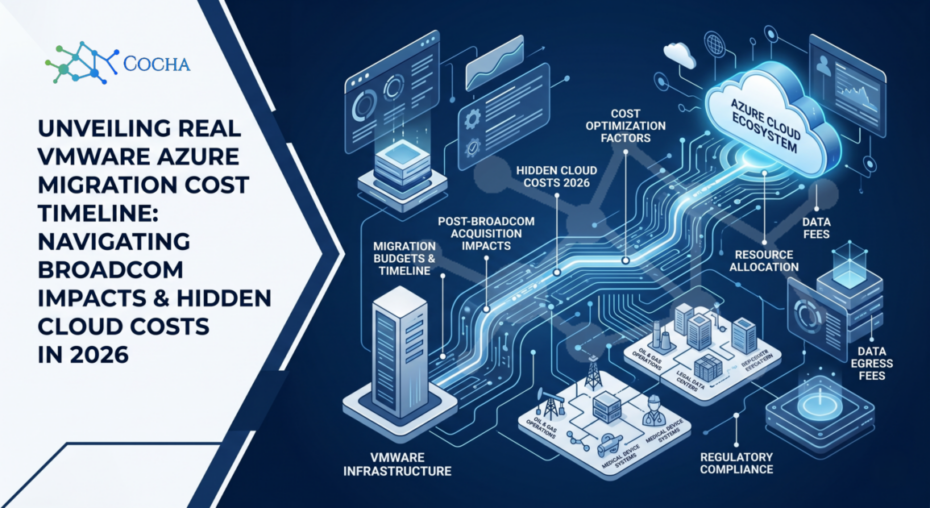
For Law, Oil & Gas, and Medical Device firms, the “Broadcom Effect” has sent a shockwave through the IT industry. For years, VMware was the comfortable, predictable standard for virtualization, but in 2026, the combined pressure of skyrocketing licensing costs and the need for cloud-native agility has made the exit strategy a top priority. The question on every CFO’s desk right now is: What is the actual VMware Azure migration cost timeline?
The answer is rarely found in a generic marketing brochure. A successful migration is a complex orchestration of licensing, engineering, and cultural change. At Cocha Technology, our 30+ years of IT experience has taught us that the “hidden” costs are usually the ones that break the budget.
The Timeline: Why It’s Longer Than You Think
If a vendor tells you they can migrate your entire data center in two weeks, walk away. A realistic VMware Azure migration cost timeline for an enterprise-grade firm usually spans 3 to 9 months.
The Planning Phase (4-6 weeks): This is where we conduct a Zero Trust Assessment to ensure you aren’t migrating vulnerabilities.
The Pilot Phase (4 weeks): This involves moving non-critical workloads to test the “Landing Zone”.
The Migration Waves (12-24 weeks): We group applications and move them in logical batches to avoid downtime.
Taking the time to do this correctly prevents the “re-work” that often doubles a timeline when migrations are rushed.
Calculating the Real VMware Azure Migration Cost
The VMware Azure migration cost timeline is influenced by three major financial buckets:
Azure Consumption: The actual monthly bill for the “rented” hardware in the cloud.
Labor & Engineering: The cost of the specialists (like our team at Cocha) who ensure the “wires” are connected correctly.
The “Broadcom Tax”: This represents the bridge licensing you must pay to VMware while you are in the middle of the transition.
By utilizing Cloud FinOps, we help you identify where you can save money—such as using Reserved Instances or Azure Hybrid Benefit—to bring that total cost of ownership (TCO) down by up to 30%.
What Nobody Tells You: The "Exit Fee" and Egress
One thing often missing from the VMware Azure migration cost timeline discussion is the cost of data egress. Moving data into Azure is usually free, but if you have legacy apps on-premise that need to “talk” to your new cloud servers, those data transfer fees can add up.
We specialize in designing Azure Migration Services that minimize this back-and-forth chatter, keeping your budget predictable. According to resources like Microsoft Learn, understanding your network topography is critical to avoiding these “surprise” monthly bills.
Avoiding the "Lift and Shift" Trap
The biggest mistake that ruins a VMware Azure migration cost timeline is “lifting and shifting” everything exactly as it is. If you move an inefficient, over-provisioned on-premise server to the cloud, you are over-paying for air.
We help you “right-size” your environment during the move. This means analyzing the actual CPU and RAM usage of your VMs and selecting the appropriate Azure instance size. For many manufacturing clients, we find they are often paying for twice the capacity they actually need.
Security During Migration: The Zero Trust Guardrail
For firms in regulated industries, migration is a high-risk period. During a VMware Azure migration cost timeline, your data is often in transit or sitting in a “hybrid” state. This is the perfect time for vulnerabilities to be exploited.
A professional assessment highlights vulnerabilities like “Ghost Assets”—legacy VMs that were forgotten by administrators but still offer an unpatched attack surface. Wrapping these in modern security protocols before they touch the cloud is a core part of our Zero Trust Assessment methodology.
The "Hidden" Cost of Shadow IT
An assessment often reveals “hidden” cloud usage already happening in your company. Teams often spin up their own localized cloud solutions to solve immediate problems. By bringing these into a unified Azure framework during the VMware Azure migration cost timeline, you gain visibility and lower your risk. This also helps with Cloud FinOps by centralizing your spend and eliminating redundant services.
Configuration Drift: The Silent Budget Killer
Over years of on-premise management, “configuration drift” occurs—settings are changed for a “quick fix” but never changed back. Our assessment flags these gaps, allowing us to build “Policy as Code” in Azure. This ensures that your new cloud security posture is not only stronger but automatically stays compliant with standards like SOC2 or CMMC.
Role-Based Access: Cleaning Up the "Admin" Problem
In the rush of daily operations, too many people often have broad “Domain Admin” rights on-premise. Moving to Azure allows us to implement Role-Based Access Control (RBAC). This ensures that employees only see the data they need to perform their jobs, significantly reducing internal risk and potential data loss.
The Post-Migration "FinOps" Reality
The migration doesn’t end when the last server is turned off. To maintain a healthy VMware Azure migration cost timeline, you must engage in constant cost optimization. The cloud is a “variable” expense; without a “Fortress Mindset” toward your budget, costs can spiral.
We utilize tools from Azure’s own Cost Management suite to provide real-time visibility into your spending, ensuring that your migration “savings” don’t disappear into unoptimized resource usage.
The Cocha Perspective: We recently helped a medical device manufacturer who was quoted $250k for a “one-month” migration. When we looked under the hood, we found that their legacy database wasn’t even compatible with the version of Azure their previous vendor had selected. We adjusted their VMware Azure migration cost timeline to a more realistic plan, which actually saved them money in the long run by avoiding emergency downtime and licensing penalties. Our team’s 30+ years of IT experience has taught us that you can’t protect (or budget for) what you can’t see.
The Path Forward
Building a sustainable cloud environment requires three distinct focus areas:
Inventory Discovery: Seeing the full picture of your VMware estate.
Risk Prioritization: Identifying vulnerabilities that need fixing before the move.
Landing Zone Design: Building a secure, compliant “house” in Azure for your data.
Ready for an honest look at your cloud move? Schedule your Migration Discovery Call and let’s build a budget that makes sense.
Recent Posts
Have Any Question?
Call or email Cocha. We can help with your cybersecurity needs!
- (281) 607-0616
- info@cochatechnology.com
About the Author:

Steve Combs
Co-Founder & Managing Director,
Cocha Technology
Steven is a fractional CIO/CISO with 30+ years of enterprise IT and security leadership. He has built AI governance frameworks for organizations with 1,700+ users, led enterprise Microsoft Copilot deployments, and conducted security assessments across law firms, energy companies, financial institutions, and PE-backed manufacturers.