M365 Copilot Premium: Access Control and Data Protection for Law Firms


Microsoft 365 Copilot Licensing for Law Firms: The April 2026 Pivot
March 25, 2026
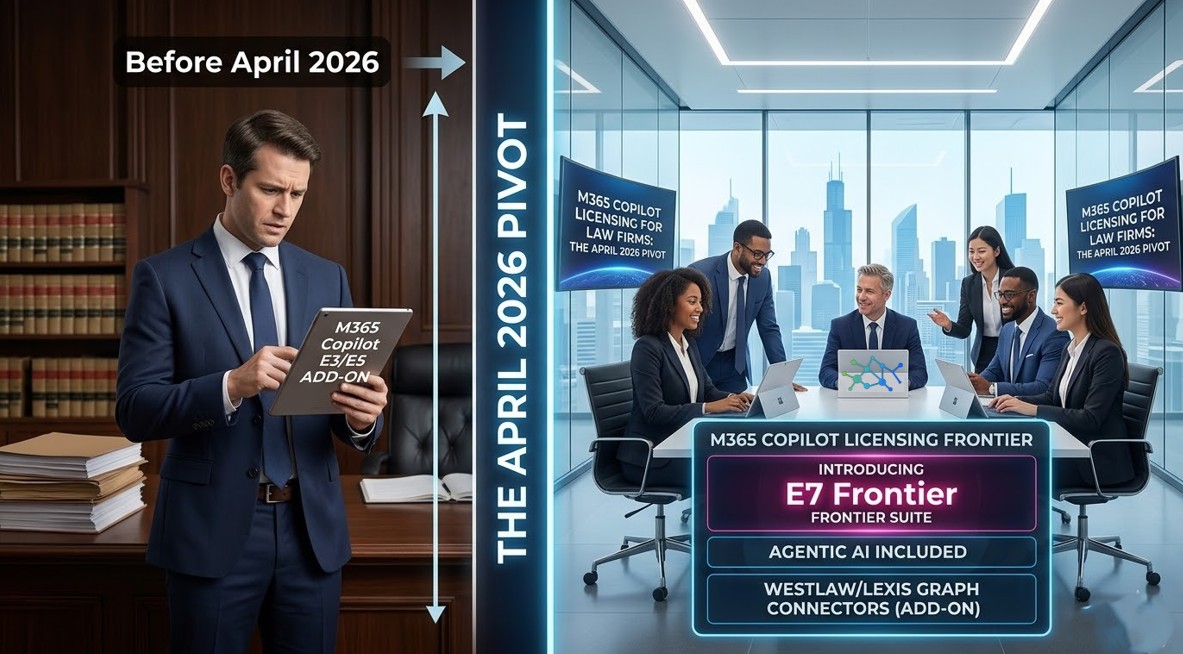
Last week Microsoft drew a hard line across its AI stack. Here is what changes on April 15, what it costs, and how to manage the transition before your associates notice.
If you manage technology at a law firm and you have been keeping an eye on the Microsoft 365 admin message center, you already know something is moving. Microsoft 365 Copilot licensing is undergoing its most significant structural change since the product launched — and the deadline is April 15, 2026. The change redraws the line between the AI that is already sitting at your associates’ desks for free and the AI that Microsoft now wants you to pay for. Getting this wrong means a support queue full of confused attorneys on April 16.
This briefing covers the full picture: what the new tiers are called, what they can and cannot do, where the Microsoft 365 E7 Frontier Suite fits in, how to think about law firm AI governance after the change, and the one licensing number that most vendors are getting wrong.
The April 2026 pivot: what is actually changing
Until April 15, any attorney with a qualifying Microsoft 365 commercial subscription — any account backed by a Microsoft Entra ID tenant — has had access to Copilot Chat Basic inside Word, Excel, PowerPoint, and OneNote at no additional cost. They could open a brief in Word, ask Copilot to summarize it, and get an answer in the sidebar. That is ending.
Effective April 15, Microsoft announced via Admin Center notification MC1253858 that Copilot will no longer be available in the in-app sidebars of Word, Excel, PowerPoint, and OneNote for unlicensed users. Those experiences are now reserved for paid license holders. Free-tier users are redirected to the standalone Microsoft 365 Copilot app at m365copilot.com.
Action required before April 15:
Run a usage audit now. If your attorneys have been relying on the Word or Excel sidebar for daily work, they will lose it with no warning on April 15 unless you act. The admin audit log in the Copilot Control System will show you exactly who is using which apps today.
Outlook is the important exception. Microsoft has confirmed that inbox and calendar grounding remains available for Copilot Chat Basic users after April 15 — email summarization and drafting assistance continue to work without a paid license. That makes Outlook the primary in-app AI touchpoint for users without a paid seat.
To reduce confusion for admins and users, Microsoft is introducing new in-product labels across the tenant:
- Copilot Chat (Basic) — for users on standard enterprise plans with no paid add-on
- M365 Copilot (Premium) — for users with a full Microsoft 365 Copilot license
Copilot Chat Basic vs. M365 Copilot Premium: what each tier can do
The table below reflects the post-April 15 state of Microsoft 365 Copilot licensing for commercial tenants. Use it to brief practice group leaders on what will and will not work after the cutover.
| Feature | Copilot Chat Basic | M365 Copilot Premium |
|---|---|---|
| Additional cost | None — included with qualifying M365 subscription | $30/user/month (enterprise) or $21/user/month for orgs under 300 users |
| In-app sidebar: Word, Excel, PPT, OneNote | ✗ Removed April 15, 2026 | ✓ Full integration |
| In-app sidebar: Outlook | ✓ Inbox & calendar grounding retained | ✓ Full integration |
| Standalone Copilot app | ✓ Web, desktop & mobile | ✓ Web, desktop & mobile |
| Data grounding | Web (Bing) + manually uploaded files | Full Microsoft Graph — emails, files, Teams chats, calendar |
| Enterprise Data Protection | ✓ Prompts never train public models | ✓ Prompts never train public models |
| Model access | GPT-4o / GPT-5 (web-grounded) | GPT-5 + model choice incl. Claude (via Frontier program) |
| Agentic / multi-step workflows | Basic Q&A only | Multi-step agents + Copilot Cowork (research preview) |
| Custom agents (Copilot Studio) | Pay-per-use via Copilot Credits ($0.01/credit) | Included for employee-facing agent usage |
| Teams App Setup Policies | ✓ Manageable by admin | ✓ Manageable by admin |
Note on model version numbers:
Microsoft does not publicly document specific model sub-version numbers (e.g., “GPT-5.3 Instant”) by Copilot tier. Any blog or vendor briefing that cites those specific version strings is extrapolating. Model availability evolves continuously — what matters is the tier, not a version number that may change next month.
Clearing up the “2,000-user” consumption model question
Several vendor briefings circulating right now reference a “2,000-user limit” for the consumption-based Copilot model. This number does not exist in Microsoft’s published documentation. Here is what the thresholds actually are, so you can brief your CFO correctly.
The only user-count threshold worth knowing for Microsoft 365 Copilot licensing decisions is 300 users: that is the ceiling for the Copilot Business SKU at $21/user/month. Organizations above 300 users pay the standard $30/user/month enterprise rate.
The consumption or pay-per-use model — $0.01 per Copilot Credit, or $200 for a prepaid pack of 25,000 credits — applies specifically to Copilot Studio agents: custom agents that tap into tenant data or SharePoint via the Microsoft Graph. It does not apply to basic Copilot Chat access. For a law firm evaluating whether to deploy agents for matter intake, document Q&A, or billing review, the credit-based model is worth a separate conversation.
The Microsoft 365 E7 Frontier Suite: what it is and when it matters
While Microsoft is drawing back the free-tier experience, it is simultaneously making a much larger bet at the enterprise end of the stack. On March 9, 2026, Microsoft announced the Microsoft 365 E7 Frontier Suite, which becomes generally available on May 1, 2026.
The Frontier Suite is not a rebranded E5. It unifies four previously separate products into a single SKU, and the component arithmetic is the clearest way to explain it to a firm’s executive committee:
| Microsoft 365 E7 — WHAT YOU ARE BUYING AT $99/USER/MONTH | |
| $60 | |
| $30 | |
| $12 | |
| $15 | |
À la carte total | $117 |
Microsoft 365 E7 — Frontier Suite$99 | $99 |
| ✓ Approximately 15% saving vs. purchasing components separately — available May 1, 2026 | |
The component that makes E7 strategically interesting for law firms is Agent 365 — the governance and security control plane for AI agents. As firms begin building internal agents for tasks like matter intake, billing review, or document Q&A, Agent 365 gives IT and security teams a single place to observe, govern, and audit every agent running in the tenant.
Also notable within E7 is access to Copilot Cowork, currently in research preview, which was built in collaboration with Anthropic and enables long-running, multi-step tasks that unfold in the background — analogous to a digital legal clerk that can draft a multi-document filing while an attorney is in a deposition. It is not production-ready today, but it is the clearest preview of where Microsoft’s AI stack is heading for legal workflows.
Model diversity: Claude is now in Copilot
As of the March 9, 2026 Frontier announcement, Anthropic’s Claude is available in Copilot Chat via the Frontier program, alongside OpenAI’s latest models. For firms that want model flexibility without managing a separate vendor relationship, this matters. Anthropic officially became a Microsoft subprocessor on January 6, 2026, meaning Claude interactions within Copilot are covered by the same Enterprise Data Protection boundary as all other Microsoft 365 data.
Law firm AI governance after the April 15 change
The April 15 change is not just a licensing adjustment — it is a governance moment. Law firm AI governance strategies built around the assumption that “the free version is limited enough to ignore” no longer hold. Users who lose the Word sidebar will find workarounds: the standalone Copilot app, browser-based AI tools, or consumer alternatives. Shadow AI is the more likely outcome than voluntary compliance.
The three governance levers that matter most right now
Copilot Control System and Integrated Apps. The Copilot Control System in the Microsoft 365 Admin Center (Settings → Search & intelligence) is where access is scoped to Azure AD groups. If you want to gate the standalone Copilot app to specific practice groups or a Technology Committee pilot, this is the lever. Users outside the group will not see the Copilot icon in the web portal or app sidebars.
Purview Sensitivity Labels. The most underused law firm AI governance control is Microsoft Purview sensitivity labels. Documents labeled “Highly Confidential” can be blocked from being used as AI context entirely — both in the free and paid tiers. If your DLP policies do not yet cover AI inputs, they need to.
Copilot Interaction logs. The standard Audit log search in the Microsoft Purview Compliance portal exposes who is using Copilot, which apps they are using it in, and whether they are uploading files. This data is the foundation for a fact-based conversation with practice group leaders about real AI usage — not assumptions.
Cloud Policy vs. Intune Policy for app-level suppression. If you want the standalone Copilot app available but need to prevent Copilot from appearing inside specific Office desktop apps (for a practice group handling particularly sensitive matters), Microsoft Intune or the Microsoft 365 Apps Cloud Policy service can disable Connected Experiences per app. Note: after April 15, this control becomes primarily relevant for licensed Premium users — Basic users will no longer have in-app access to suppress anyway.
Your three-week action plan before April 15
- Audit current sidebar usage. Pull Copilot Interaction logs from the Compliance portal. Identify which users are actively using the Word, Excel, or PowerPoint sidebar. This is the population that will be disrupted on April 15.
- Decide the licensing split. For power users — those doing substantive document drafting with the sidebar — evaluate whether a paid M365 Copilot Premium license ($30/user or $21/user under 300 seats) is justified. For occasional users, redirect them to the standalone app with a short training note.
- Tighten DLP before the standalone app gets more traffic. File upload to the standalone Copilot app is still stored in the user’s OneDrive for Business. If your DLP policies do not yet scan for client matter numbers or privileged document markers, configure them now — before the standalone app becomes the new default AI surface for your firm.
- Communicate the change proactively. A one-paragraph firm-wide notice explaining that the Word and Excel AI sidebar is changing, and where to go instead, will prevent a help desk spike. Silence creates confusion and shadow AI.
- Evaluate E7 for Q3 planning. If your firm is on E5 and already paying for Copilot, the Microsoft 365 E7 Frontier Suite at $99/user may represent a net saving once Agent 365 and the Entra Suite are factored in. Model this against your current contract before May 1.
The bottom line for law firm CIOs
The era of free integrated AI in Office documents was a useful pilot phase. Microsoft is now asking every firm to pick a lane: the standalone Copilot Chat Basic app for general research, or the full M365 Copilot Premium integration for legal production work. The April 15 date is firm, and the firms that have already audited usage and made the licensing call will have a smoother transition than those who let it arrive unannounced.
The larger strategic question — whether to invest in the Microsoft 365 E7 Frontier Suite and start building supervised agents for legal workflows — does not need to be answered this month. But it does need to be on the Q3 planning agenda, because the firms that are piloting Copilot Cowork and Agent 365 by the end of 2026 will be operating with a materially different leverage ratio than those who are not.
Don’t let the next phase of AI integration arrive unannounced; let Cocha Technology help you pick the right lane and build a high-leverage roadmap for 2026—click here to schedule a strategy session with our advisory team.
Recent Posts
Have Any Question?
Call or email Cocha. We can help with your cybersecurity needs!
- (281) 607-0616
- [email protected]