Regulatory Compliance and Agents in Energy: FERC, NERC, and the Agent Deployment Gap
April 24, 2026
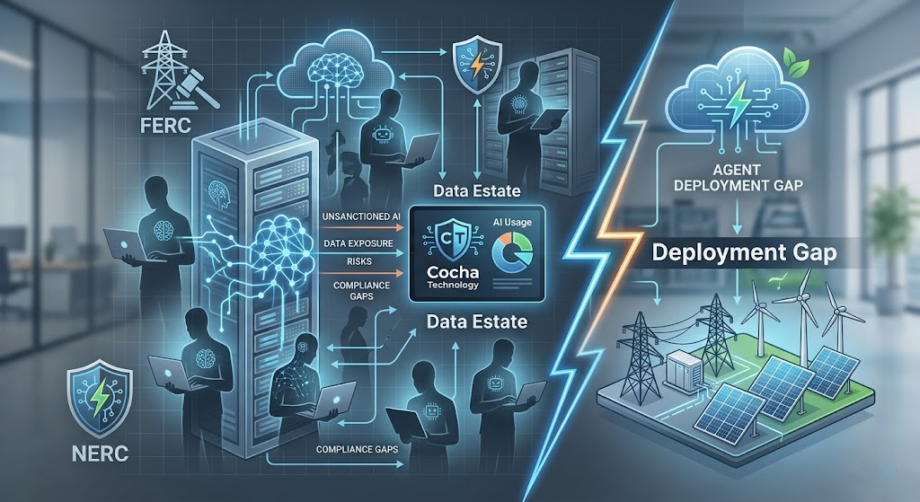
FERC and NERC were not written with AI agents in mind. Their language addresses systems, personnel, and processes — the vocabulary of energy infrastructure regulation before machine learning became a deployment consideration. Neither framework has an explicit chapter on what it means to deploy a Claude or Copilot agent in an environment that touches critical energy infrastructure.
That regulatory silence is not permission. It is a gap — and regulatory gaps in the energy sector tend to close faster than compliance programs adapt to them.
Here is what the current state of the frameworks actually means: FERC and NERC govern the infrastructure that agents will operate on. They set requirements for access control, monitoring, incident response, change management, and third-party risk management. When an agent is deployed into an environment that falls under these frameworks, every requirement that applies to that environment applies to the agent — whether the framework’s language explicitly says so or not.
Energy organizations that are moving toward agent deployment need to answer a specific question before they proceed: do your current compliance controls extend to agent behavior, or do they stop where traditional system boundaries used to be?
To define NERC CIP, let’s firstly break down what the abbreviation stands for. We know dissecting it in this way might feel a bit like “NERC CIP for dummies” – but we think it’s important to understand what each part of the term represents.
- NERC stands for the North American Electric Reliability Corporation – a not-for-profit international regulatory authority whose mission is to assure the effective and efficient reduction of risks to the reliability and security of the grid.
- CIP stands for Critical Infrastructure Protection – a set of standards designed to protect the physical and cyber assets essential to the operation of the Bulk Electric System.
How FERC and NERC Apply to Agents
NERC Critical Infrastructure Protection standards — the CIP series — are the most directly relevant framework for organizations operating bulk electric systems. They address physical and cyber security for control systems, access management for critical systems, and incident response requirements.
The access control requirements are where agent deployment creates the most immediate compliance tension. CIP-004 and CIP-005 require that access to critical systems be limited to authorized personnel and systems, with documented justification for every access grant, regular review of access authorizations, and immediate revocation when access is no longer required.
When an agent is deployed and granted access to operational systems — even read-only access for monitoring or reporting purposes — it becomes a system with access to critical infrastructure. The question of whether that access is authorized, documented, reviewed, and revocable is a CIP compliance question, not just a security question.
CIP-007 covers system security management, including patch management, security monitoring, and logging requirements. Agent activity — the queries it makes, the data it accesses, the outputs it generates — should be captured in your security monitoring infrastructure. Whether your current monitoring setup captures agent activity in the granularity that CIP-007 requires is an open question for most energy organizations.
CIP-010 covers configuration change management. Deploying an agent into a critical environment is a configuration change. Whether it was handled through the required change management process — documented, tested, approved — is a compliance question that organizations should be able to answer definitively.
FERC Order 887 and related cybersecurity directives address supply chain risk management for grid operators. When you deploy Claude or Microsoft Copilot as an agent platform, you are introducing a third-party AI system into your environment. The supply chain risk management requirements for that third-party relationship — vendor assessment, contractual protections, ongoing monitoring — apply.
The principle that runs through all of these requirements is the same: you are responsible for what happens in your environment, including what AI systems operating in that environment do with the access they have been granted.
The Five Compliance Gaps Agents Create
- Access Authorization Without Agent-Specific Frameworks:
Most energy organizations have well-documented processes for authorizing human access to critical systems. They have role-based access frameworks, approval workflows, regular access reviews. These processes were designed for human employees.
Agents are not in the framework. When an agent is granted access — typically through inheriting the permissions of the user who deployed it — that access is often not documented in the same way human access is documented. There is no explicit authorization record, no defined role, no review schedule.
This is a CIP compliance gap. The access exists. The documentation does not.
- Monitoring That Does Not Capture Agent Behavior:
CIP-007 requires security event monitoring and logging with the granularity needed to detect and respond to security incidents. Most monitoring systems in energy environments were designed to capture human user activity and system events. They capture authentication events, file access by user accounts, network traffic.
Agent activity often falls between these categories. An agent querying an operational database through an API leaves a different audit trail than a human logging in and running a query. Whether the monitoring system captures that activity in the granularity the framework requires depends on how the monitoring was configured — and most were not configured with agent activity in mind. - Change Management Gaps at Deployment:
Agent deployment is a configuration change that affects critical systems. In a properly structured CIP environment, this change should go through the documented change management process: impact assessment, testing in a non-production environment, approval, controlled deployment, and post-deployment review.
In practice, many agent deployments happen outside this process — either because the team deploying the agent does not recognize it as a CIP-relevant change, or because the deployment happens through a commercial platform whose activity is not clearly mapped to the organization’s change management scope. - Incident Response Gaps for Agent Compromise:
CIP-008 requires documented incident response procedures with defined roles, escalation paths, and recovery processes. These procedures need to address agent-specific scenarios: what happens if an agent is compromised through a prompt injection attack, what does the investigation process look like, how do you determine what data the agent accessed during a compromise, and who has the authority to revoke agent access immediately.
Most incident response plans predate agent deployment. They address malware, unauthorized access, and data breaches — categories that existed before agents. The agent compromise scenario is absent. - Third-Party Risk for Agent Platforms:
FERC supply chain risk requirements and NERC CIP-013 address the risk introduced by third-party vendors and systems. Claude is an Anthropic product. Microsoft Copilot is a Microsoft product. Both are third-party AI systems operating in your environment.
The vendor assessment, contractual protections, and ongoing monitoring requirements for these relationships are not fundamentally different from the requirements for any other third-party system — but they may not have been applied to agent platforms because organizations have not yet categorized them as critical-system vendors.
"The regulatory silence on agents is not permission. FERC and NERC govern the infrastructure agents will run on — which means they govern agents."
Proving Compliance Before Deployment
The evidence that regulators expect for AI deployment in critical energy infrastructure is not categorical — there is no FERC or NERC checkbox that says “agent security: compliant.” What regulators expect is a documented, defensible posture: evidence that you assessed the risk, designed controls appropriate to that risk, implemented those controls, and have ongoing monitoring that would detect a problem.
This means building the compliance case before deployment rather than after the fact.
The access authorization documentation should exist before the agent is granted access: a defined role, a documented justification, an approval record, a review schedule. This mirrors the documentation required for human access, adapted for the specific characteristics of agent access.
The monitoring configuration should be reviewed and updated before deployment to ensure that agent activity — queries, data access, output generation — is captured in the security event logging with sufficient granularity to meet CIP-007 requirements.
The change management process should be applied to the deployment. Impact assessment, testing, approval, controlled rollout. Documentation of each step.
The incident response plan should be updated before deployment to include agent-specific scenarios: compromise through prompt injection, unauthorized data access by the agent, agent behavior outside defined parameters.
The third-party risk management process should be applied to the agent platform vendor — Anthropic, Microsoft, or whoever else is in your deployment stack.
A compliance-focused zero trust and cloud security assessment — specifically structured to evaluate these five areas — produces the documentation that demonstrates this posture. It is not just a security exercise. It is the evidence base for the regulatory conversation.
FERC and NERC compliance frameworks apply to the infrastructure your agents will run on. Know where you stand before deployment.
Building Compliance Into Your Agent Strategy
The right frame for FERC and NERC compliance in the context of agent deployment is not restriction — it is integration. The compliance requirements that apply to your environment existed before agents. Agents are a new system operating within that compliance environment, not a reason to build a separate compliance framework.
The organizations that get this right are the ones that treat agent deployment as a system deployment — with all the access management, change control, monitoring, and vendor assessment rigor that implies. They do not deploy first and figure out compliance later. They do not treat agents as a special category that falls outside the normal governance process.
They map the compliance requirements to the specific characteristics of agents, identify where their current processes need adaptation, make those adaptations, and deploy on a foundation that is defensible in a regulatory review.
The assessment is how you build that foundation. It tells you where you stand today, what the gaps are, and what needs to happen before your agent deployment is compliant with the frameworks that govern your environment.
FERC and NERC will eventually catch up to AI agents with explicit regulatory language. When they do, organizations that have already built compliant agent deployments will be ahead. Organizations that have not will face a retrofitting exercise under regulatory scrutiny.
The compliance-focused assessment — zero trust posture, cloud security, access authorization, monitoring coverage — builds the foundation now. Ninety minutes, findings in five business days, a clear view of your current posture against the frameworks that apply to your environment.
Schedule your compliance-focused zero trust and cloud security assessment. Know where your FERC and NERC compliance posture stands before your agent deployment starts.
Recent Posts
Have Any Question?
Call or email Cocha. We can help with your cybersecurity needs!
- (281) 607-0616
- info@cochatechnology.com
About the Author:

Steve Combs
Co-Founder & Managing Director, Cocha Technology
Steven is a fractional CIO/CISO with 30+ years of enterprise IT and security leadership. He has built AI governance frameworks for organizations with 1,700+ users, led enterprise Microsoft Copilot deployments, and conducted security assessments across law firms, energy companies, financial institutions, and PE-backed manufacturers.